

Tags: Challenges, Setup
In a bingo reading challenge, you can edit the order of the badges on your bingo card up until the challenge is live—then, the bingo card layout is locked and unable to be edited, so that all your readers have the same challenge experience.
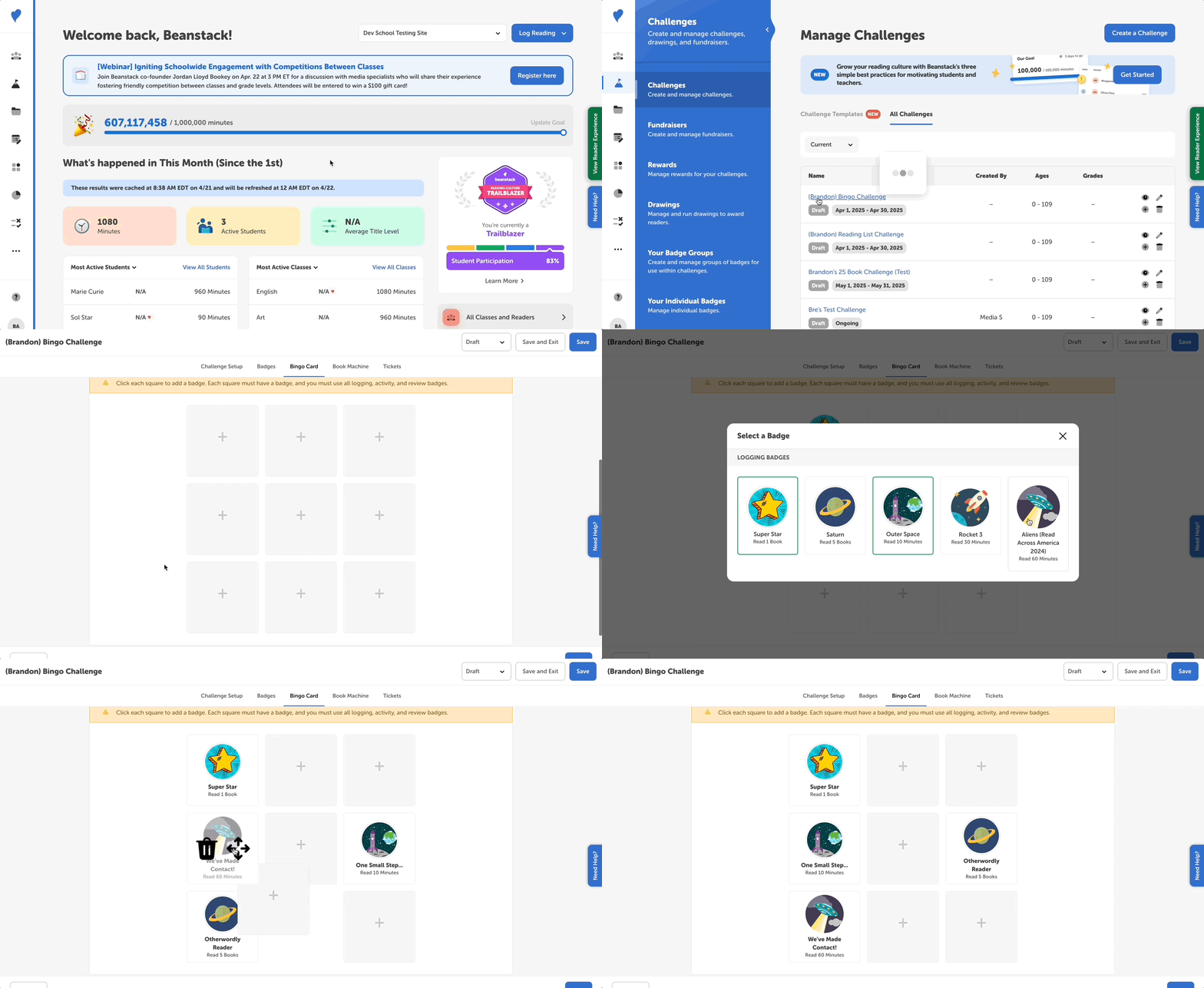
Follow the steps below to edit your bingo card.
-
Log in to the admin view of your site.
-
Select the bingo reading challenge you’d like to edit.
-
Click the “Bingo Card” tab.
-
Click a blank space and then select one of the challenge badges to fill it.
-
You can also drag and drop badges to different spaces to change their order.
-
-
Once all your spaces are filled, click “Save” and finalize the other parts of your challenge before publishing.