

Tags: Classes & Readers, Staff
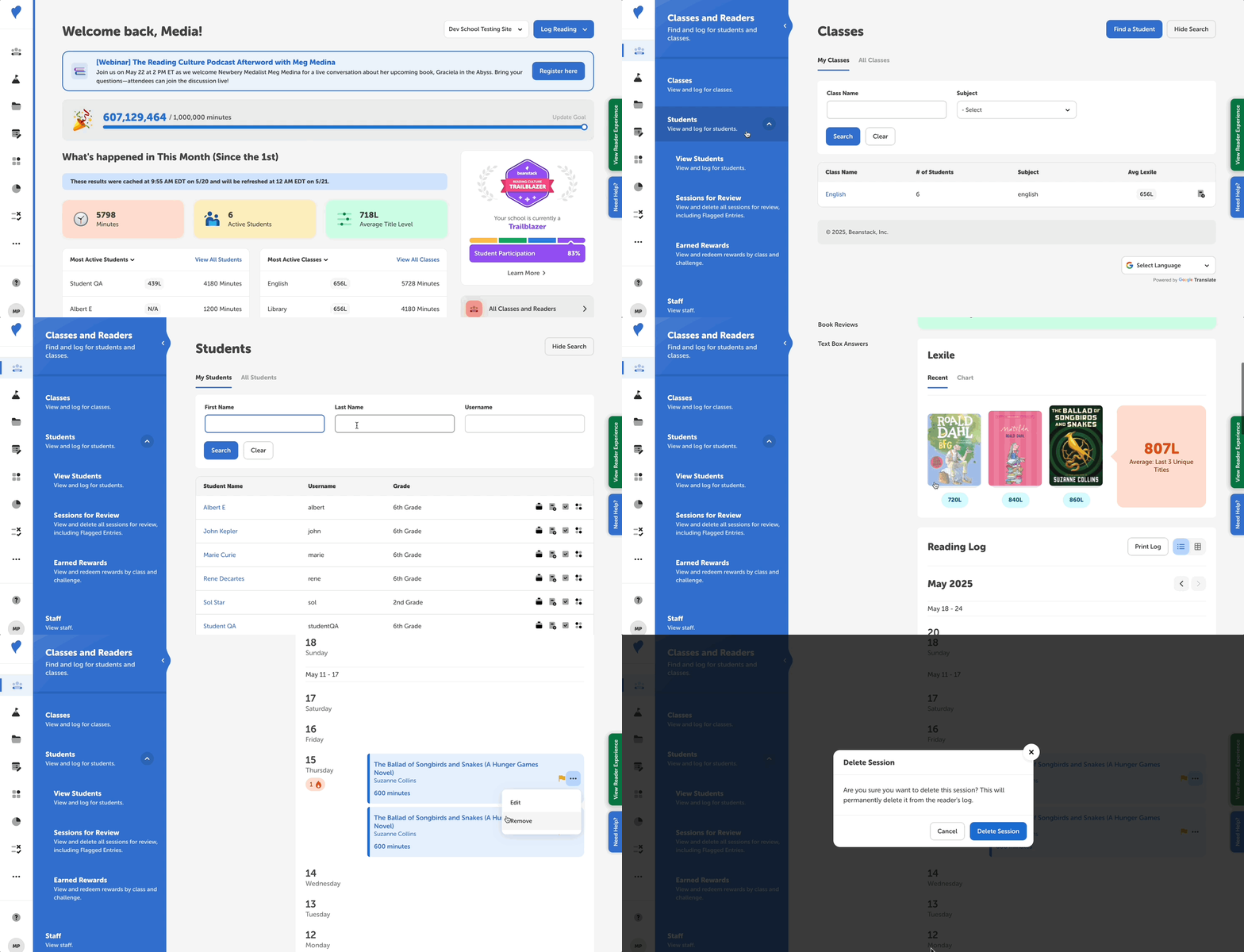
You can easily delete a logged reading session on behalf of a student through your admin dashboard by following the steps below:
-
Log in to the admin view of your school site.
-
Navigate to Classes and Readers > Students.
-
Enter and search for the reader’s information, and then click their name.
-
Within their reader profile, click “Reading Log” from the left-side menu.
-
Then, find the session you would like to remove, click the three dots icon to its right, and select “Remove.”
-
In the pop-up message, click “Delete Session” to confirm the deletion.
Note: Remember that if a reader earned any badges as a result of the logging session, the badge(s) will not be automatically deleted. Those must also be manually removed or “un-earned” by following these steps.