

Tags: Reports & Insights, Insights, Staff, Reports
 Learn how to view total earned badges for your entire school or different teachers, classes, grades, and challenges using reports.
-
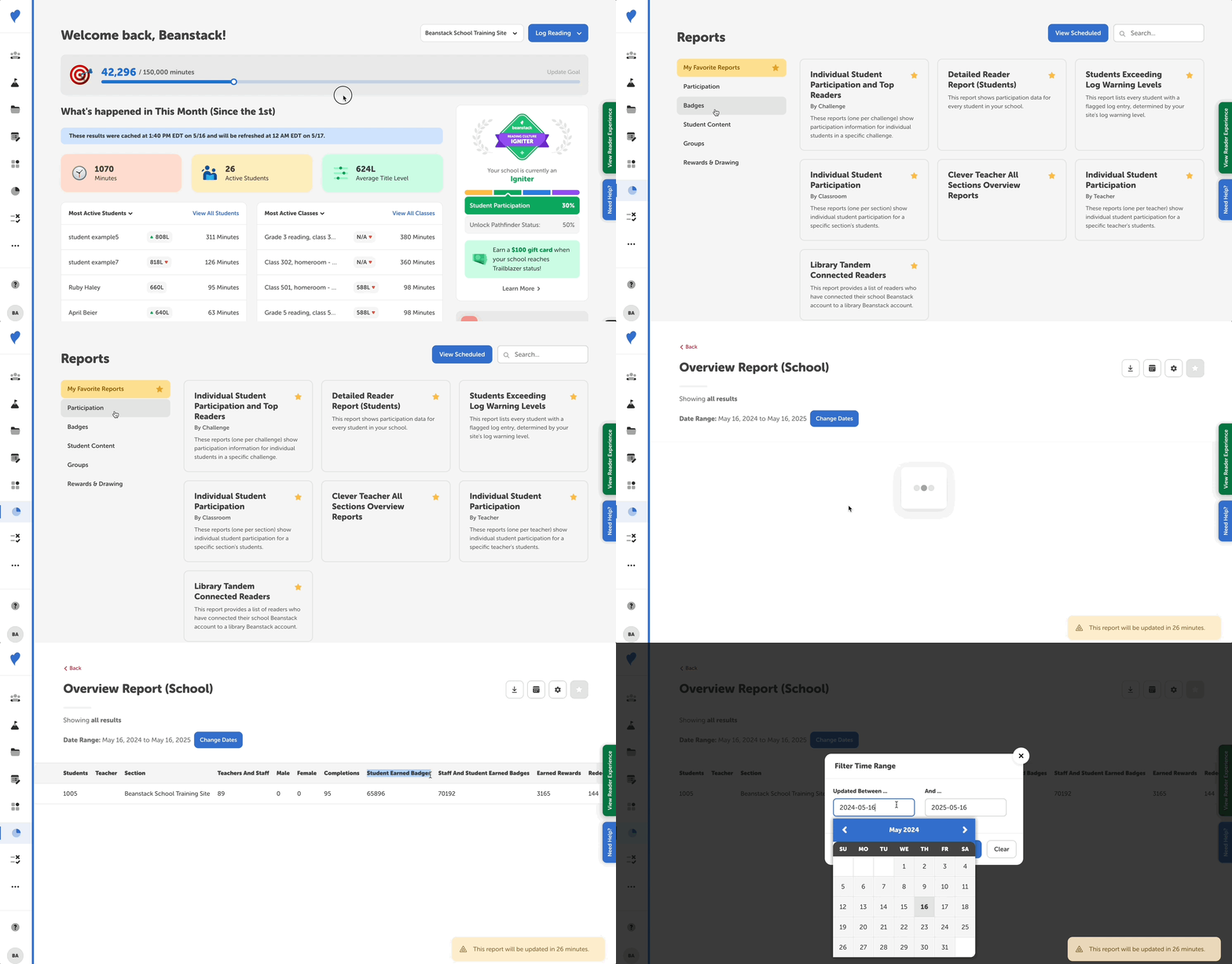
Log in to the admin view of your school site.
-
Navigate to Reports.
-
Go to the “Participation” section, and select the “Overview Report (School)” report.
-
You can also find for the report with the search bar in the upper right corner.
-
-
After generating the report, find the total earned badges under the “Student Earned Badges” column.
-
By default, the date range is set to one year before the current date. But you can change this range by clicking “Change Dates.”
-
From here, you can customize what data is visible on the report, as well as export it to your computer.