

Tags: Streaks, Readers
With Beanstack’s streaks features, readers can track and grow their daily reading habit, as well as receive motivating messages to maintain their streaks.
Each consecutive day that readers log reading—whether they log minutes, pages, books, or days—adds a day to their reading streak. There is no minimum that must be met for a day’s reading to count toward a streak; even 5 minutes a day helps keep a reading streak alive!
Streaks also take into account backdated reading, as long as the log dates are uninterrupted. That means that if a reader cracks open a book for 20 minutes on Monday but forgets to log it, they can sign in on Tuesday and log those 20 minutes on Monday’s date to save their streak. But a day when readers write reviews or complete activities does not add to their streak, as streaks only count logged reading.
On the web
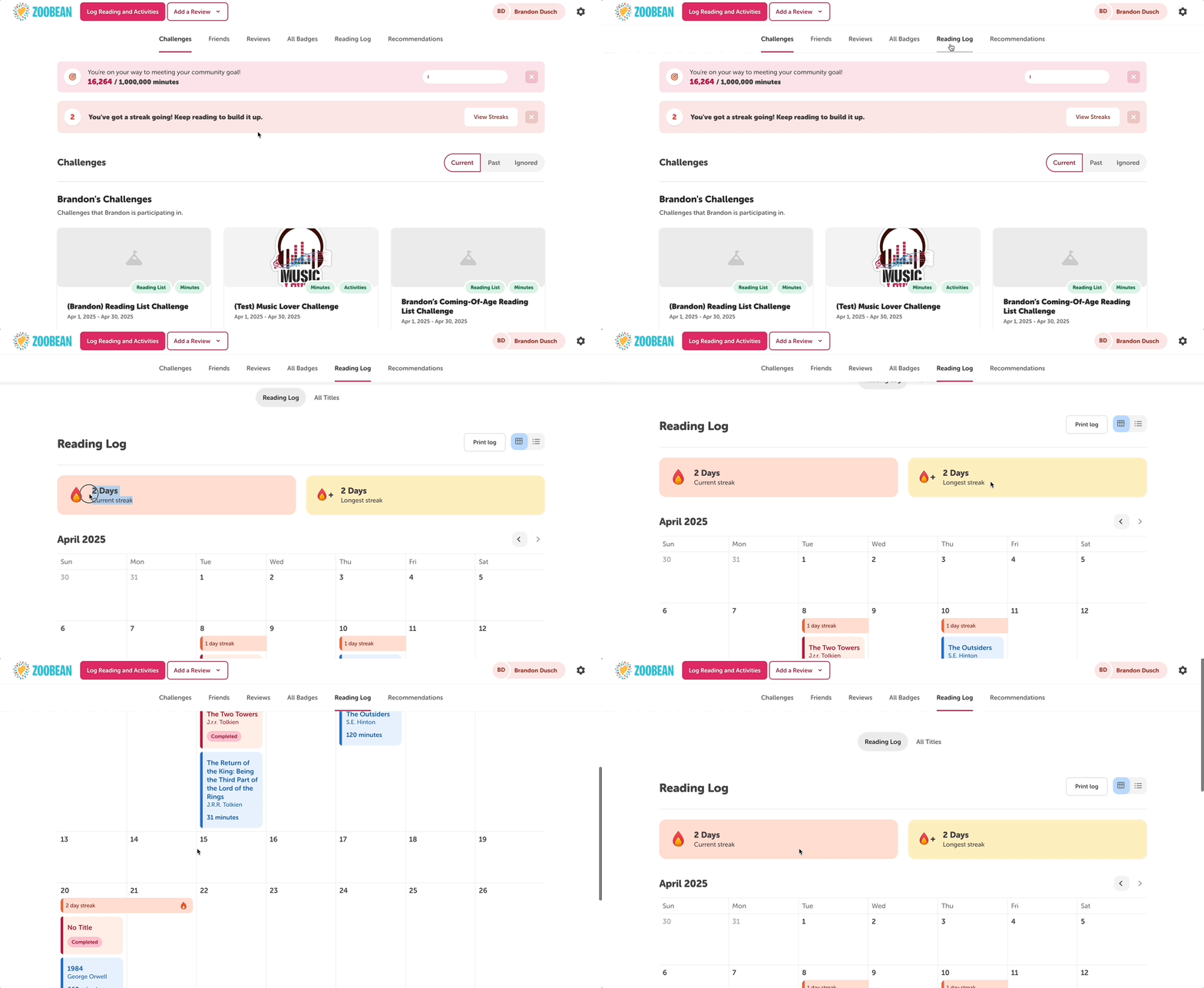
When using the web app, readers can view their streaks by clicking into their “Reading Log” section and then clicking the “Reading Log” tab. They can click through the calendar to view all of their past streaks, as well as see statistics for their current streak and longest streak.
On the mobile app
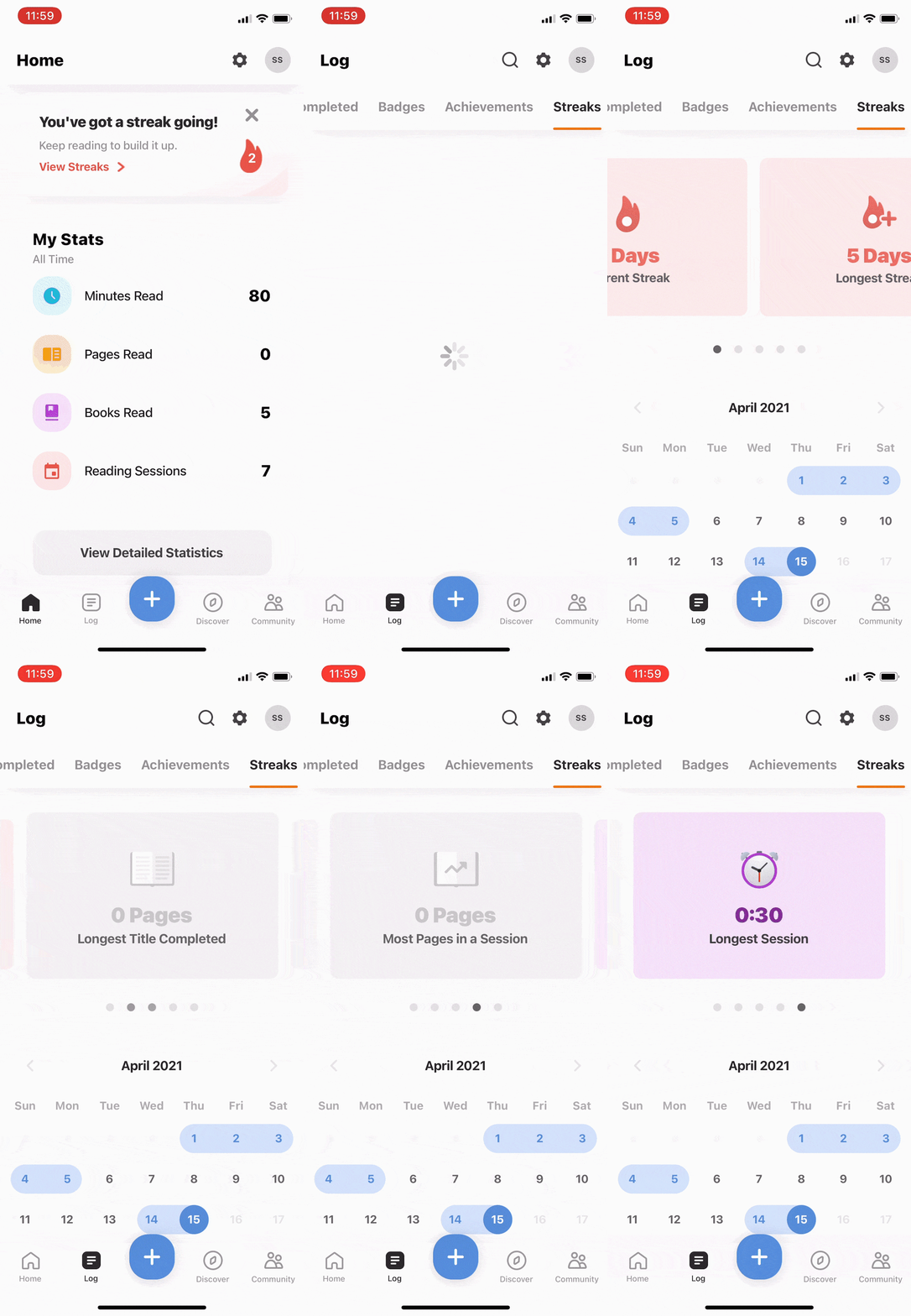
When using the mobile app, readers can see information about their streaks in their Log, under the Streaks tab. They can interact with the calendar to view their past streaks and click through the reading highlights to see statistics about their current streak, longest streak, longest title completed, most pages read in a session, and longest reading session.
Words of encouragement
As a reading streak grows, the reader receives encouraging messages on their home screen to motivate them to keep reading. And if a reader loses their streak, they receive a message reminding them to log their reading to get back on track.
.jpg?width=600&height=306&name=Three%20screenshots%20of%20the%20mobile%20app%20home%20screen%20showcasing%20reading%20streak%20progress%20(1).jpg)
Friends streaks
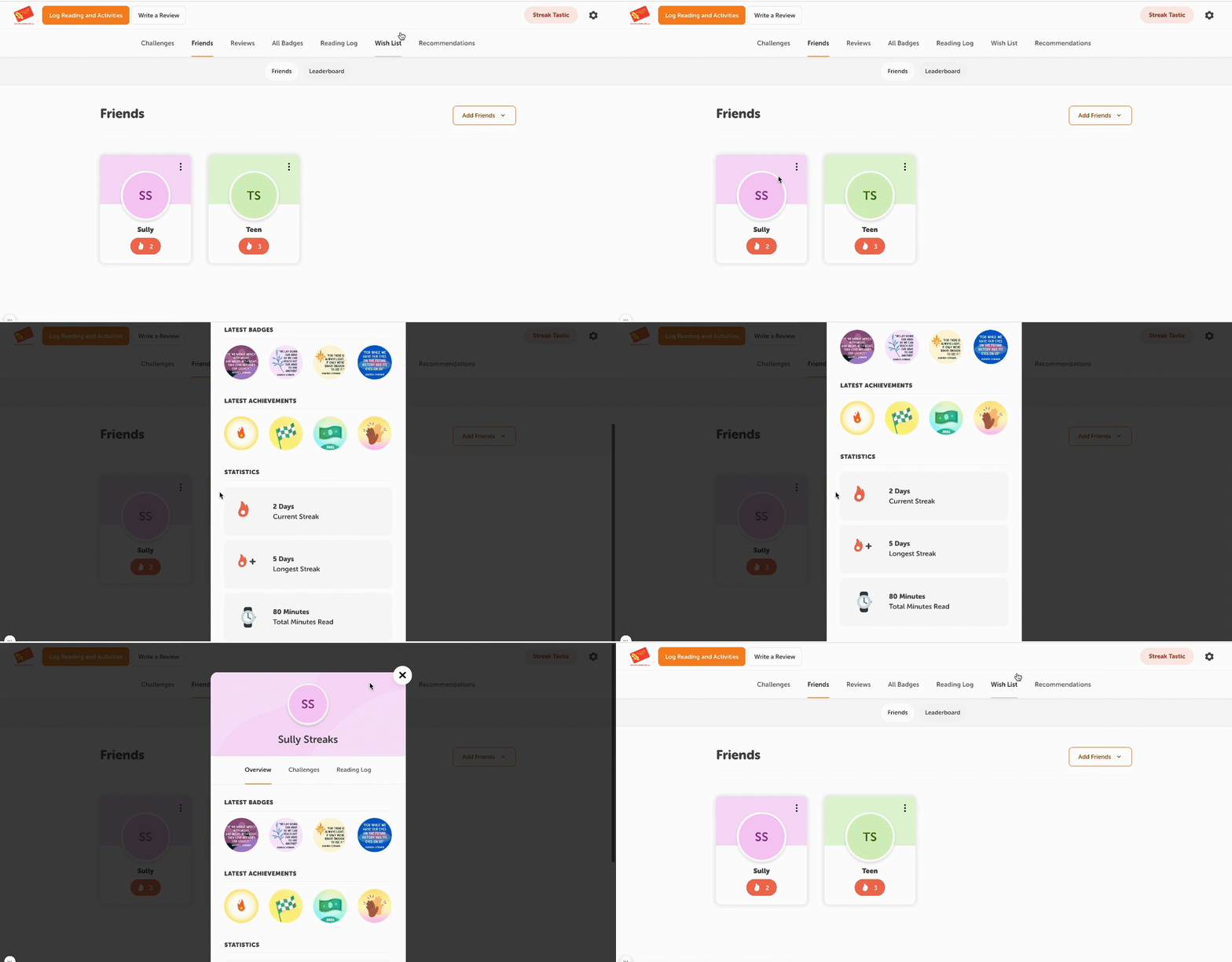
Readers can also view their friends’ streaks, as long as their site has enabled the friends feature. Friends with a current streak will have a red fire icon next to their name, with their current streak number in the middle. Clicking into their friend card will allow them to view that friend’s current streak and longest streak, and might give them the motivation they need to stoke their own reading flame!
Note: Streaks are active on all sites and cannot be disabled. Currently, there are no reports available to view site-wide statistics about streaks. However, school sites can use Benny’s Number Cruncher to view streak information for their students.