

Tags: Registration, Setup
Achievements reward readers for hitting certain reading milestones or logging on special days, whether they are enrolled in a challenge or not.
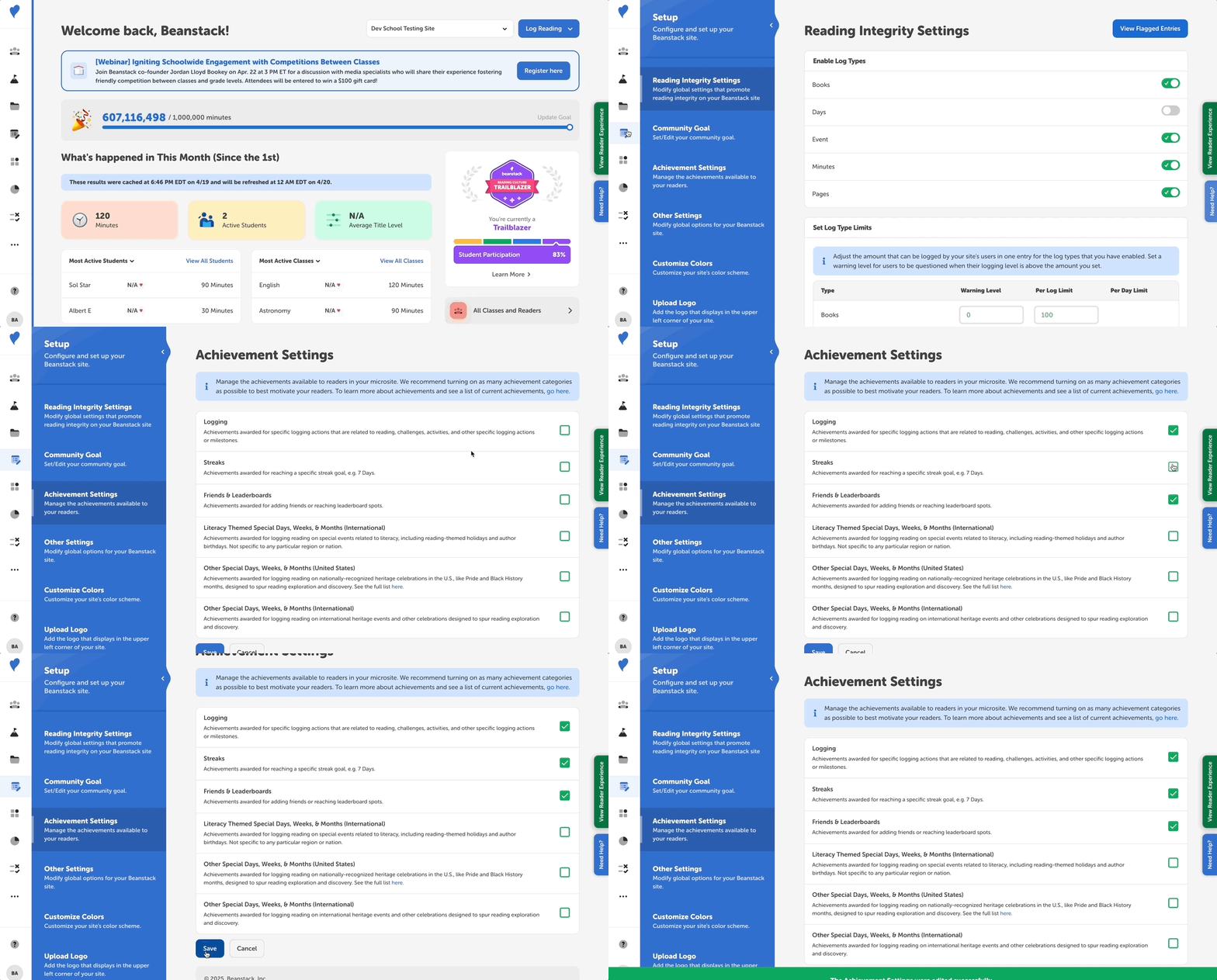 To enable or disable any achievement category on your site, follow the steps below. Keep in mind that any previously earned achievements will always be visible to readers, even if achievements are disabled and they are unable to earn new ones.
-
Log in to the admin view of your site.
-
Navigate to Setup > Achievement Settings.
-
Check or uncheck any achievement category. There are six achievement categories that are enabled on all sites by default:
-
Logging
-
Streaks
-
Friends & Leaderboards
-
Literacy Themed Special Days, Weeks, & Months (International)
-
Other Special Days, Weeks, & Months (United States)
-
Other Special Days, Weeks & Months (International)
-
-
Click “Save.”
You can learn more about the achievements creation process and their categories, as well as see a full list of upcoming achievements, in the following articles: