

Tags: Clever, Rostering, CSV, ClassLink
Your school’s Beanstack site is uniquely formatted to your school’s rostering service. Beanstack for Schools supports integrated single service sign-on (SSO) with Google, Clever, and ClassLink. If your school does not use one of those rostering services, then your school or district administrators determine your login information and credentialing.
A few notes:
-
You are encouraged to copy and paste the directions below into your school’s customizable launch kit documents to disseminate the instructions to students, teachers, and media specialists.
-
From time to time, different school or district logins are requested and set up. Double check with your School Success Manager to confirm that your login credentials match.
-
If you are a teacher or staff member rostered to multiple schools in a district, you can pick which school site and account to access from any site’s admin dashboard by selecting a different school in the “Current Site” dropdown at the top of the page.
-
To find your school site:
-
Online: Go to our login page and search for your school name.
-
On the app: Select “Find your school or library” if you’re on the mobile app.
-
-
Then, use one of the rostering/SSO options your school has set up:
ClassLink
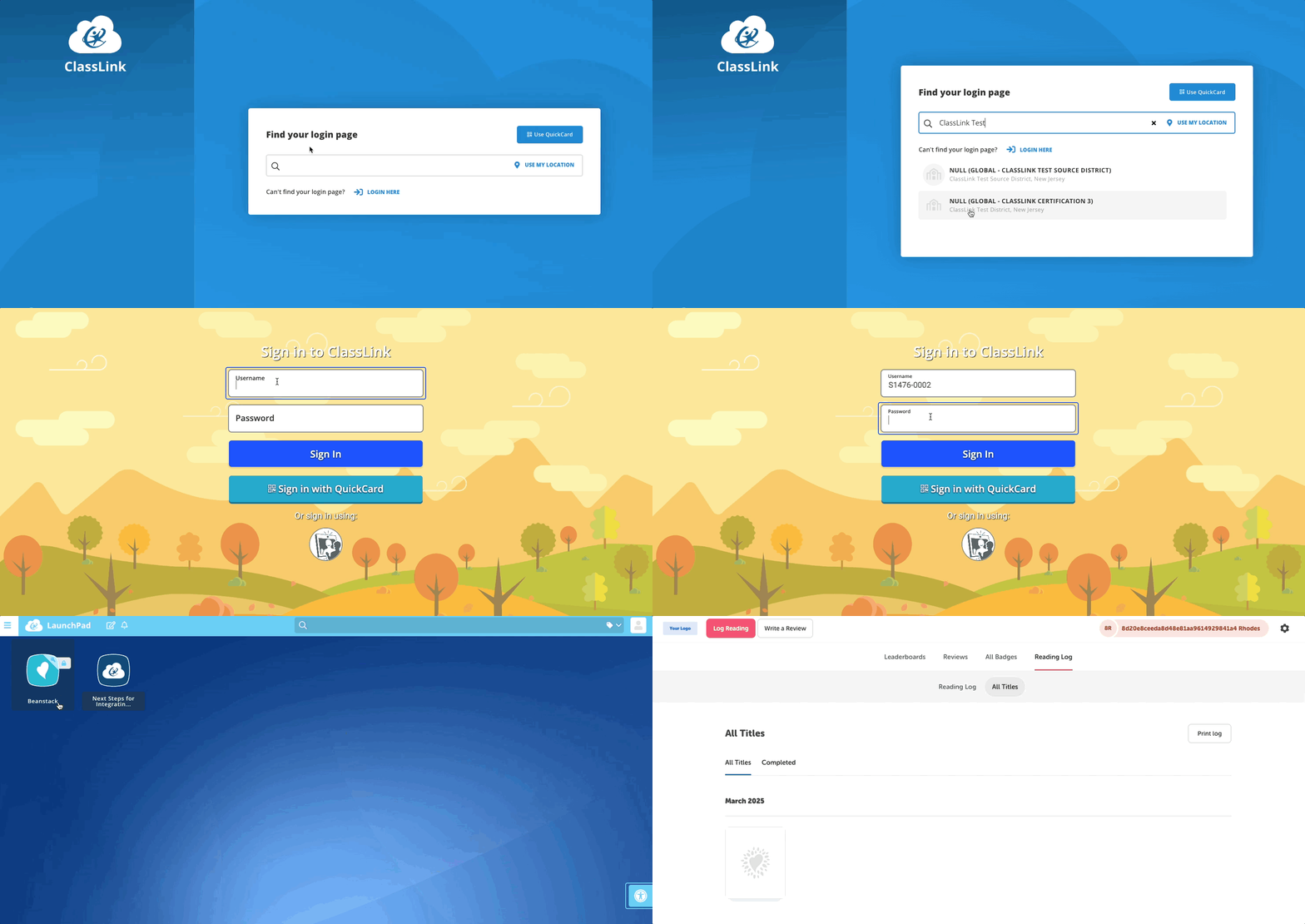
To log in via ClassLink:
-
Online: Click “Sign In With ClassLink”, enter your ClassLink credentials, and select the Beanstack icon.
-
On the app: Select “Sign In With ClassLink,” and enter your ClassLink credentials.
Note: We don’t support logging in directly into the Beanstack mobile app through ClassLink’s mobile app. However, you can log into the web version of your Beanstack site through the ClassLink app.
Clever
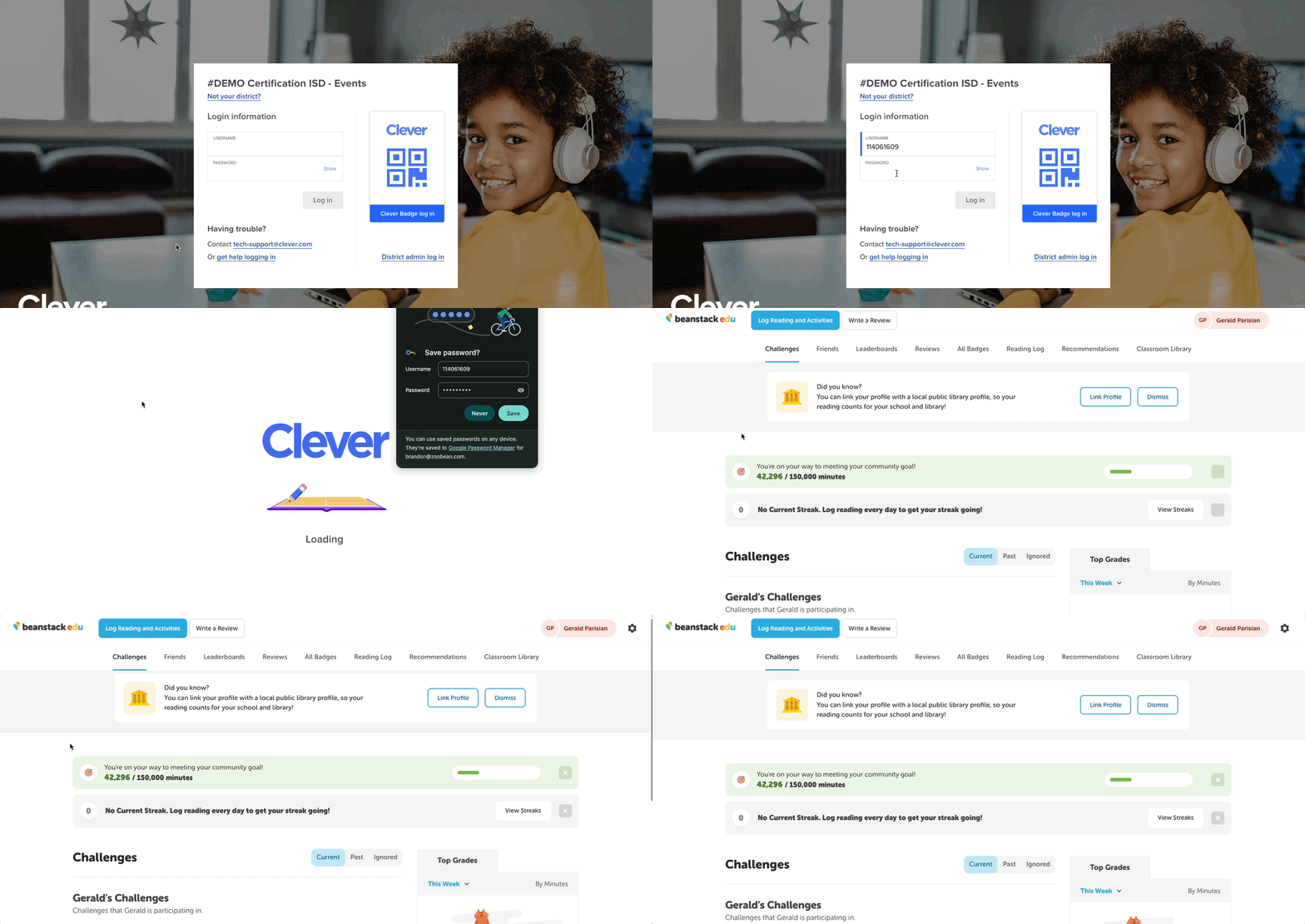
To log in via Clever:
-
Online: Click “Log In With Clever” and use your Clever login.
-
On the app: Select “Sign In With Clever” and use your Clever login.
Google SSO
-
On the web: Go to your Beanstack site, scroll down, and click “Sign in with Google.” Then, log in with your Gmail account credentials.
-
On the app: Choose “Find your school or library” and search for your school name. Then select “Sign in with Google” and enter your Gmail account credentials.
CSV (independent), Skyward, Aeries, or RapidIdentity
-
Online: Go to your Beanstack site, scroll down, click “Sign In,” and log in with your given username and password.
-
On the app: Select “Sign In With Username & Password” and log in with your given username and password.