

Tags: Teachers, Staff
For media specialist functionality, check out this article.
The Basics
Add Titles to Your Classroom Library
Promoting to Students
The Basics
-
Beanstack’s Classroom Library connector allows teachers in rostered school districts to create clasroom library lists.
-
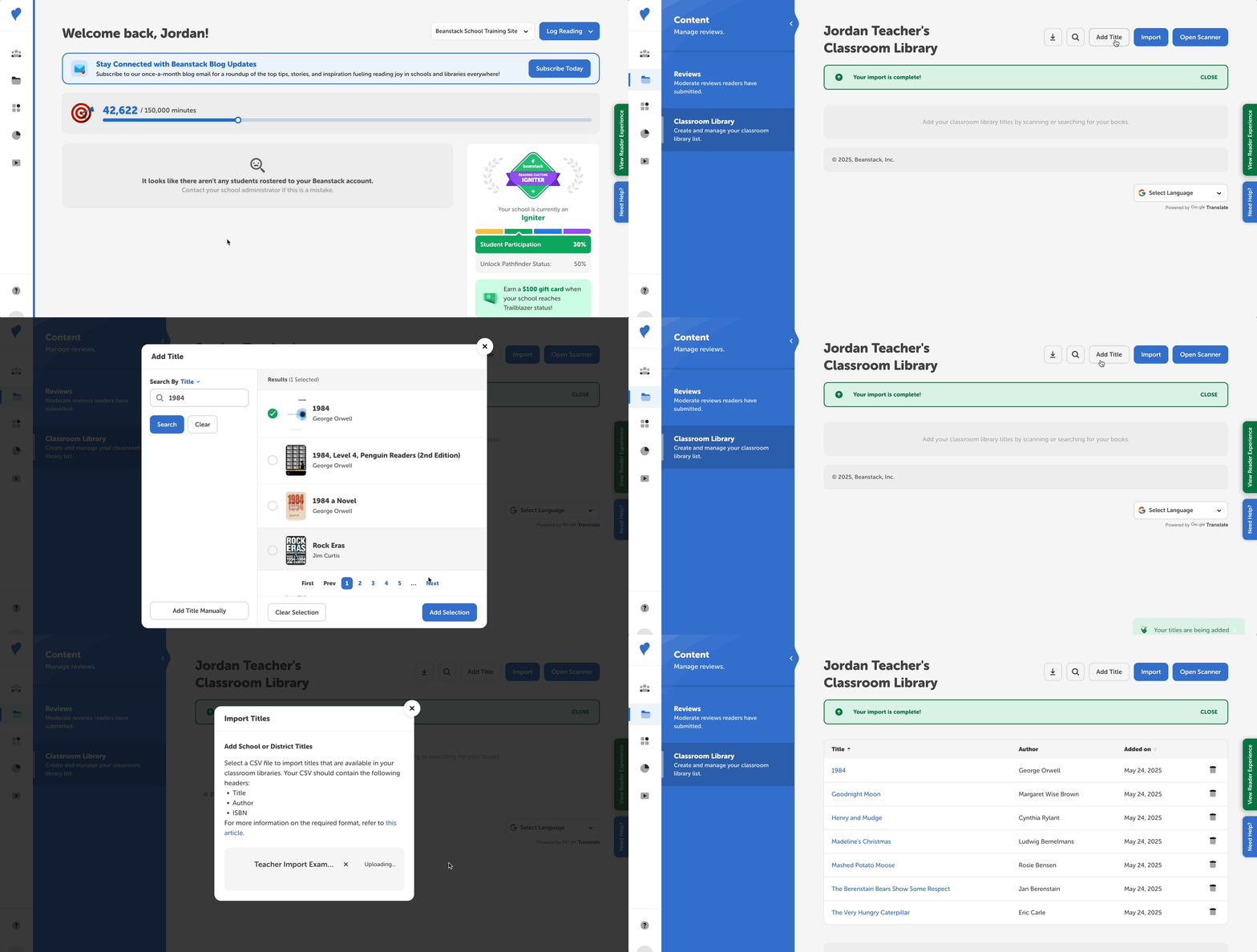
Use our state-of-the-art ISBN scanner to quickly add titles to your library.
-
Motivate your students to engage with books in your classroom library by creating a reading list challenge.
Add Titles to Your Classroom Library
Access the classroom library connector through the quick navigation links on your Beanstack home page.
Scan Titles
While it also works on desktop computers, using the ISBN scanner on a mobile device is the fastest way to add books to your library. Here’s how to do so:
-
Open your favorite browser app (e.g., Chrome, Safari), and go to your site’s login page.
- Important: Make sure you are using a browser app, and not the Beanstack mobile app.
- Sign in with your school’s preferred login method, such as username/password or Clever/ClassLink SSO.
- In the top-left, select the three-line hamburger menu, then navigate to Content > Classroom Libraries.
- Select Open Scanner.
- Note: You may need to give your site access to your device’s camera before doing this.
- Start scanning and align the scanning line with your books’ ISBN barcodes.
Manually Add Titles
Add titles you couldn’t scan by selecting Add a Title > Manually Add Title.
Import a List
If you’ve already created a list of books in your classroom library, use a desktop or laptop computer to import your list:
-
Make sure to download your list as a CSV file. We recommend using Google Sheets for formatting and CSV downloads (Excel can cause formatting problems).
-
Make sure your sheet has three columns (Title, Author, ISBN) and that each row contains both a title and author (ISBNs are not required).
-
In Beanstack, select Import, then choose the CSV file you just downloaded. Refresh the page to see the import’s progress.
For more details (and troubleshooting) on importing titles in bulk check out this article.
Delete Titles
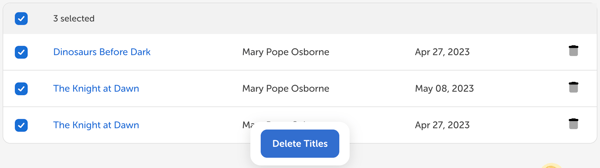
Use the trash can icon to the right of a title to delete a title from your classroom library. You can also bulk-delete up to 20 titles at a time by using the checkbox to select multiple titles, followed by clicking the blue “Delete Titles” button.
Promoting to Students
View and Log in Beanstack
Your rostered students can view and log your classroom titles in Beanstack.
Create a Classroom Library Reading List Challenge
Build a reading challenge around your classroom library in Beanstack’s challenge creator.
-
Create a new challenge and select “Log Specific Titles”
-
In the Reading List tab, select Add a Title, then select the Classroom Library tab
-
Publish and promote to your students