

Tags: Students, Challenges, Staff, Rewards
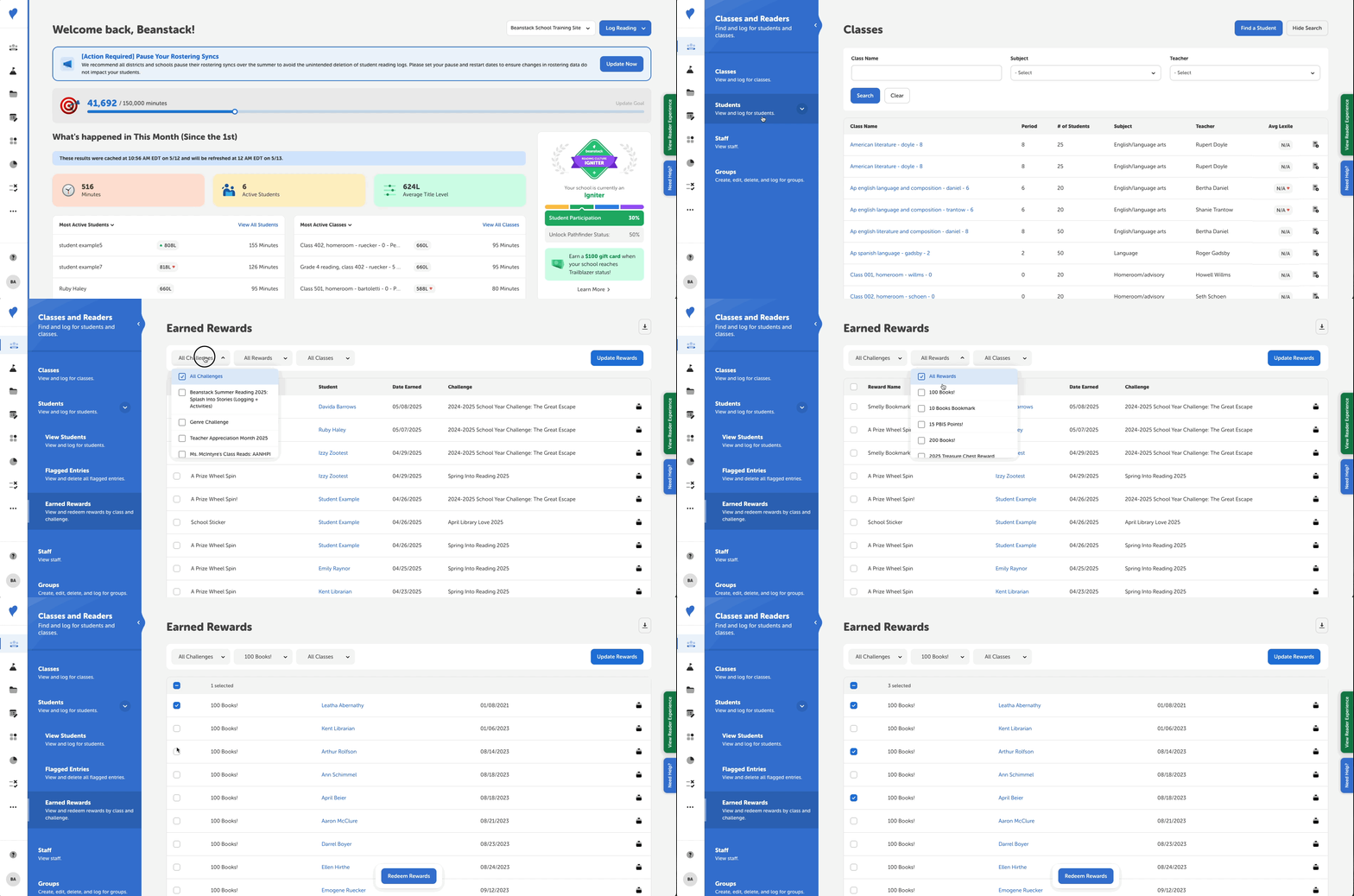
As a teacher, media specialist, or media specialist plus, follow these steps below to see which students have earned rewards for your challenges:
-
Log in to the admin view of your school site.
-
Navigate to Classes and Readers > Students > Earned Rewards.
-
Select the Challenge(s), Reward(s), and Class(es) you would like to filter for, then click “Update Rewards.”
-
The rewards sorted from oldest to newest. To get to the most recently earned rewards, click “Last” near the bottom-right of the page.
-
-
Click the icon on the corresponding row to mark that student’s reward as redeemed OR use the checkboxes to mark rewards as redeemed in bulk.
Note: All rewards in this table have not been redeemed by the student. When you redeem the reward, they are not notified about it. To view redeemed rewards, refer to the student’s reader profile.