

Tags: Reports & Insights, Insights, Reports, Libraries
Your Regional Beanstack site compiles engagement data for the libraries covered by your license and allows you to share custom reading challenge templates.
Regional administrators can:
-
Run reports showing data from all library systems.
-
Regional Reports can break data down by library system, by reader, or by challenge depending on the report.
-
-
Push out challenge templates at a statewide level (see article here).
Note: Your regional Beanstack site is not a live Beanstack site. It is not discoverable by the public and cannot host published reading challenges.
How to access regional reports:
-
Log in to the admin view of your Regional Beanstack site.
-
Navigate to Regional Reports.
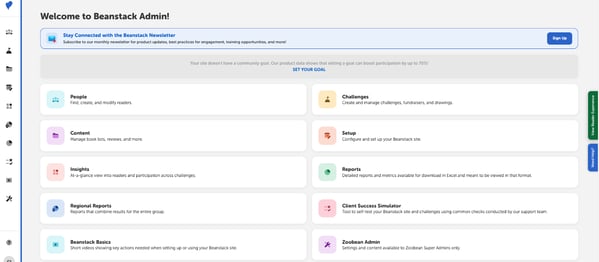
Note: Regional Reports cannot break down data to the library branch level.
The following reports are available on your Regional Site:
State Overview
-
Library Overviews: This report lists challenge totals and reader information by library system.
-
Registration and Participation Totals: This report lists total accounts, readers, badges earned, and other overall participation metrics for libraries in your state.
-
Individual Account Creator Registration: This report lists information for every account creator statewide.
Participation Overview
-
Grade Level Participation Totals: This report lists statewide participation totals, including total readers, completions, and logged units, for each grade level, including adults.
Challenge Activity
-
Activity Completion Totals: This report lists how many times every activity within an activity badge was completed.
-
Earned Reward Totals: This report lists all rewards on your site and how many times a specific reward was earned and redeemed.
-
Grade Level Earned Badge Totals: By Badge: These reports (one per badge) show how many times readers in each grade earned a specific badge.