

Tags: Starter Plan, Schools
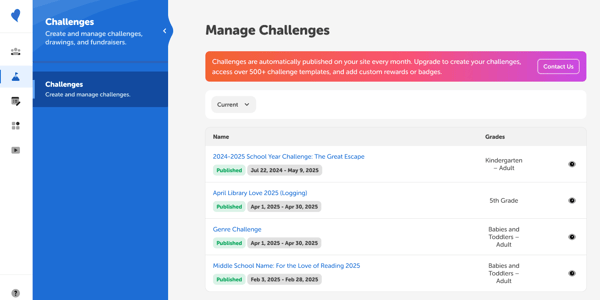 Each month, a new seasonal challenge is published to your site.
- To view challenges, select the “Challenges” tab on the left side of your site.
- By default, current challenges will be displayed on the right side with information like:
- Name
- Timeframe
- Grades
- To preview a challenge from the admin site, select the eye icon on the right-hand side.
Note: This feature cannot be toggled off for Starter Plan users. To create your own challenges, access our vast collection of templates, and add custom rewards and badges, you’ll need to upgrade to another tier.