

Tags: Challenges, Rewards, Tickets, Drawings
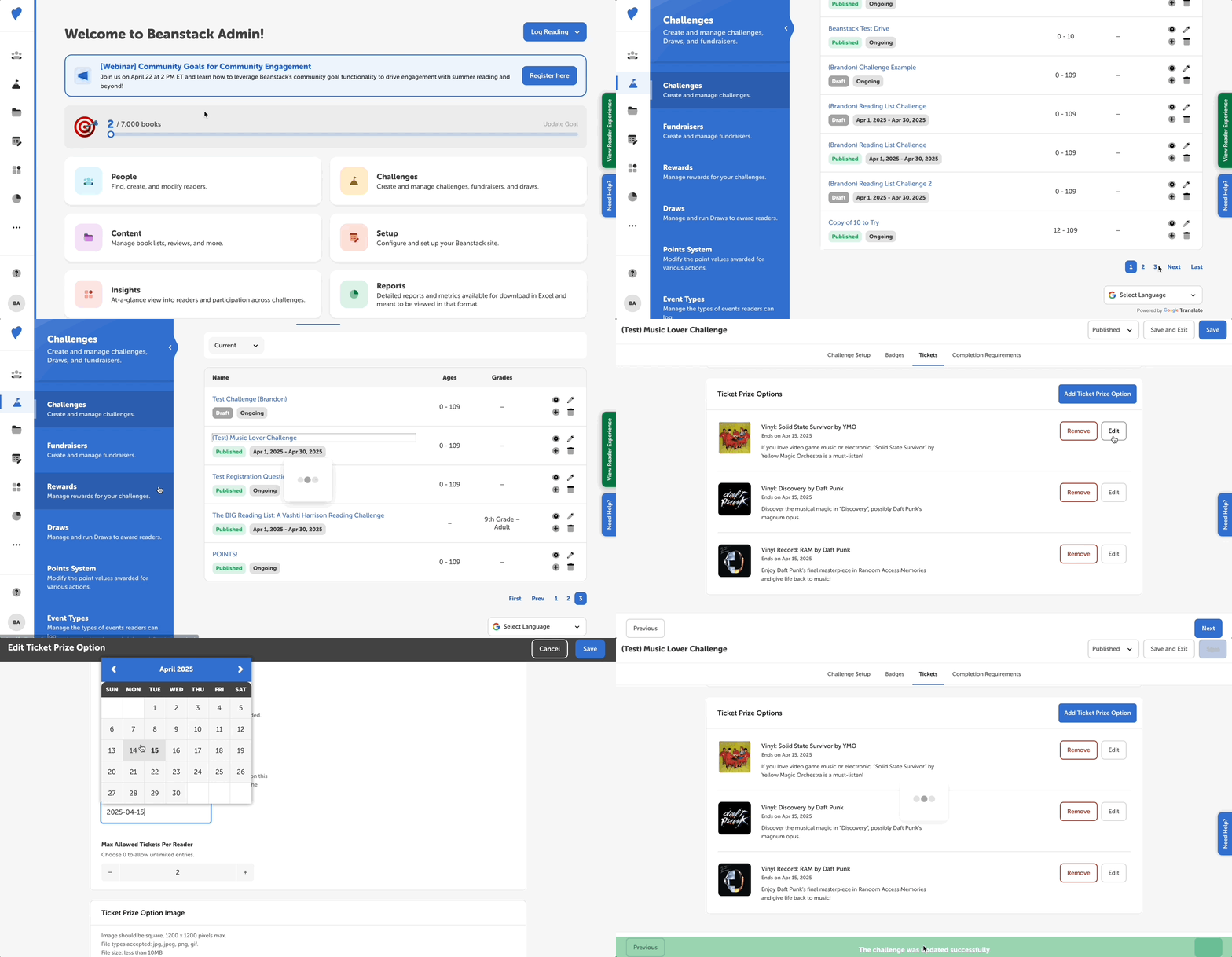
If you would like to change the end date for a ticket prize option, follow the steps below.
-
Log in to the admin view of your site.
-
Navigate to Challenges and select the challenge in question.
-
Go to the “Tickets” tab.
-
Once there, click “Edit” next to the desired ticket prize option.
-
Scroll down and reset the end date. When you’re done, click Save and then save the challenge as well. You can edit a ticket end date at any time, but we generally recommend only pushing back the end date, and not accelerating it, or else readers may be caught unawares with tickets left to spend when the drawing closes!