

Tags: Classes & Readers, Students, Badges, Staff
Students earn achievement badges for universal actions outside of a challenge, like logging their first reading session or reaching an 100-day reading streak. The achievements available to students on your site are toggled within Setup > Achievement Settings. The details for each upcoming achievement in each achievement group are available here.
Teacher accounts and higher can manually update a student’s achievements to “un-earn” or remove an achievement badge from their reader profile.
Note: Teachers can only remove achievement badges from students in their classes, whereas Media Specialists and Media Specialists Plus can do so with any student in their school.
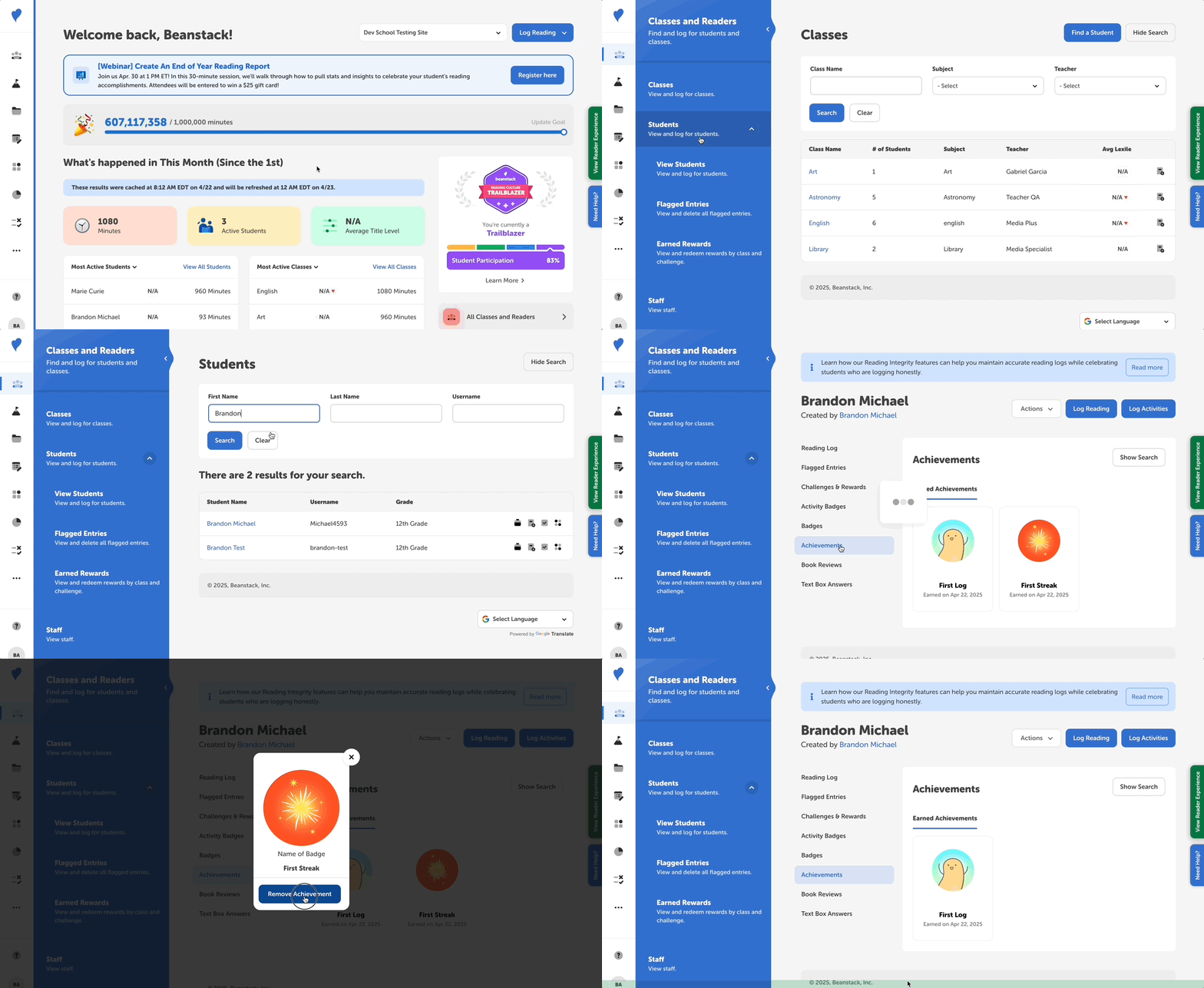 Follow the instructions below:
- Log in to the admin view of your school site.
- Navigate to Classes and Readers > Students > View Students.
- Search for the student you need and click their name in the “Student Name” column to view their profile.
- Select the “Earned Achievements” section in the left navigation sidebar.
- To remove a badge, click the badge image you wish to remove and then click “Remove Achievement” to approve its removal.