

Tags: Book Talks with Benny, Reading Integrity
With Benny, our AI-powered teacher’s assistant, you can share your thoughts about what you’re reading! You can also pause and resume Book Talks with Benny later. Afterward, Benny draws reading engagement insights from the conversations, which it relays to teachers for later review.
Note: In order to use Benny, your school must opt in with their Client Success Manager. This feature is available to students in grades 2+.
After logging in to your reader profile, follow the steps below:
Starting a Book Talk
Resuming a Book Talk
Starting a Book Talk
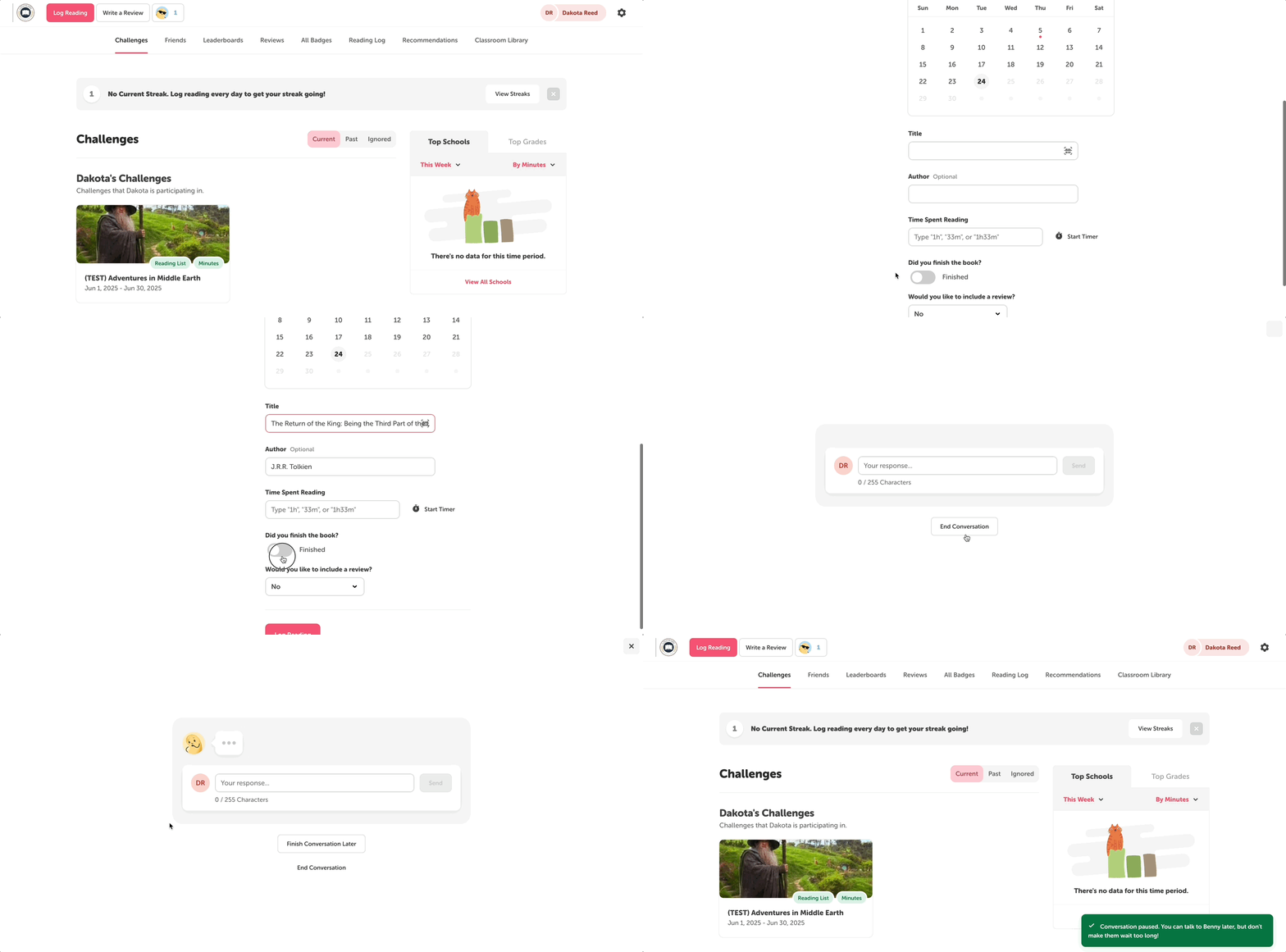
To start a Book Talk with Benny, follow these steps:
-
Make sure you’re enrolled in a Benny-enabled challenge.
-
Check with your school about which available challenges are Benny-enabled.
-
-
Click the “Log Reading” button near the top left of the screen.
-
Either select an available challenge to log for or click “Log Reading.”
-
In the log form, fill out the “Title” field.
-
Then, do either of the following:
-
Toggle on the “Did you finish the book?” option.
-
Log more minutes or pages than the limits set for your school site (unverified students only).
-
-
Click “Log Reading” near the bottom.
You’ll then be prompted to start a Book Talk with Benny! To start the conversation, click “Let’s Go!”. Otherwise, click “Finish Later” or the corner “X” button to resume later. You can still pause an ongoing Book Talk with Benny by selecting “Finish Conversation Later.”
Note: Verified and unverified students can access Benny via challenges, but only unverified students can access Benny by logging beyond their school’s set limits.
Resuming a Book Talk
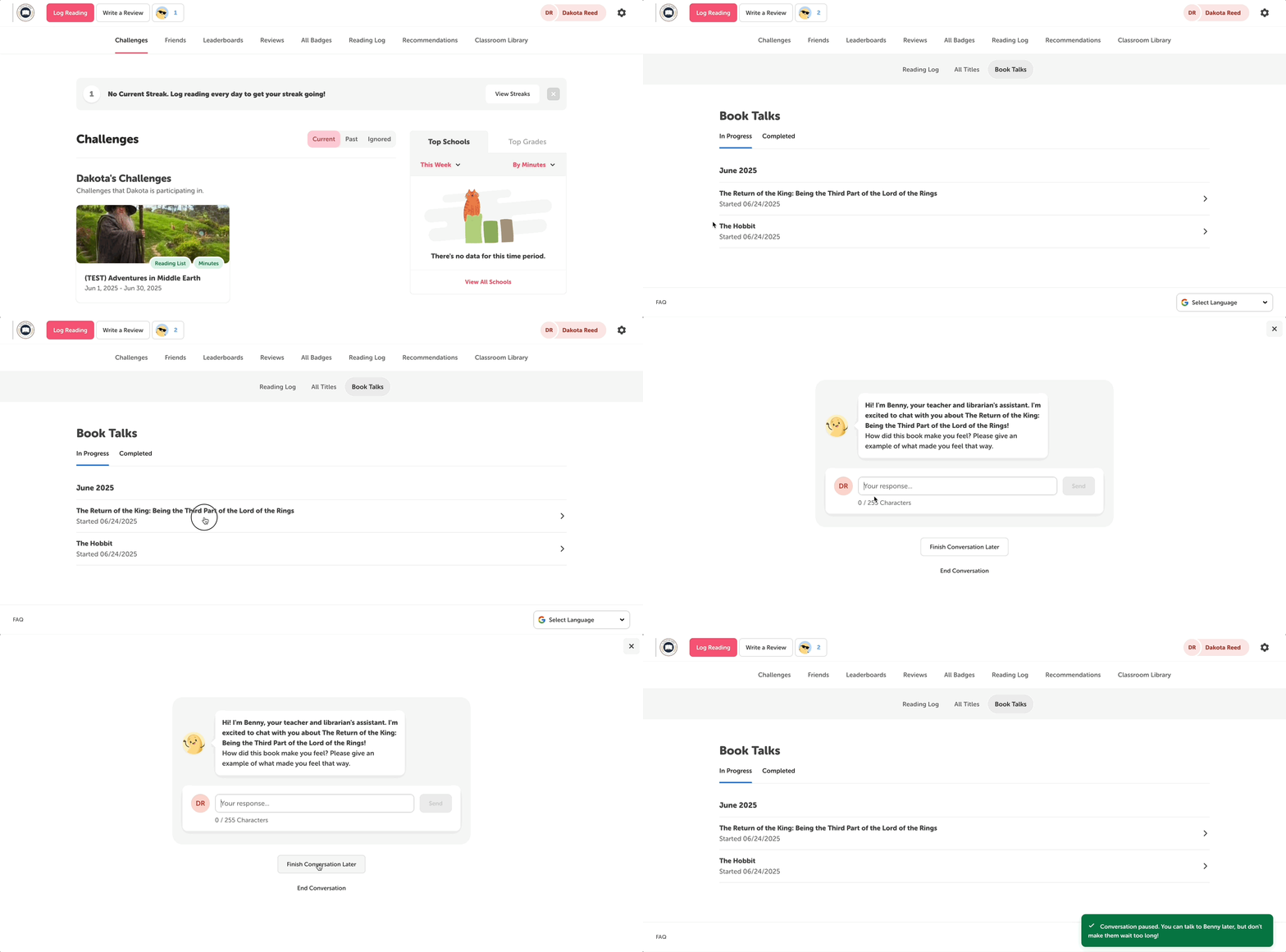
If you don’t have time for a Book Talk with Benny, you can click “Finish Conversation Later” to pause. To find and continue a Book Talk with Benny, follow the steps below:
-
Near the top of the screen, click the icon button of Benny wearing sunglasses.
-
This is next to the “Log Reading (and Activities)” and “Write a Review” buttons.
-
Alternatively, you can click the “Reading Log” tab and select the “Book Talks” section.
-
-
Under the “In Progress” section, select the Book Talk you want to resume.
From here, you can pick up where you and Benny left off. You may still pause the conversation or end the conversation altogether.
Note: Ending a book talk early could be flagged to your teachers, who may want to have further discussion of your reading journey.