

Tags: Landing Page, Setup
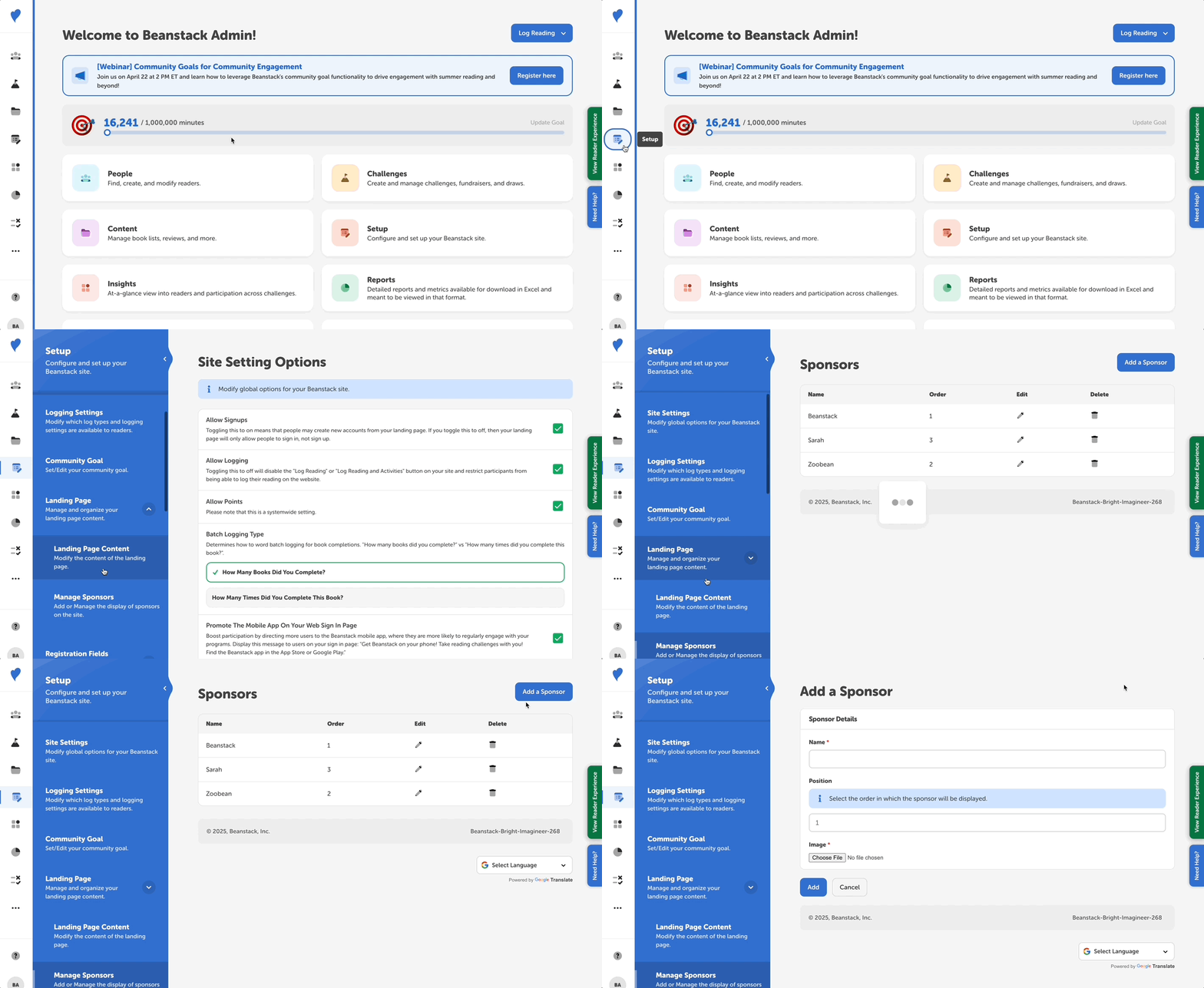 You may add sponsor images to your Beanstack landing page by following the steps below:
-
Log in to the admin view of your site.
-
Select Setup > Landing Page > Manage Sponsors.
-
Click “Add a Sponsor.”
-
Enter the name of the sponsor and upload an image.
-
Note: The image is required and it cannot be resized. If you do not have images to use for your sponsors and just want to include written text, you can always type out the sponsor's name, screenshot the text or export the document as a photo file, and then upload that image.
-
-
Determine the order of your sponsor images by entering a number in the Position field.
-
Click “Add.”
Note: Many of our clients also tie sponsor images and thanks to specific challenges. Within a specific challenge's description, you can use HTML to include a special banner acknowledging that challenge’s sponsor(s).