
Tags: Registration, Libraries, Setup
Creating a customized welcome email is a great way to introduce your community of readers to what your library has to offer with Beanstack!
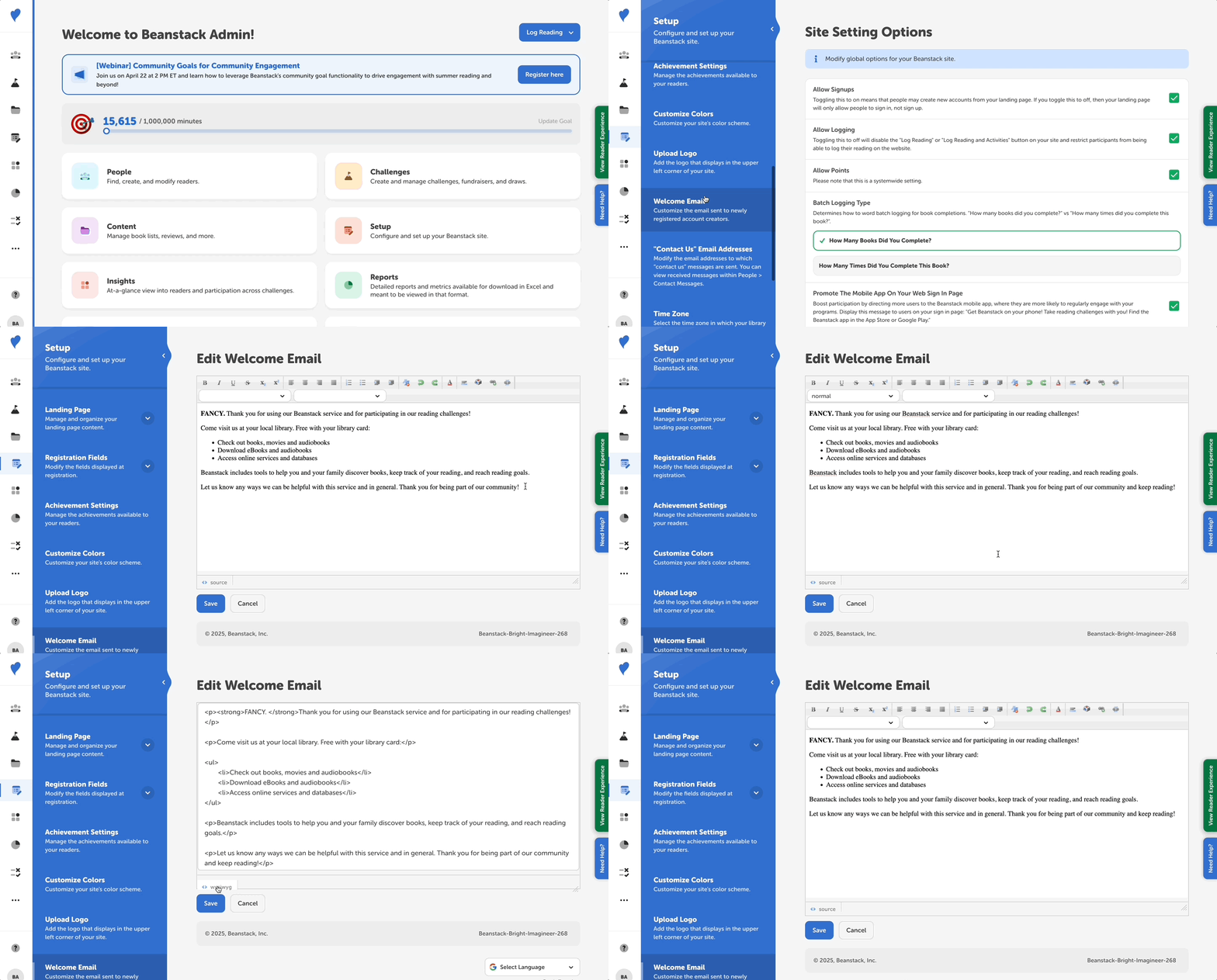
Follow the instructions below to change the text of your site’s welcome email:
-
Log in to the admin view of your library site.
-
Go to Setup > Welcome Email.
-
Replace the default text with custom message copy for your library.
-
Click “Save.”
After registering for an account, readers automatically receive a welcome message if they included their email address on their registration form.
Note: Be sure to edit your welcome email directly in Beanstack or remove any rich-text formatting before pasting your text! Copying and pasting text from a Word document may not be compatible.