
Tags: Administrative, Libraries
Note: Keep in mind that we always recommend giving staff members a separate account from the family account they use to participate in challenges with any family members or children, as all the readers on an account have the same access level as the account creator.
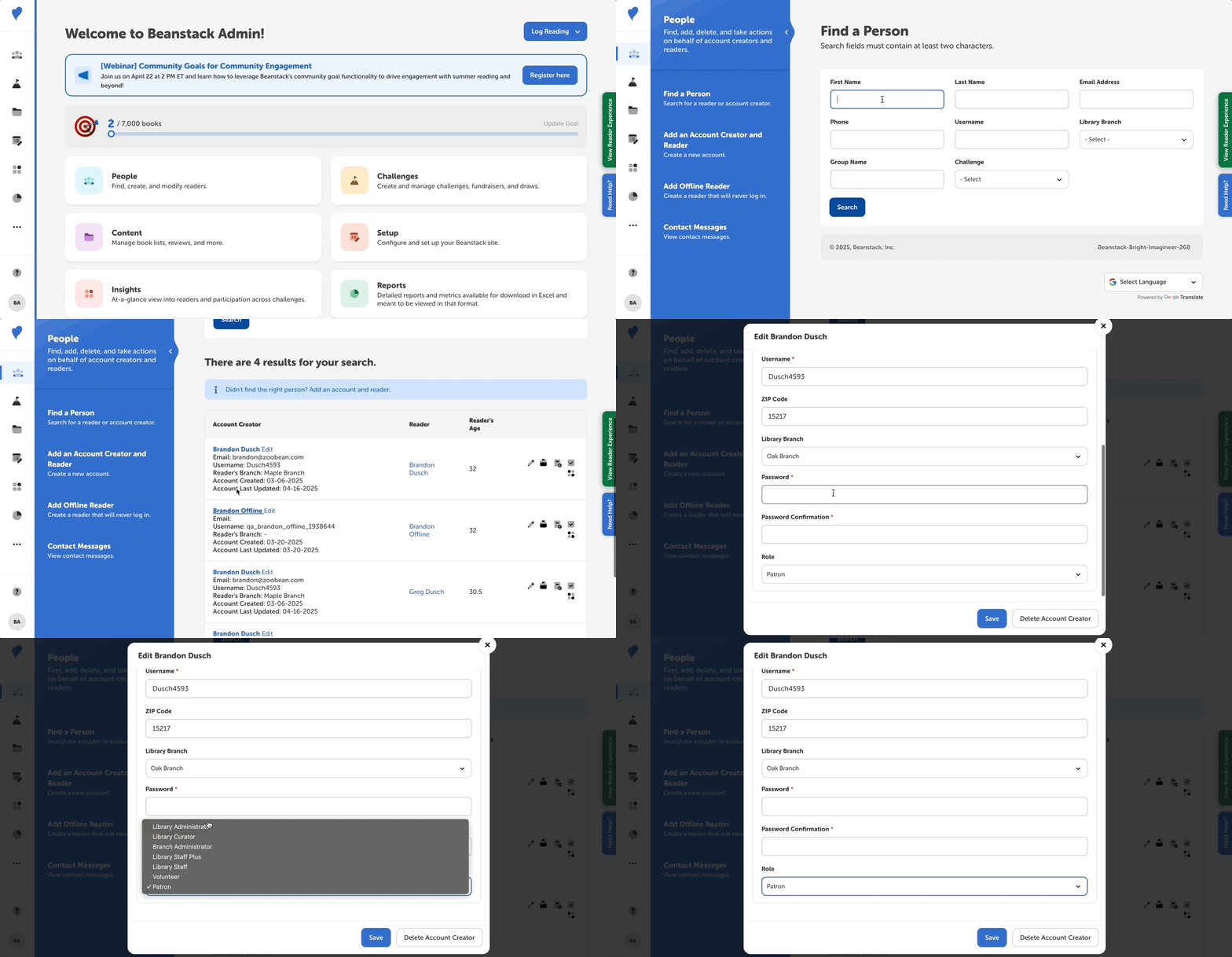
If you would like to upgrade or downgrade the role of an existing account, follow the steps below.
-
Log in to your admin view of your library site.
-
Navigate to People > Find a Person.
-
Search for the account and then click “Edit” next to the account creator’s name.
-
Select the desired role for the account.
-
Click “Save.”
Note: If you leave the password field blank, the account creator’s previous password will remain the same.