

Tags: Libraries, Staff Actions
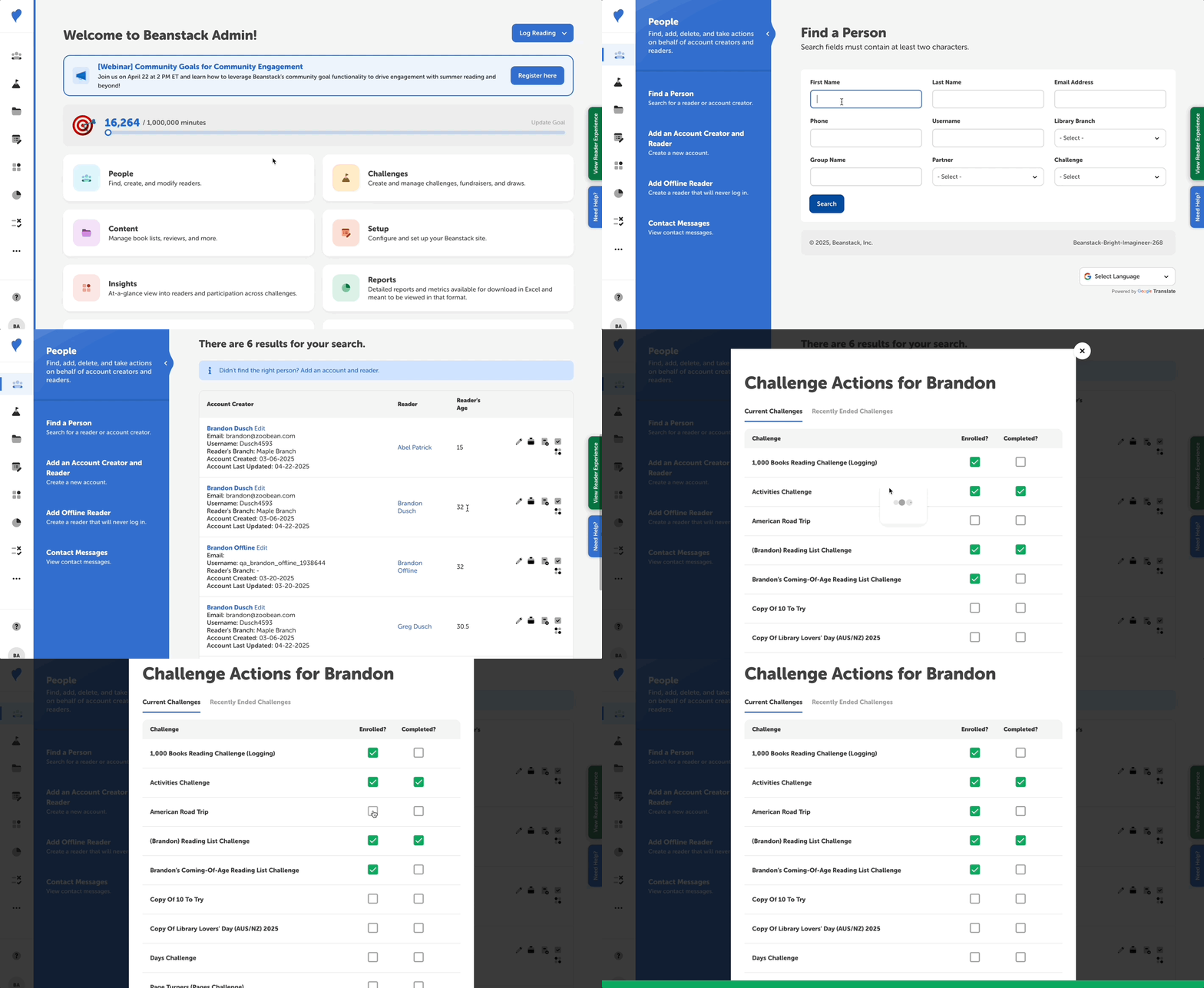
Follow the instructions below to enroll someone who has an existing account (likely from participating in a previous challenge) into a new challenge:
-
Log in to the admin view of your library site.
-
Navigate to People > Find a Person.
-
Enter the reader’s identifying information and click “Search.”
-
To view all available challenges for that reader, you can either:
-
Click the “Challenge Actions” quick-action icon button to the right of their name.
-
Click the reader’s name in the “Reader” column to open their profile and go the “Challenges & Rewards” section.
-
-
You will see then see all available challenges for that reader. Check the box under “Enrolled?” to enroll the reader in the desired challenge. Once successfully enrolled, a green check will appear in the box.