

Tags: Badges, Challenges, Staff Actions, Readers
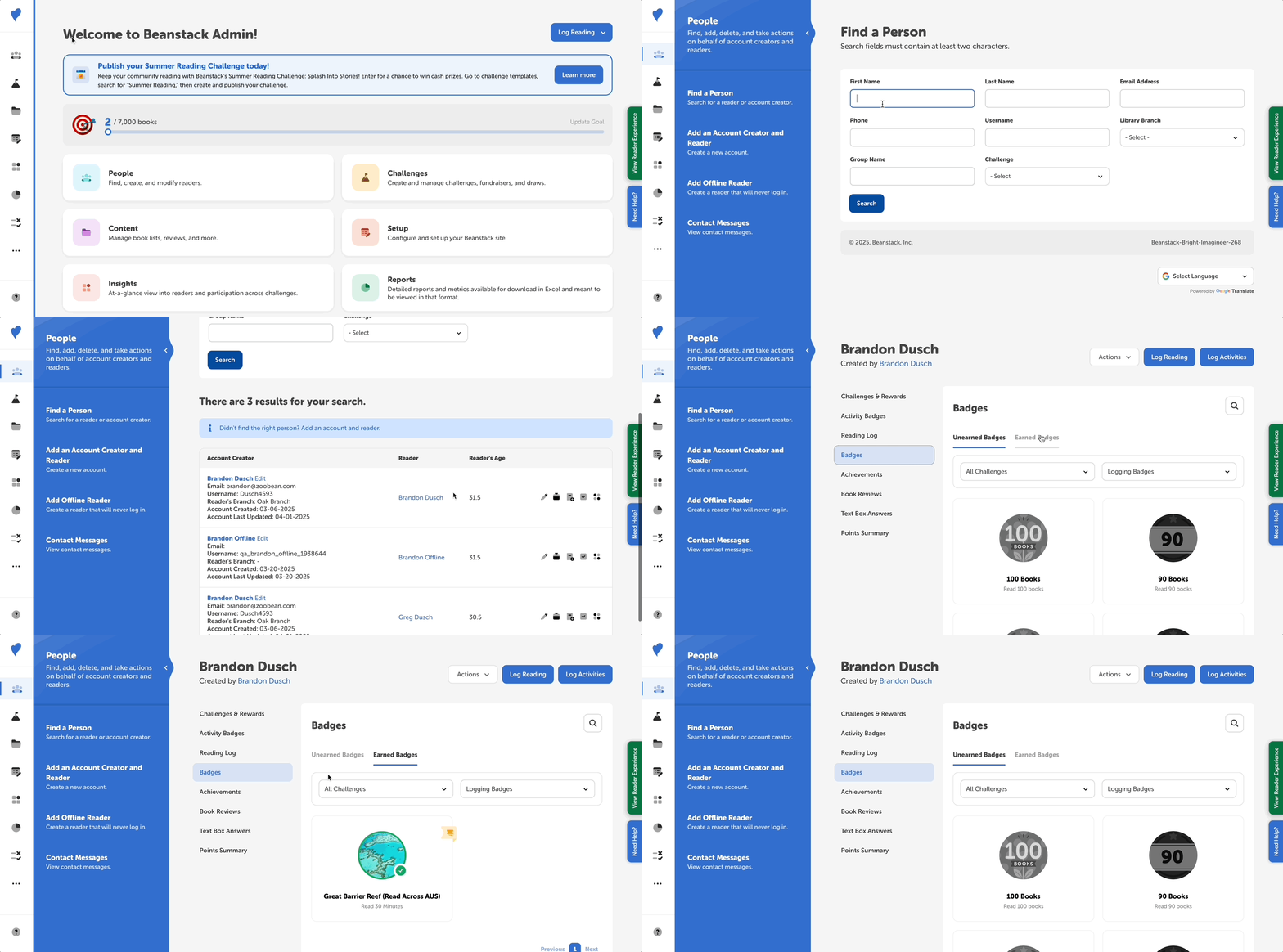
Sometimes, a reader may accidentally log an incorrect amount of reading. If that happens, readers or administrators can update the amount on their log, but admins must also “un-earn” any badges earned as a result of that erroneous logged reading.
Follow the instructions below to manually update the reader’s account so their earned badges match the amount of reading they logged:
- Log in to the admin view of your site
- Navigate to your site’s section for locating readers.
- For libraries: People > Find a Person.
- For school students: Classes and Readers > Students > View Students.
- For school staff: Classes and Readers > Staff.
- Search for the reader and click their name in the second column to view their profile page.
- Select the “Badges” tab in the left navigation sidebar, the “Earned Badges” section, and click on the badge you wish to remove. You can filter the view by challenge and log type.
-
In the left navigation menu, select either of the following:
-
Badges > Earned Badges (or search by badge name)
-
Activity Badges
-
-
Filter by challenge name(s) and/or badge type(s) where applicable.
- Take one of the following actions to earn a badge:
- Under Badges > Earned Badges, select the “Unearned Badges” section and click on the badge you wish to award. Keep in mind that manually awarding a badge does not add activity completions or logged reading to the reader’s profile.
- Under Activity Badges, check the “Completed?” box next to the badge name, or select “View Activity” to complete one or more activities associated with the activity badge.
-
Take one of the following actions to un-earn a badge:
-
Under Badges > Earned Badges, click directly on the badge image of any badge that should not have been earned by the student and select “Remove Badge” to un-earn the badge. This also removes any rewards/tickets/certificates associated with the badge.
-
Under Activity Badges, either un-check the “Completed?” box next to the badge name, or select “View Activity” to un-complete one or more activities associated with the activity badge. This un-earns the activity badge.
-
Notes on un-earning badges:
-
If a badge has a reward, ticket, or certificate attached to it, un-earning the badges also removes that prize from the reader’s profile, or revokes any tickets or certificate attached to the badge. Likewise, if you award a badge with a reward, ticket, or certificate, they will be added to the reader’s profile.
-
Un-earning badges does not change a reader’s challenge completion status if their erroneously earned badges also earned them challenge completion, as challenge completion is final. This also doesn’t remove any extra reading time from their reading log; to do that, follow these steps.