
Sometimes, a reader may accidentally log an incorrect amount of reading. If that happens, readers or administrators can update the amount on their log, but admins must also “un-earn” any badges earned as a result of that erroneous logged reading.
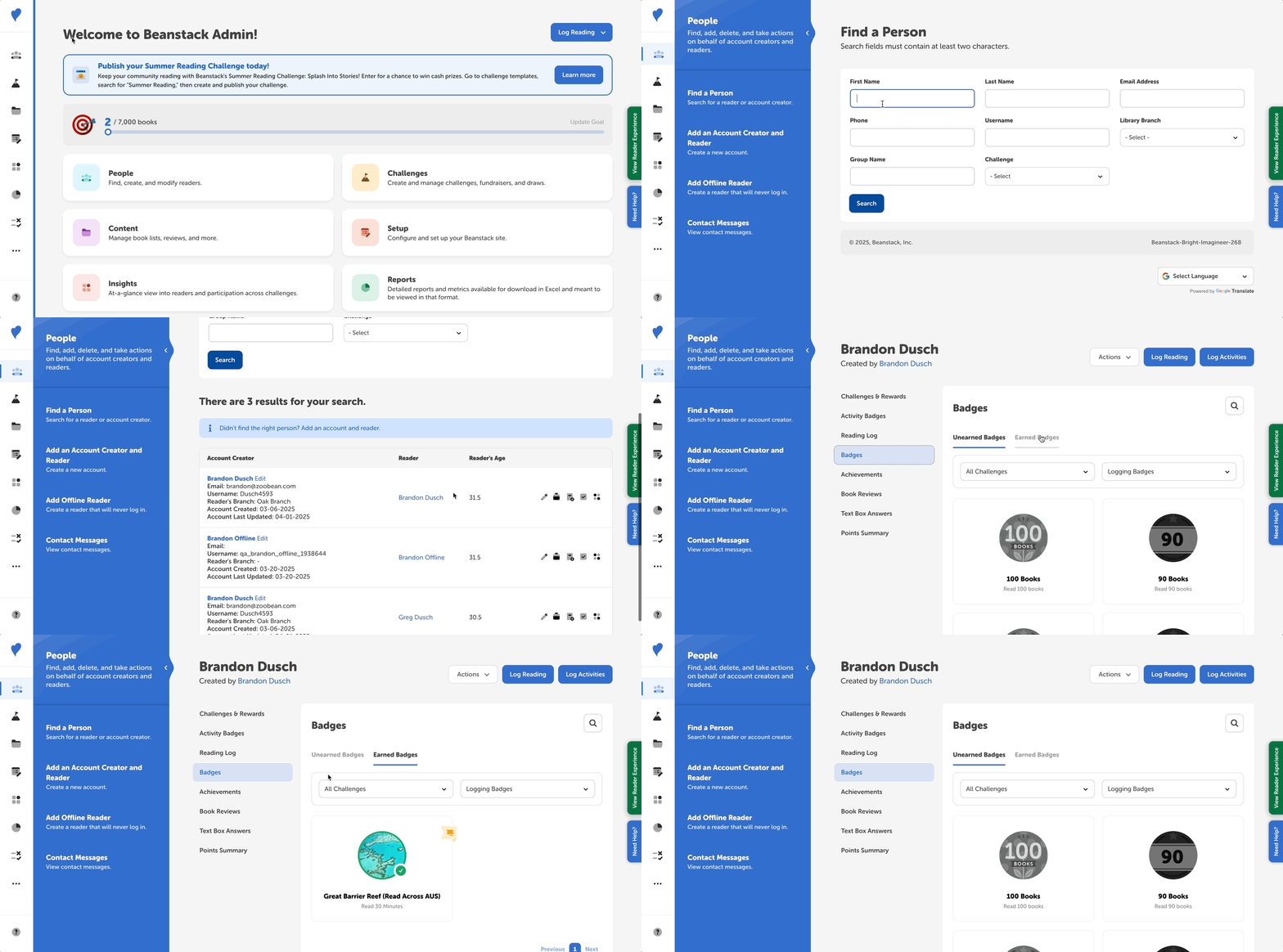
Follow the instructions below to manually update the reader’s account so their earned badges match the amount of reading they logged:
- Log in to the admin view of your site
- Navigate to your site’s section for locating readers.
- For libraries: People > Find a Person.
- For school students: Classes and Readers > Students > View Students.
- For school staff: Classes and Readers > Staff.
- Search for the reader and click their name in the second column to view their profile page.
- Select the “Badges” tab in the left navigation sidebar, the “Earned Badges” section, and click on the badge you wish to remove. You can filter the view by challenge and log type.
- Select the “Remove Badge” option for each applicable badge
- This will also remove any rewards/tickets/certificates associated with the badge.
- Keep in mind that removing a reader’s earned completion badge does not remove their challenge completion, as it is irreversible.
- To award a badge, select the “Unearned Badges” section and click on the badge you wish to award.
- Select the “Award Badge” option for each applicable badge.
- Keep in mind that manually awarding a badge does not add activity completions or logged reading to the reader’s profile.
Note: If a badge has a reward, ticket, or certificate attached to it, when you remove the badge, you will also remove that prize from the reader’s profile. Likewise, if you award a badge with a reward, ticket, or certificate, they will be added to the reader’s profile.