

Tags: Libraries, Staff Actions
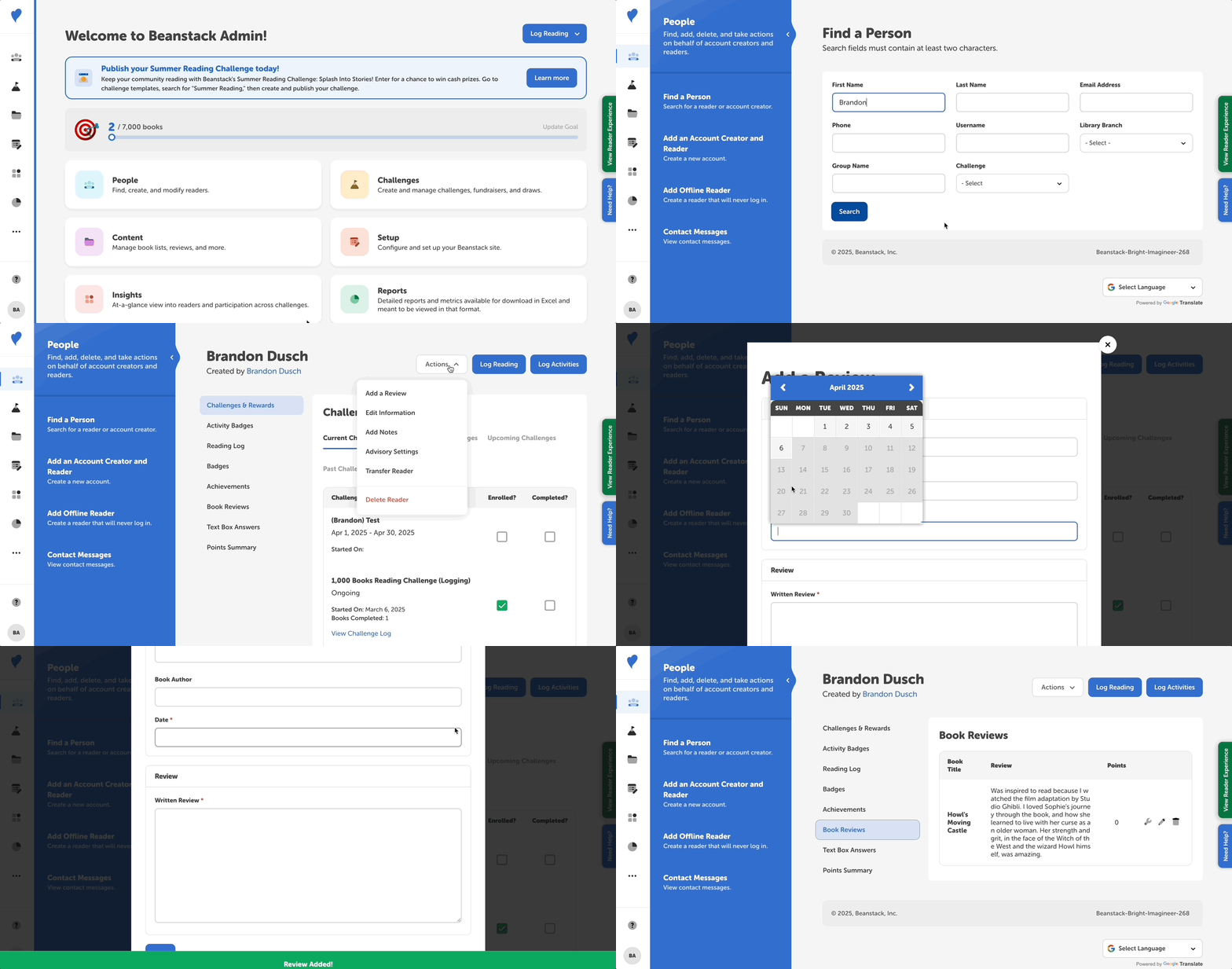
Add a review for a reader from the admin view by following these steps:
-
Log in to the administrative side of your site.
-
Navigate to People > Find a Person.
-
Search for the person and click the reader’s name.
-
Click the “Actions” dropdown in the top right corner of their reader profile page and select “Add a Review.”
-
Enter the book’s title, date, and review text.
-
Click “Save.”
Afterward, you will see their review on the “Book Reviews” section of their profile.