To enroll a reader in an available challenge from the admin view, follow these steps:
-
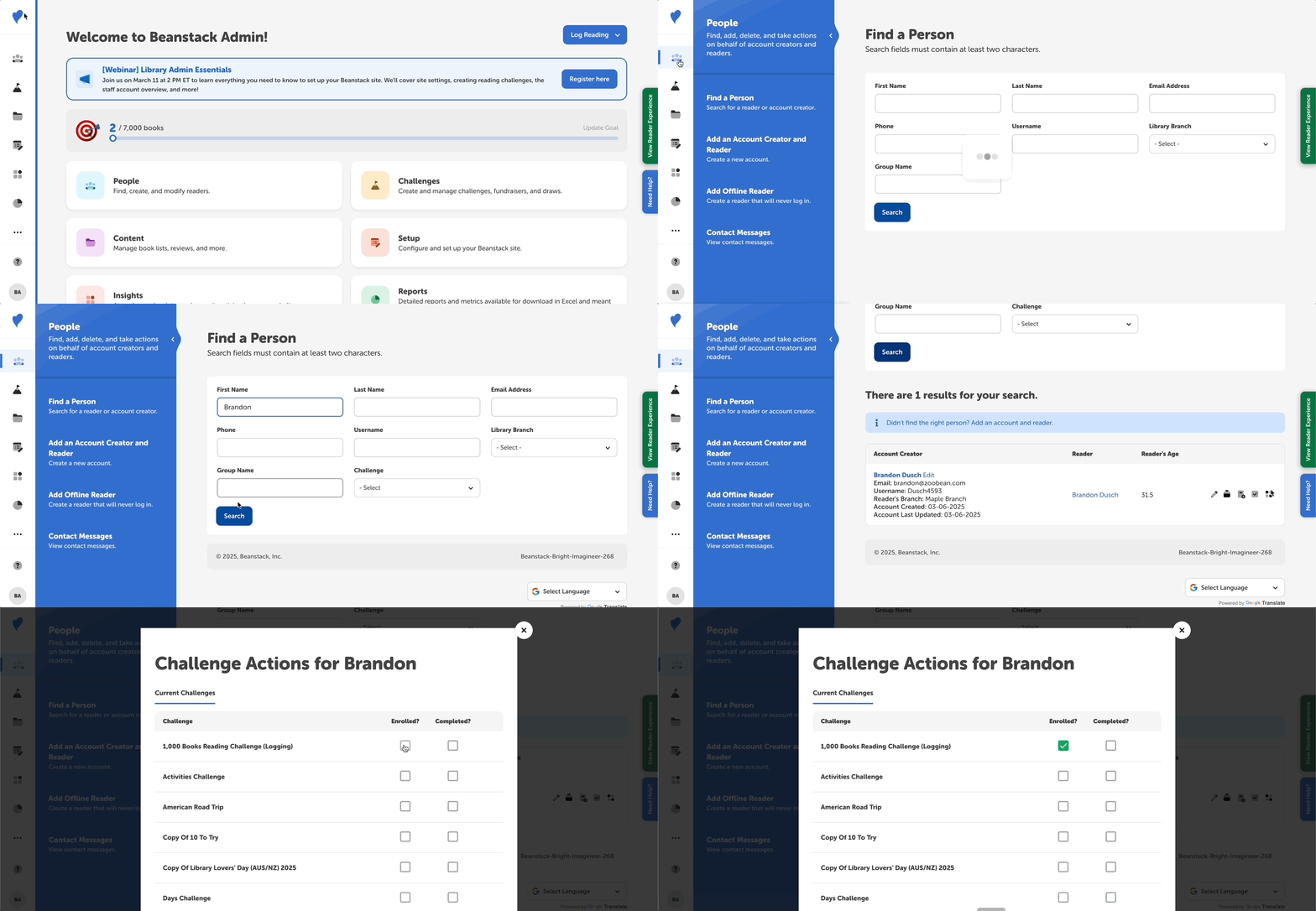
Log in to the administrative view of your site.
-
Go to People > Find a Person.
-
Search for the reader.
-
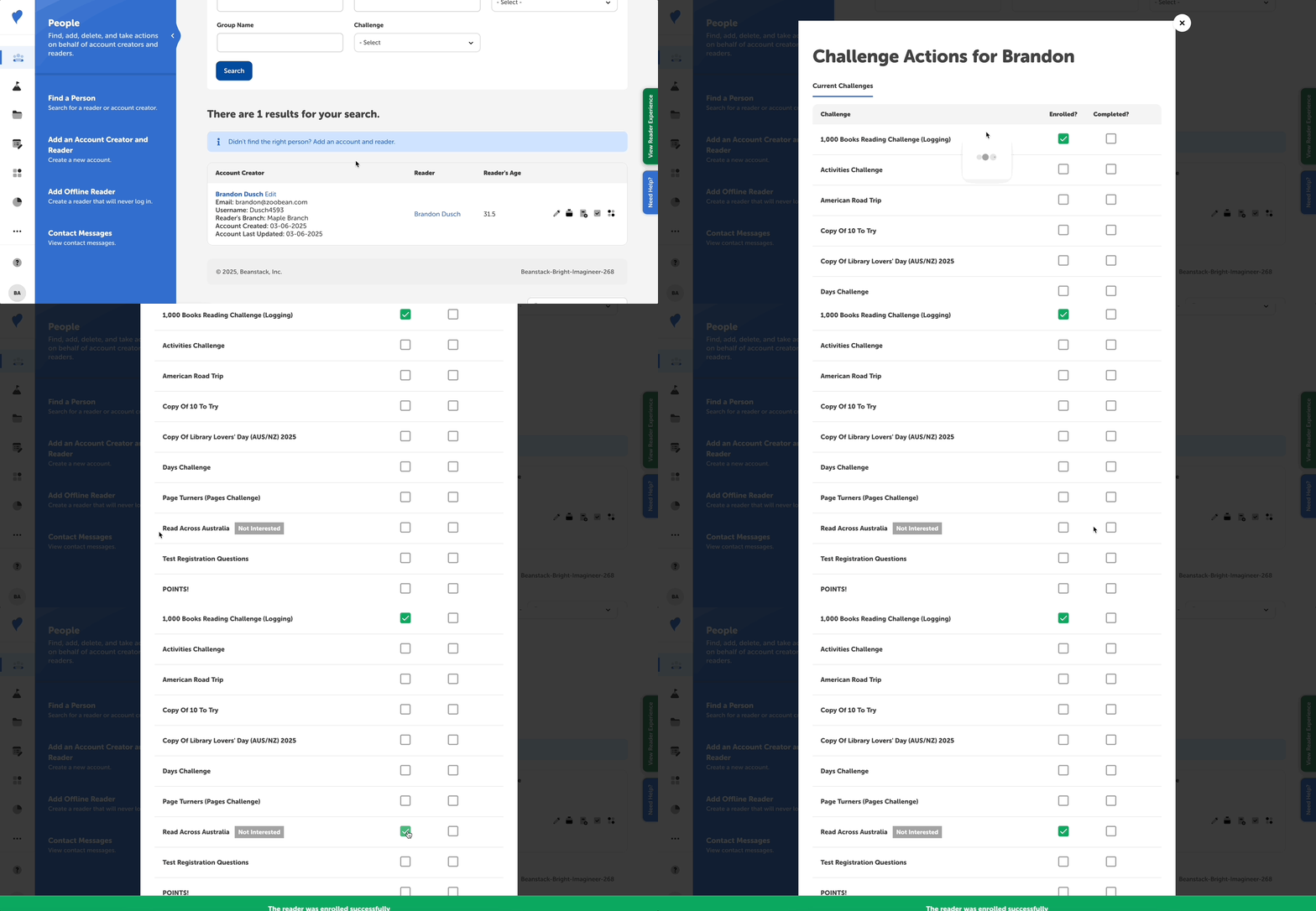
Click the reader’s name to view their reader profile and click the Challenges tab OR click the Challenge Actions icon button to the far right of the row with the reader’s name.
-
Enroll them in the desired challenge by clicking on the empty box for that challenge.
-
When finished, click Close.
Note: The steps above will enroll a reader in any challenge, even if the reader marked it as “Not Interested.”