

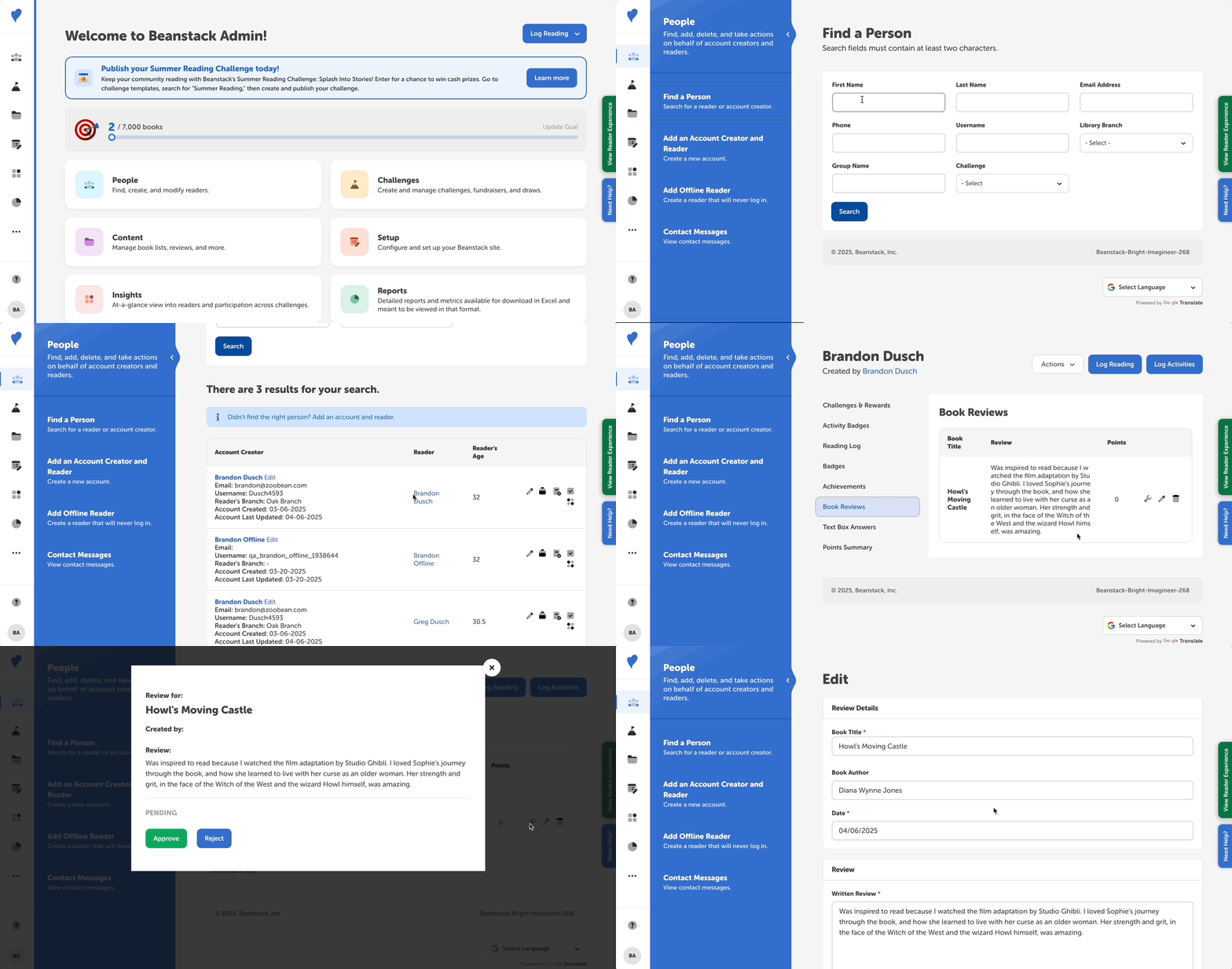
Follow the instructions below to see an individual reader’s reviews:
-
Log in to the admin view of your site.
-
Navigate to People > Find a Person.
-
Search for the reader and click their name in the second column.
-
Click “Book Reviews” in the left navigation sidebar.
You can also approve, reject, or edit reviews in this view by clicking on the wrench or pencil icon.