Tags: Content, Book Lists
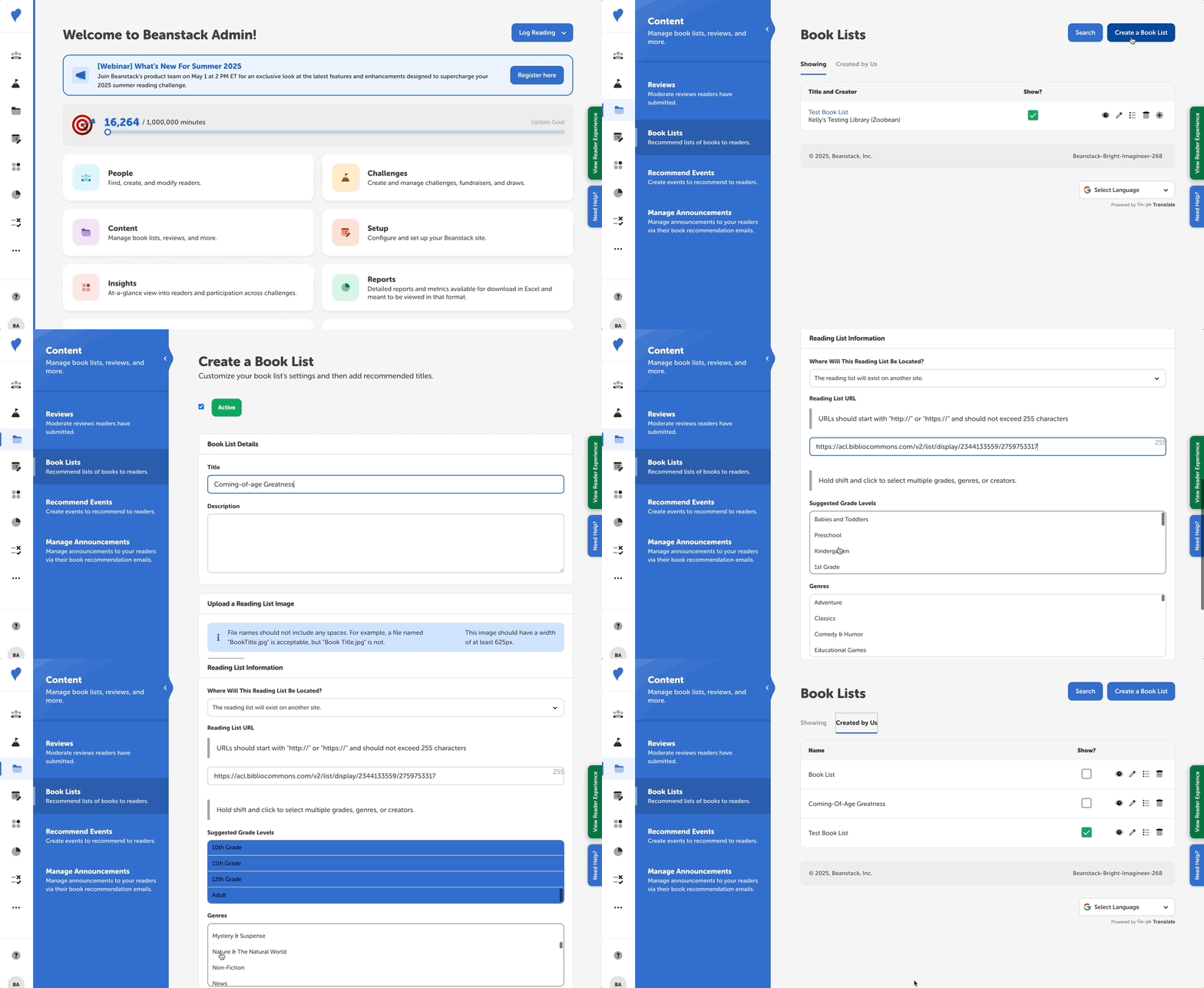
Follow these instructions to add a book list (reading list) that already exists elsewhere online to your Beanstack site:
-
Log in to the admin view of your site.
-
Navigate to Content > Book Lists.
-
Select “Create a Book List.”
-
Enter a title and short description of the list.
-
To link to a book list on another site, select “This reading list will exist on another site” from the dropdown menu.
-
Then, enter the URL of the list you want to share.
-
Select all relevant grade levels (hold down ctrl/command key to select multiple).
-
Select any relevant genres (hold down ctrl/command key to select multiple)
-
Optional: Enter any relevant keywords
-
Click “Create.”
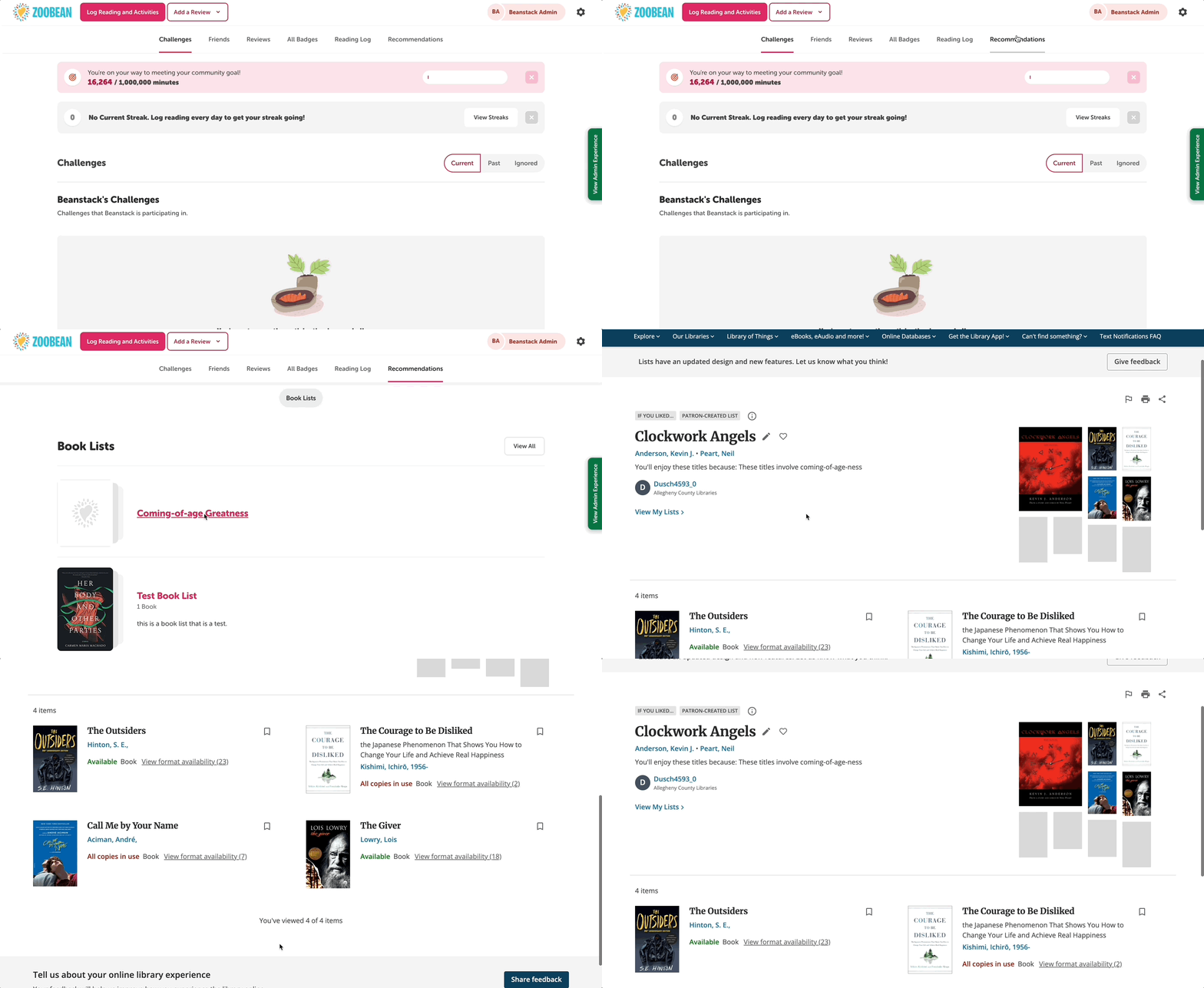
The newly created book list will appear under the “Created by Us” tab. To make it visible on your site, click the “Show?” checkbox. You can then confirm the list is visible by switching to the reader view and going to the “Recommendations” tab (on the web) or “Discover” > “Book Lists” (on mobile):