
Tags: Points, Challenges, Libraries
Points are only available for library sites. They are not supported on school sites. To learn more about challenges, including setup and badges, visit Beanstack for Everyone.
-
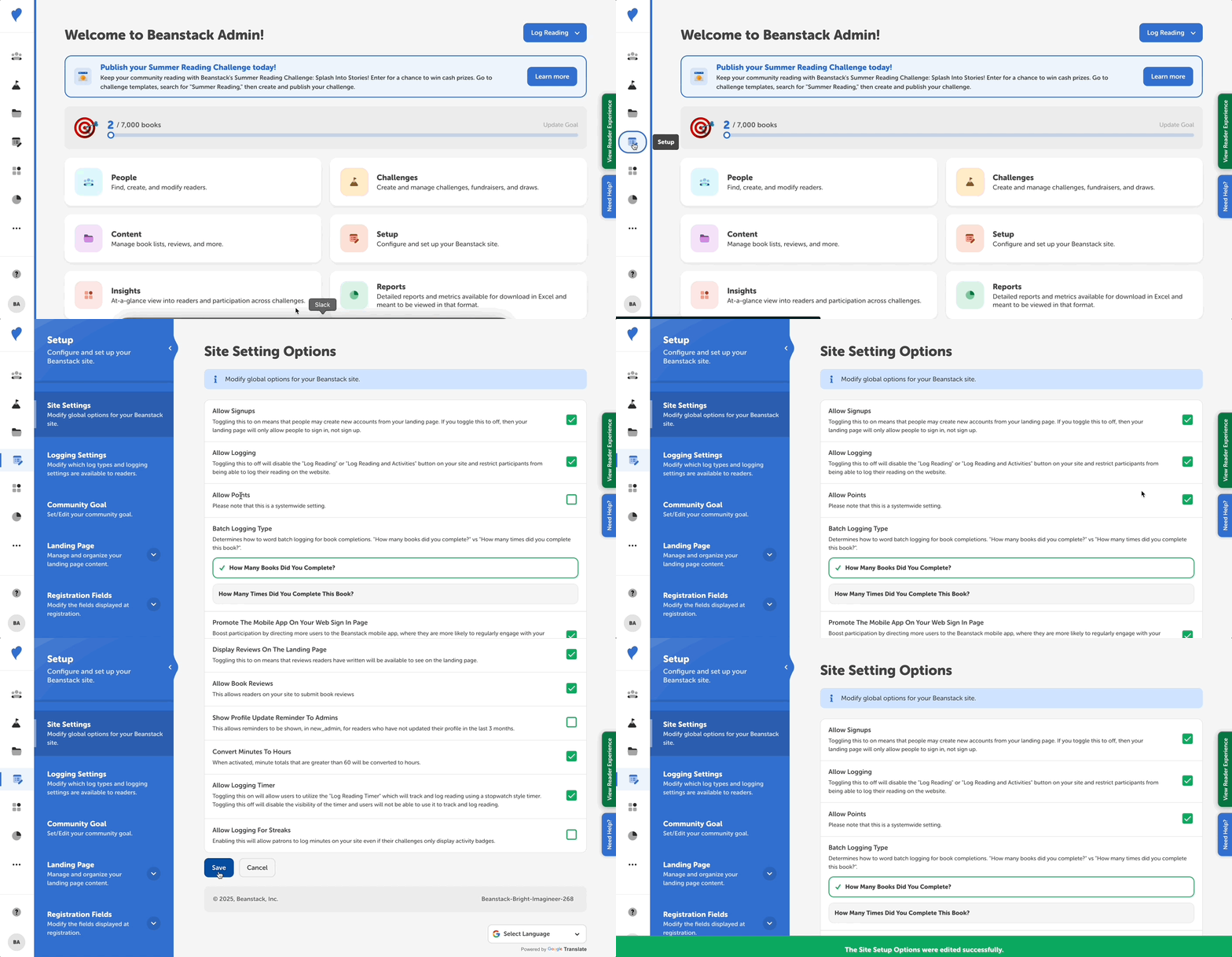
Login to the admin view of your site.
-
Go to Setup > Site Settings.
-
Scroll down to “Allow Points” and check the setting to turn it on.
Note: The points system is site-wide, not challenge-specific.