

Tags: Challenges, Setup
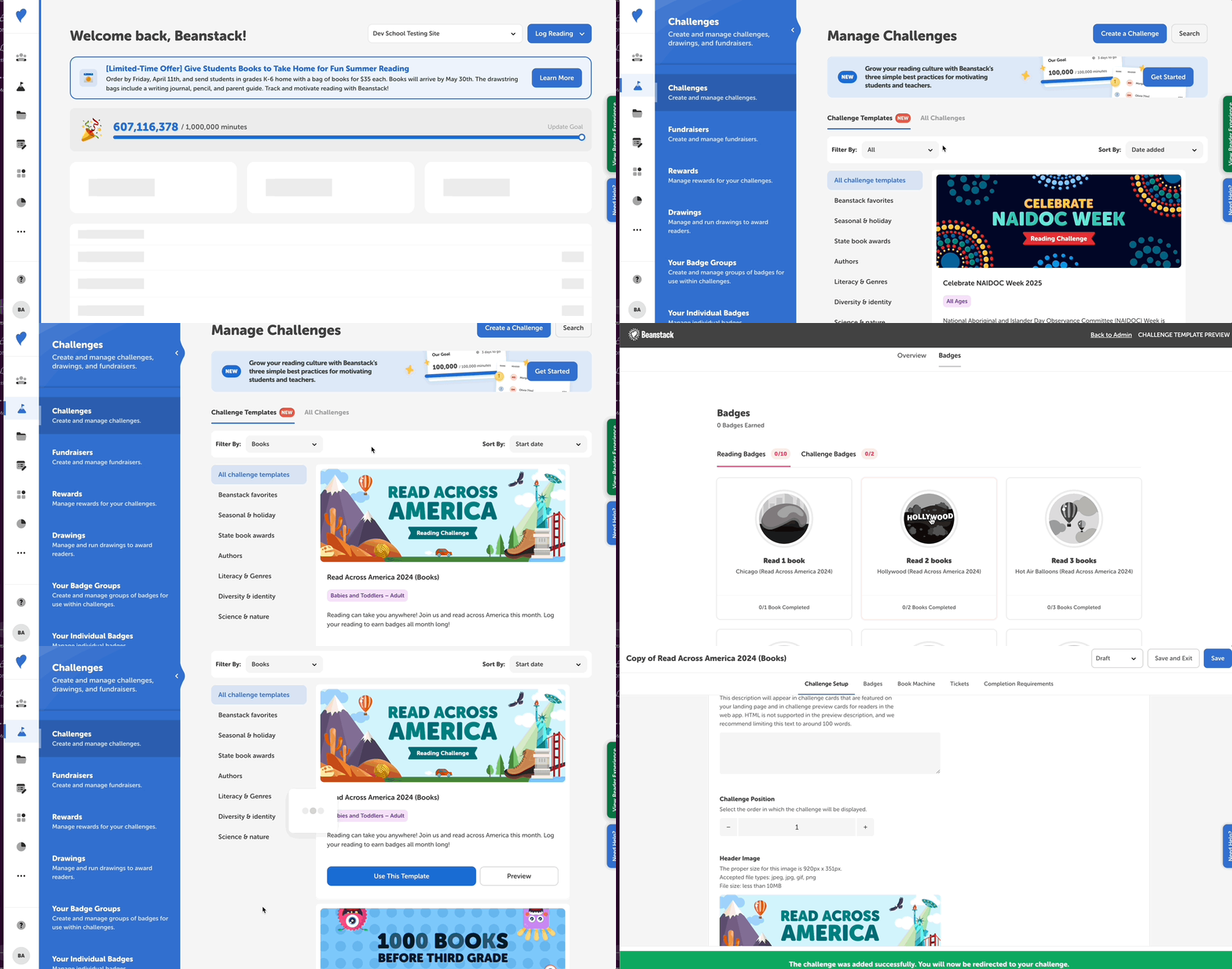
A reading challenge template is a template created by the central Beanstack team that is ready to be implemented on your site. Any staff member with access to challenges can use and customize these templates to publish a new reading challenge.
-
For library sites, this includes library administrators.
-
For school sites, teachers and media specialists can do this for their own classes while media specialists plus and district admins can do this for the whole school.
Follow the instructions below to select a challenge template and get started!
-
From your Beanstack site’s admin view.
-
Go to Challenges and click the “Challenge Templates” tab.
-
Browse through the available templates. To find the template best suited for your needs:
-
Filter based on log type, challenge type, or theme.
-
Sort by the date added, the start date, or alphabetical order.
-
Search for a key word or phrase by template title.
-
-
When you’ve found a template you like, click “Preview” to view the challenge from the reader’s view by clicking “Preview” or click “Use This Template” to create a duplicate of that template.
-
The duplicate is then loaded into your challenge dashboard, and you are redirected to the challenge setup.
-
-
Remove “Copy of” from the challenge title, add your challenge dates, and then revise the rest of the challenge as desired. The entire challenge is already set up for you, but you may edit any registration requirements and ages, swap badges, add rewards, or alter anything else within the challenge as needed. Make sure to save all your changes as you go!
-
When you’re ready to open the challenge to your community, change its status from Draft to Published and then click “Save.”