

Tags: Libraries, Setup
Messages sent via Contact Us go to the Beanstack support team as well as the point of contact indicated by your administrative team upon launching with Beanstack.
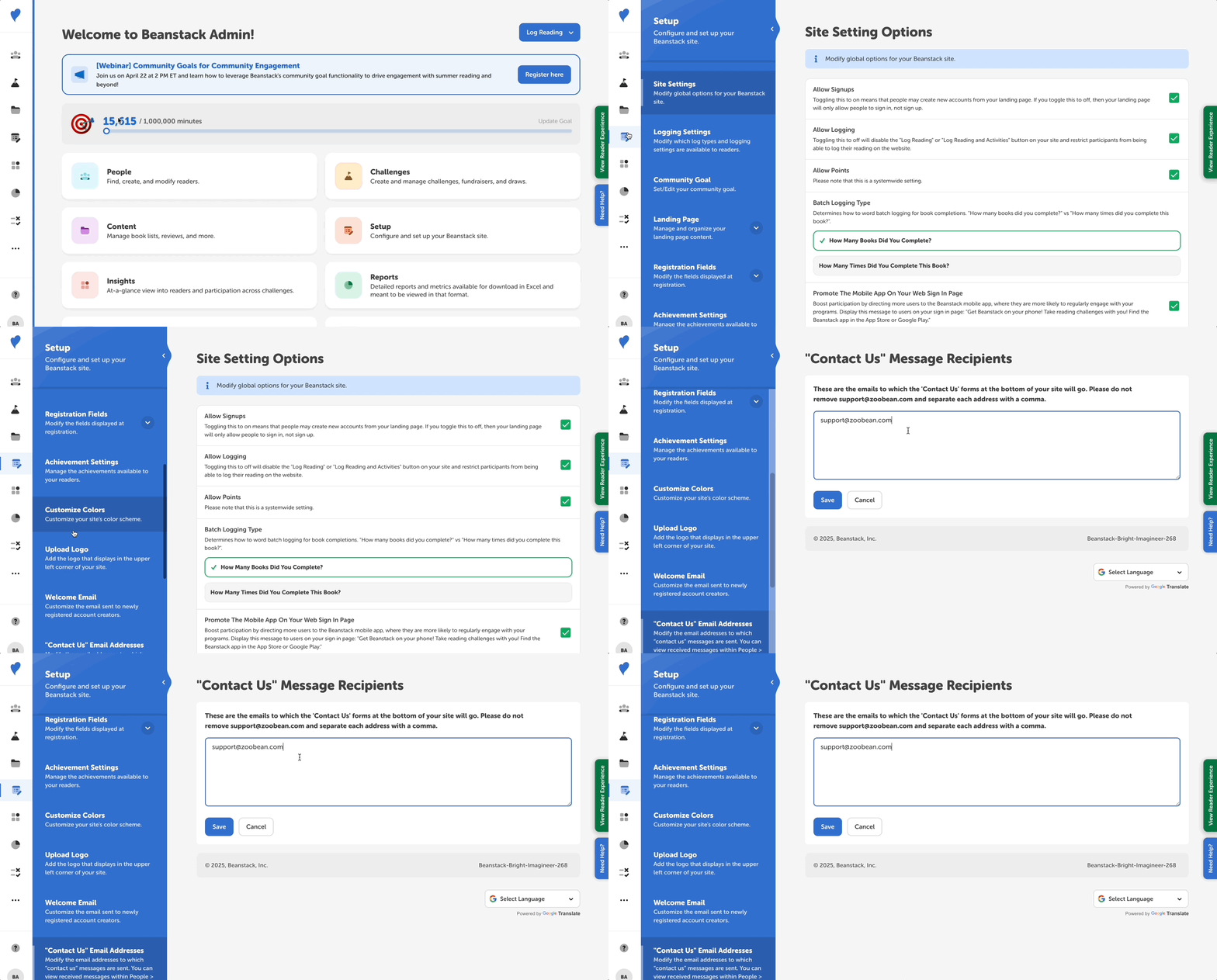
If you would like to change or add an email to which these messages are sent, follow the steps below:
-
Log in to the admin view of your library site.
-
Navitage to Setup > “Contact Us” Email Addresses.
-
Update your email address(es) on file, making sure to separate each email address with a comma and not to delete support@zoobean.com! We love to stay in touch :)
Note: You may also access received messages through People > Contact Us if logged in with a library administrator level or higher.