
Tags: Libraries, Staff Actions
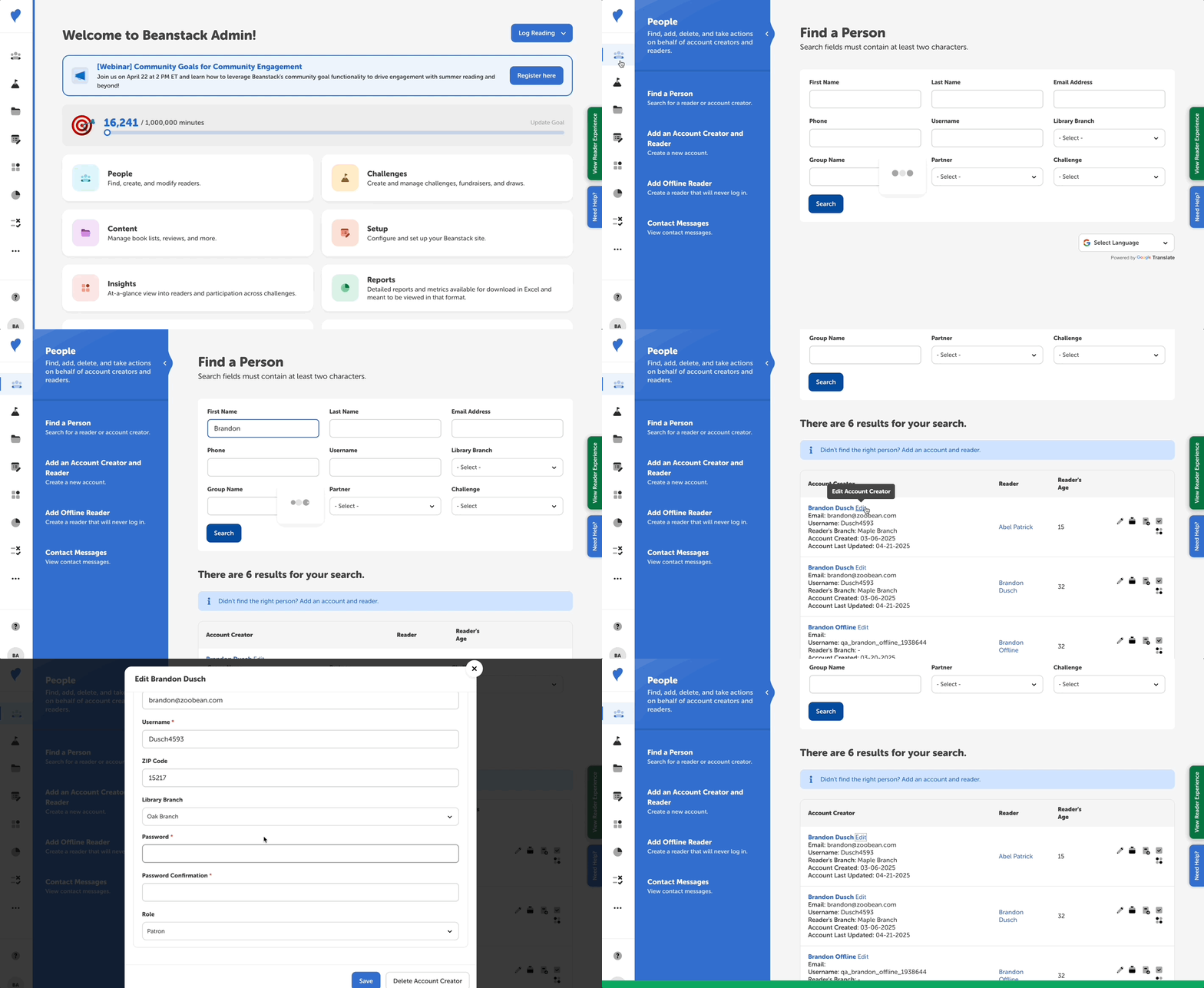
Follow the instructions below to update information for an account creator:
-
Log in to the admin view of your library site.
-
Go to People > Find a Person.
-
Enter identifying information in some of the search fields and click “Search.”
-
Click “Edit” next to the correct account creator’s name.
-
Make any changes necessary, i.e., email address, branch, etc., making sure that all required fields are complete.
-
Click “Save.”
If you’d like to change the password for an account creator, follow the steps in this article.