

Tags: Libraries, Staff Actions
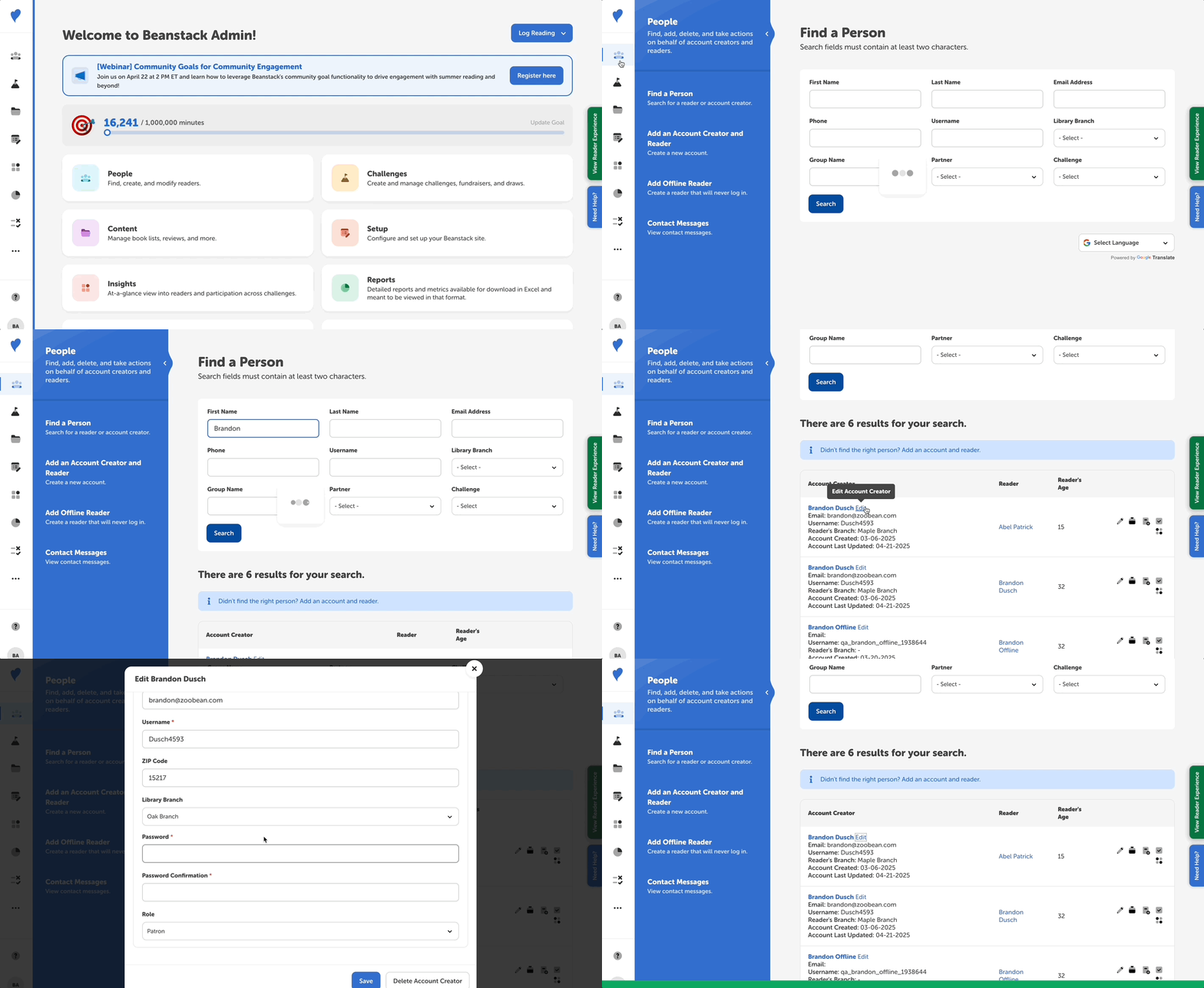
Follow the instructions below to reset an account creator’s password:
-
Log in to the admin view of your library site.
-
Go to People > Find a Person.
-
Populate some of the search fields to locate the user.
-
Click “Edit” next to the correct account creator’s name.
-
Enter and confirm their new password.
-
Note: Passwords must be at least 6 characters. If new required fields were added to your site’s registration options since the account creator originally registered, you will also have to populate those required fields in order to save the changes.
-
-
Click “Save.”
If you’d like to change other account creator information (e.g., username or email), follow the steps in this article.