

Tags: Libraries, Staff Actions
This article shows how to log activities and complete entire activity badges for a reader from the admin view.
Log Individual Activities
Complete Entire Activity Badges
Log Individual Activities
-
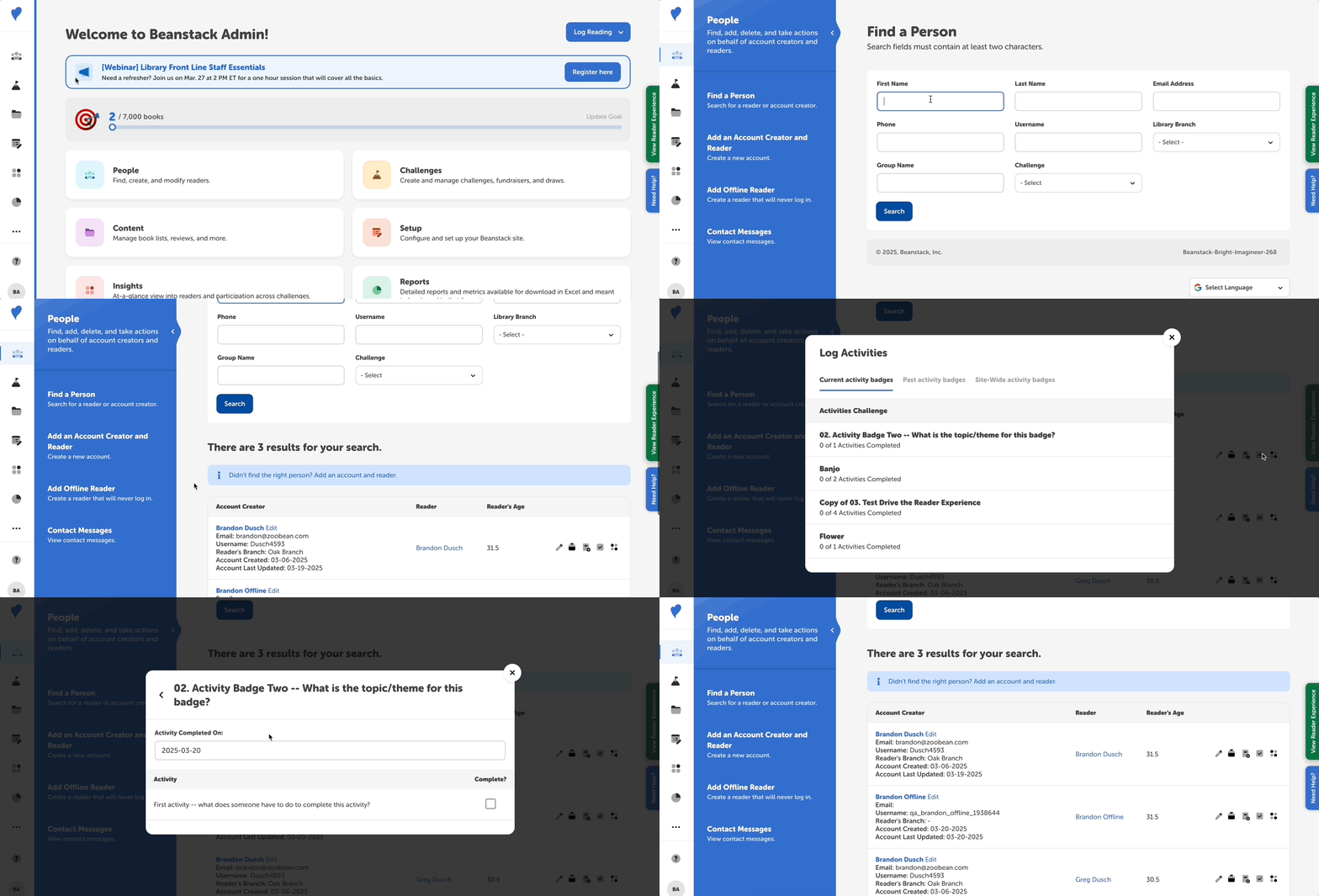
Go to People > Find a Person.
-
Search for the reader and then either click the “Log Activity” quick-action icon to the right or click their name in the second column to access their reader profile page and then click “Log Activities.”
-
Click the name of the activity badge for which you want to view and complete activities.
-
Click “Close” when done.
Complete Entire Activity Badges
-
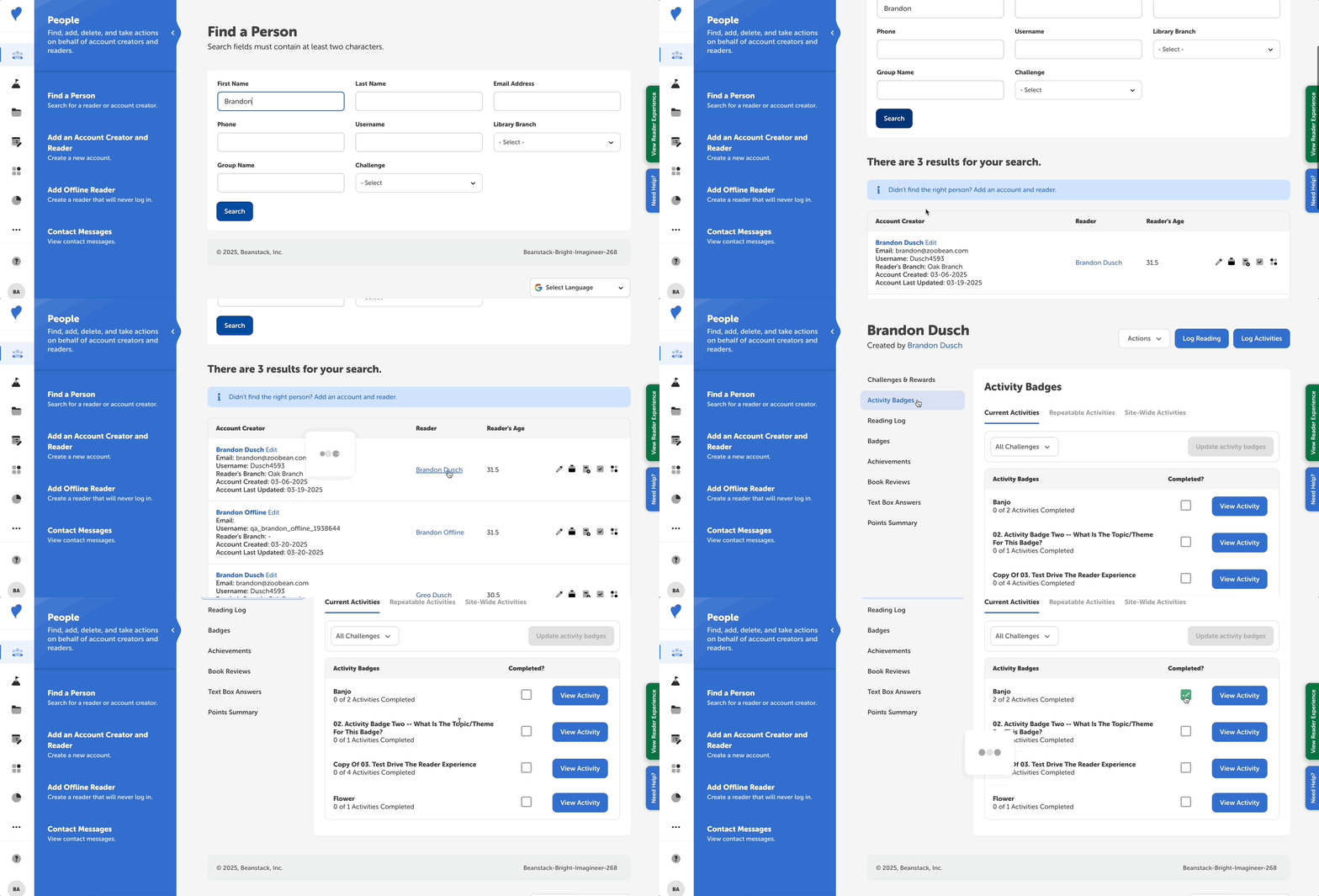
Go to People > Find a Person.
-
Enter search information to find the reader.
-
Click on the reader’s name in the second column to see their reader profile page, and then click “Activity Badges” in the left-side navigation menu.
-
Check the “Completed?” box next to a badge to complete it and all of its accompanying activities.