

Tags: Libraries, Readers
It sounds like you have alternative challenges set up on your site! This means that your site is set up so that someone may enroll in one or the other of these programs, but not both!
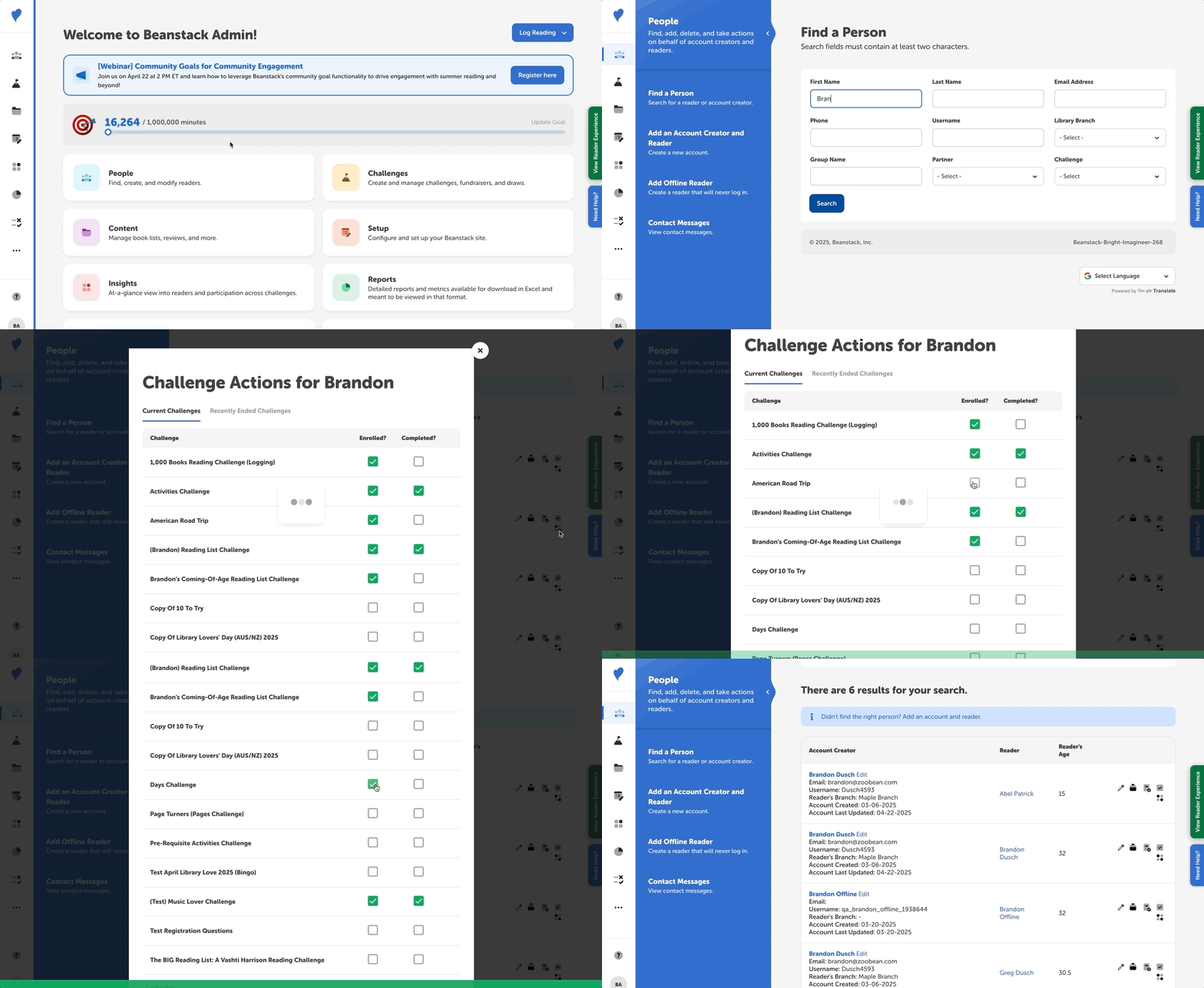
In this case, you can help by doing the following:
-
Log in to the admin view of your site.
-
Go to People > Find a Person.
-
Enter search information to find the reader.
-
Click the “Challenge Actions” icon button to the right of the reader’s name.
-
Alternatively, you can click their name in the “Reader” column and go to the “Challenges & Rewards” section on their profile.
-
-
Un-enroll them from the incorrect challenge by unchecking the the box next to the challenge they wish to leave.
-
Enroll them in the correct challenge by checking the now visible checkbox for the correct challenge.
Note: You cannot unenroll someone who has already completed a challenge.