

Tags: Libraries, Staff Actions
A few notes on deleting account creators:
- Only those with Branch Administrator or Library Administrator roles may perform this action.
- Keep in mind that if you delete an account, it is an irreversible action and will delete all data for the account and all attached readers. Again, this information cannot be recovered once deleted.
- Deleting accounts may affect report accuracy such as challenge registration in previous years. When possible, opt for merging accounts instead.
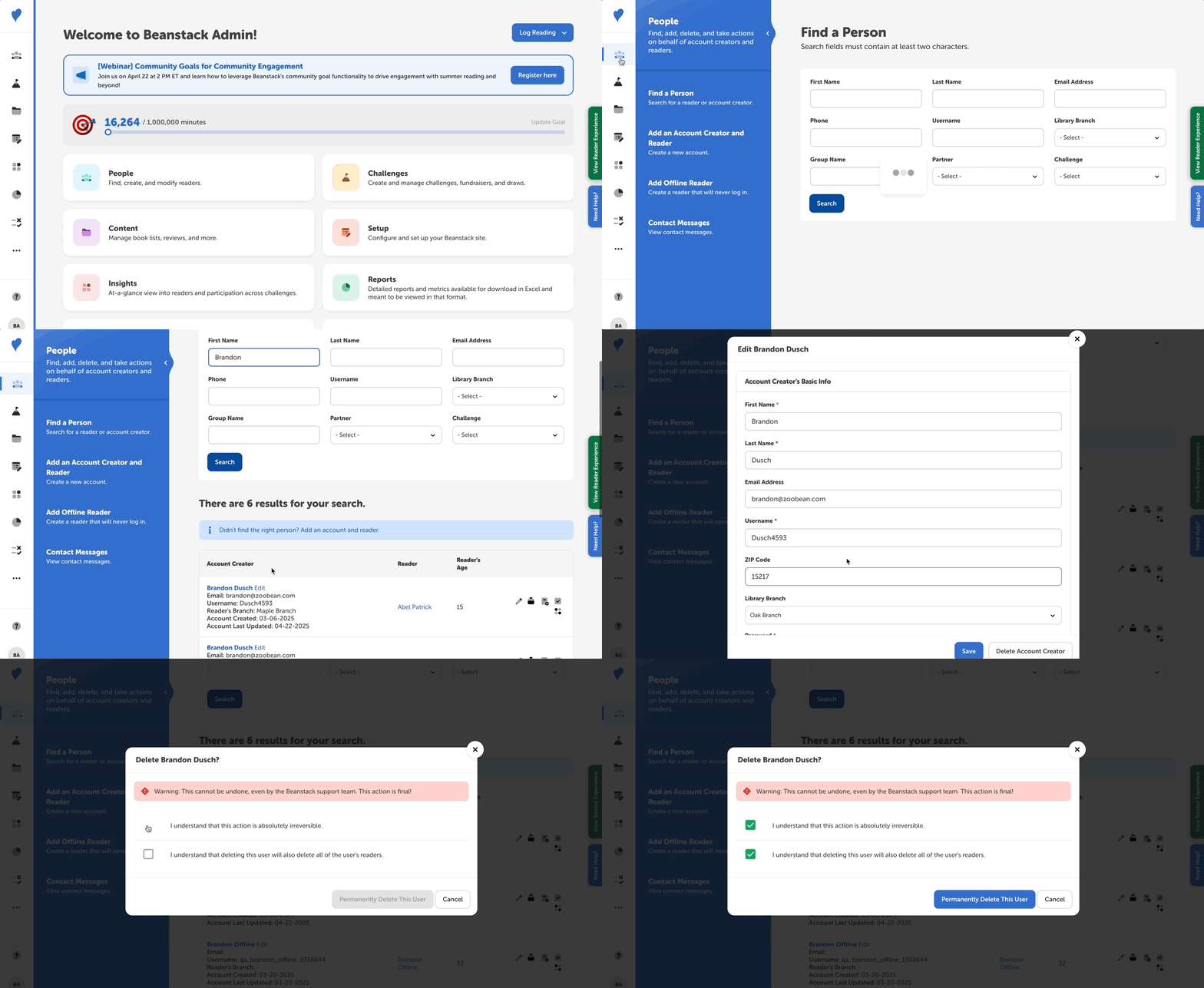
Follow the instructions below to delete an account creator:
- Log in to the admin view of your site.
- Navigate to People > Find a Person.
- Search for the account creator and click “Edit” next to their name in the first column.
- At the bottom of the pop-up window, click “Delete Account Creator.”
- Check the boxes to confirm this action and then click “Permanently Delete This User.”