

Tags: Libraries, Staff Actions
Note: Adding/deleting readers is possible with library sites only. It is not currently supported on school sites.
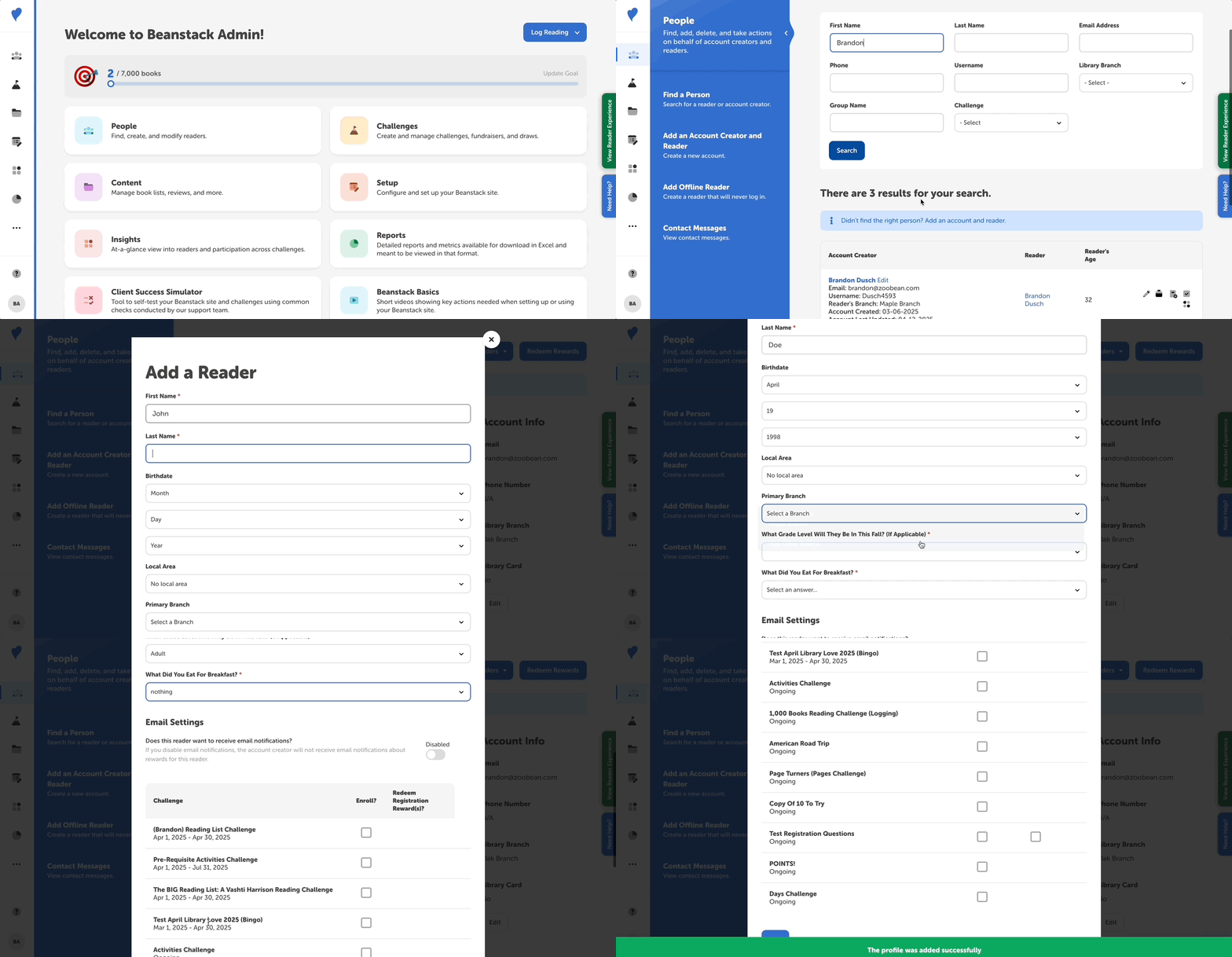
Follow the instructions below to add a reader to an existing account:
-
Log in to the admin view of your library site.
-
Go to People > Find a Person.
-
Enter search information to find the account creator.
-
Click the account creator’s name to go to their profile.
-
Click the “Add Readers” dropdown near the top and select “Add a Reader.”
-
In the “Add a Reader” modal, add required information for that reader, enroll them in any current or upcoming challenges, and then click “Add.”
-
If only one challenge is ongoing, and the newly reader is eligible, they are auto-enrolled in that challenge. But if there are multiple ongoing challenges, they are not auto-enrolled.
-