

Tags: Logging, Libraries, Readers
Note: Points are only available for library sites. They are not supported on school sites.
When enrolled in a points challenge, readers can earn points for specific log types enabled as earnable point types. To earn points, the challenge must be current and include point badges. The number of points earned for each reading log type/unit is determined in your site’s overall points systems (which is accessible to library administrators within Challenges > Points System). The number of points earned for specific repeatable or non-repeatable activities is set up within the challenge’s activities.
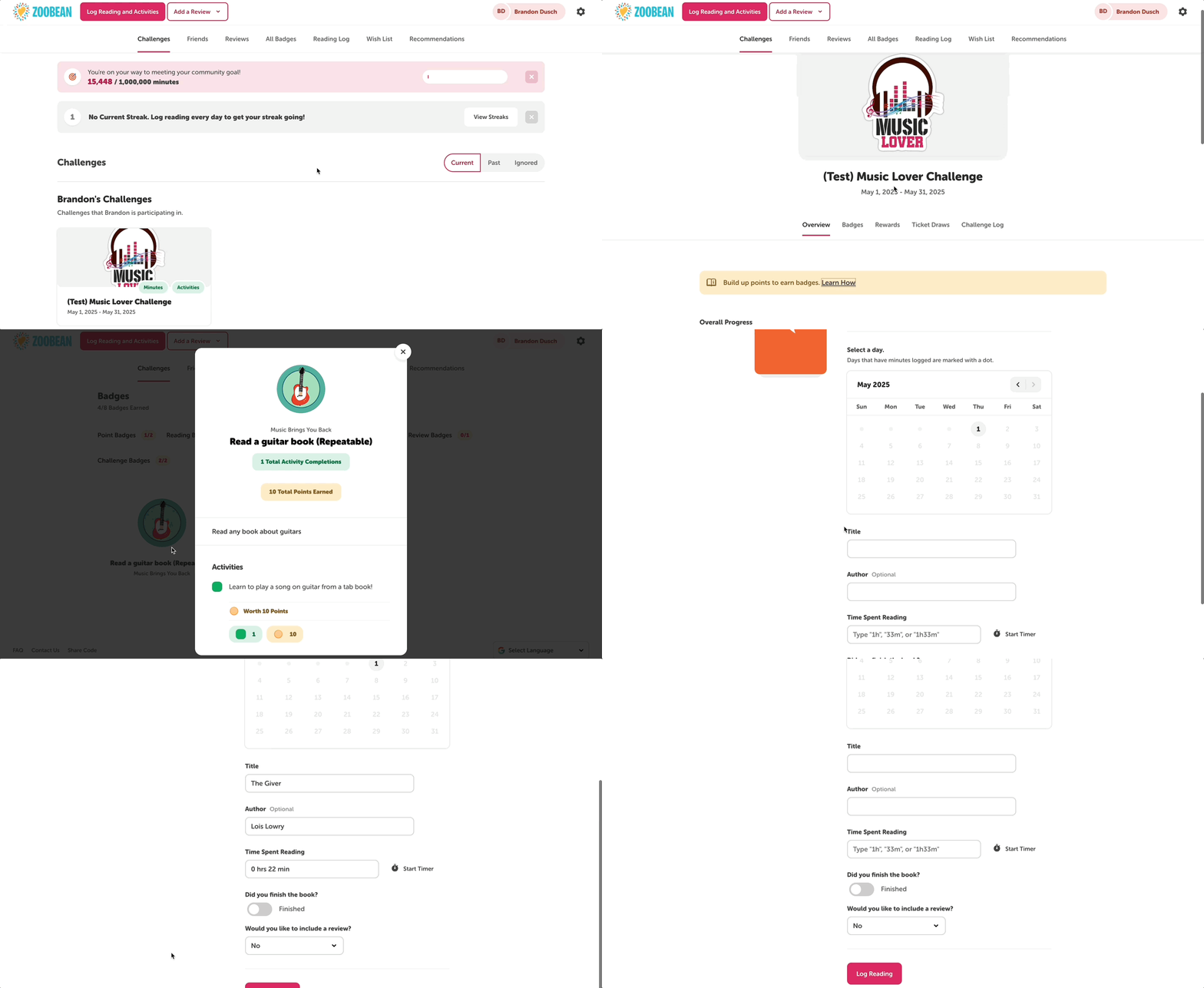
To view how points are awarded within a challenge, readers can select the points challenge and then click the “Learn How” text below the challenge description. They will then see all the earnable point types for that challenge and their corresponding point value.
Points by logging
Once logged in online, readers can log reading or activities to earn points from any screen by following the steps below.
-
Click the “Log Reading” or “Log Reading and Activities” button in the upper lefthand corner of the screen.
-
Select the accurate reader(s) and then the desired log type.
-
Readers will only see the log types (books, minutes, pages, days, or activities) used in their current challenge(s). If they are not enrolled in an active challenge, they will see all active log types on your site and will not earn points.
-
-
If logging reading, enter information like title, author, date, number of times read, and if they'd like to leave a book review. Then, click “Log.”
-
Some sites may have certain required logging fields, like title, and may allow or disallow logging multiple titles or completions at one time based on their site preferences.
-
Logged reading will be added to their overall reading log and to the points challenge log. If warranted, the reader may earn point badges, tickets, or rewards, which will pop up after logging.
-
-
If logging activities, select the desired activity badge and activity and either check off the activity, write a response into a text box, or enter an activity code (set and provided by the library) to complete the activity.
Points by actions
Readers can also do actions to earn points from within a specific challenge page by following these steps:
-
Once viewing a challenge, they can click over to the Badges tab and select Point Badges.
-
Click any unearned point badge and then click “Logging Reading” or “Completing Activities.”
-
Follow steps 2 - 4 above.