

Tags: Libraries, Readers, Accounts
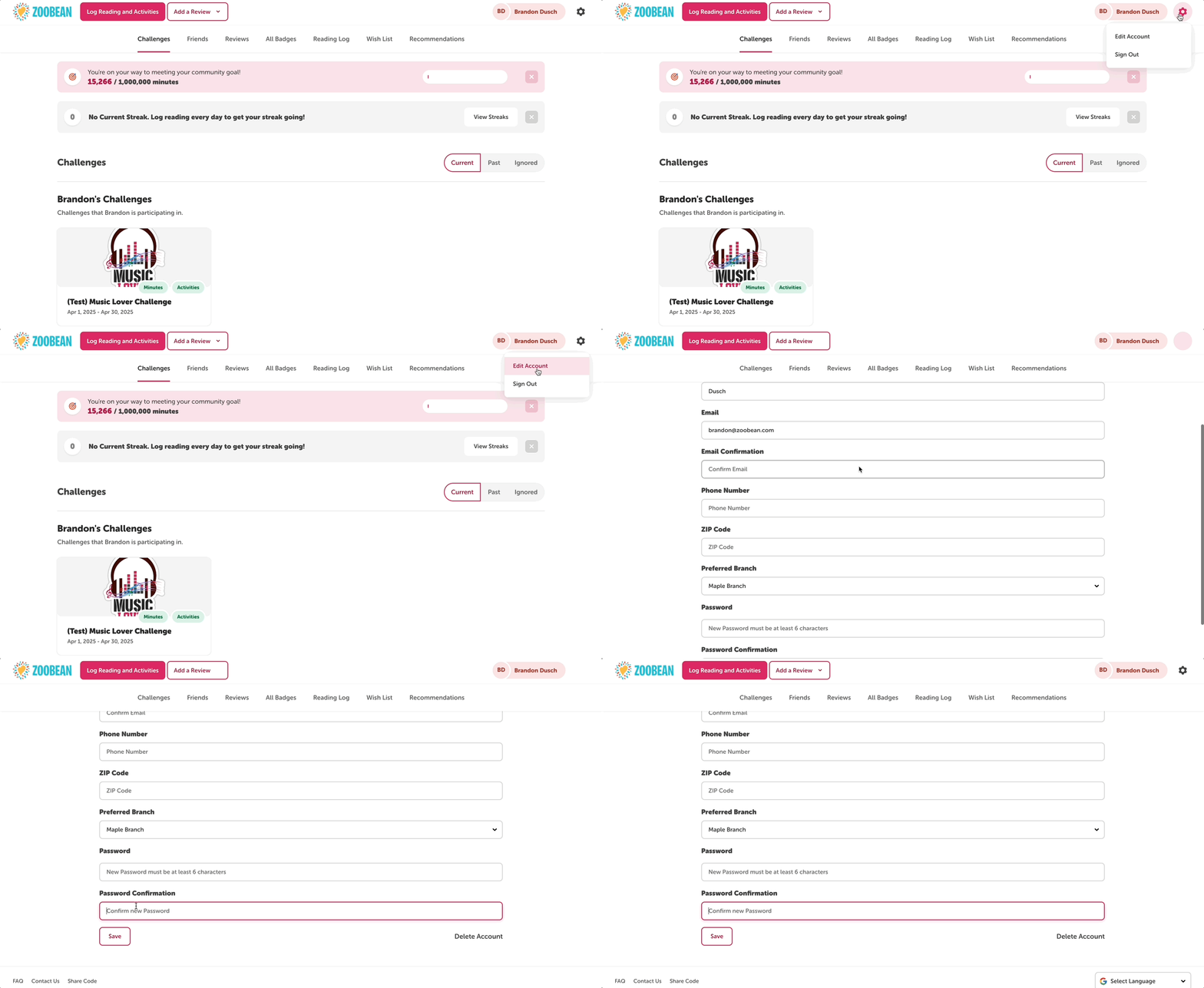
Follow the instructions below to update an account creator’s password from the reader view:
-
Instruct the patron to log into their account.
-
Click “Edit Account.”
-
Scroll down to fill in the new password, and then confirm the password.
-
Note: Passwords must be at least 6 characters in length.
-
-
Click “Save.”