

Tags: Challenges, Libraries, Setup
To learn more about challenges, including setup and badges, visit Beanstack for Everyone.
If you are using logging badges to log events rather than activity badges, then you may let your readers select the type of event attended from a dropdown menu.
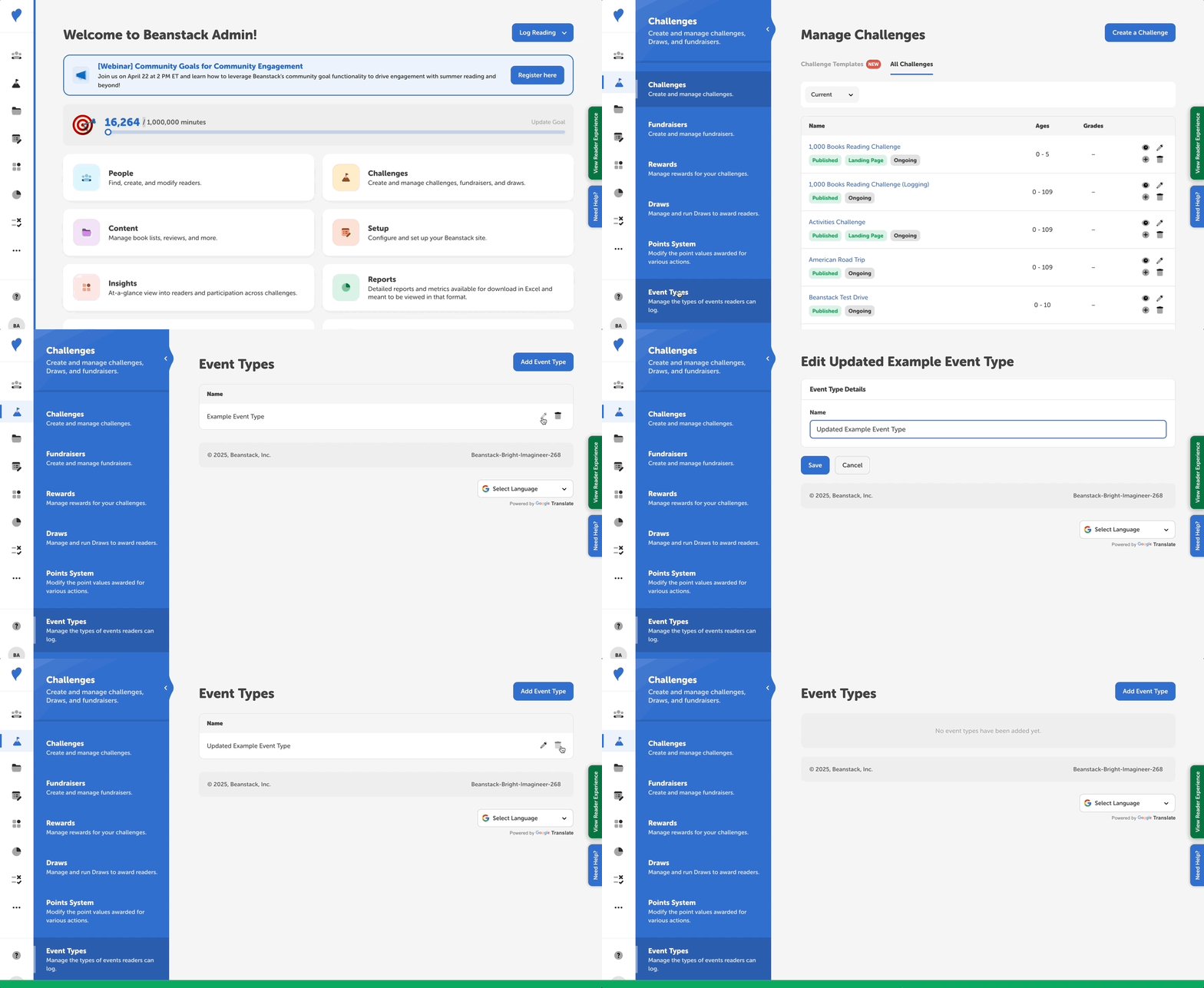
Follow the instructions below to add event types for readers to select from:
-
Log in to the admin view of your site.
-
Go to Challenges > Event Types.
-
To edit any of the default existing events, click the pencil icon to edit.
-
To delete any of the default existing event types, click the trash icon and click “OK” to confirm.
-
To add a new event type, select “Add an Event Type” and enter a new event type.
Note: Event types are not related to recommended events, which are only available to Premium-Level sites. Event types are only needed or displayed if you have set up logging badges for attending an event.