

Tags: Badges, Challenges, Libraries
To learn more about challenges, including setup and badges, visit Beanstack for Everyone.
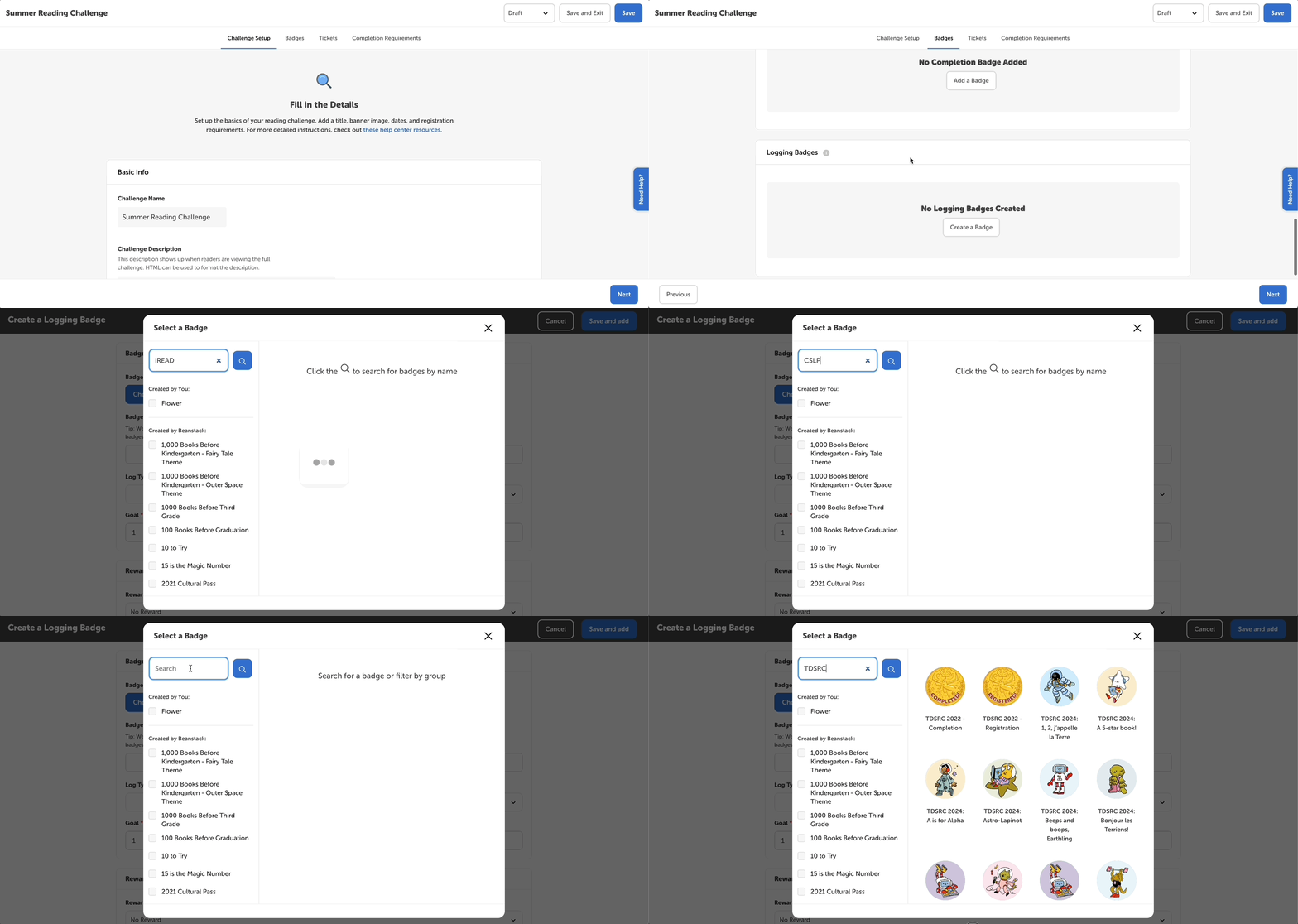
We have badges based on iREAD, CSLP, and TD Bank summer reading themes available on all sites. To use these badges:
-
Edit your draft summer reading challenge.
-
Navigate to the Badges tab
-
Click Create/Add a Badge under the desired badge type. Select Choose Badge and scroll through the badges created by Beanstack to see and select the iREAD, CSLP, and TD Bank badges.
-
You can also search for them with “iREAD,” “CSLP,” or “TDSRC.”
-