

Tags: Registrations, Libraries, Setup
You can turn on or off the ability to register for a new account on your Beanstack site at any time.
Note: New registrations are always allowed through the mobile app.
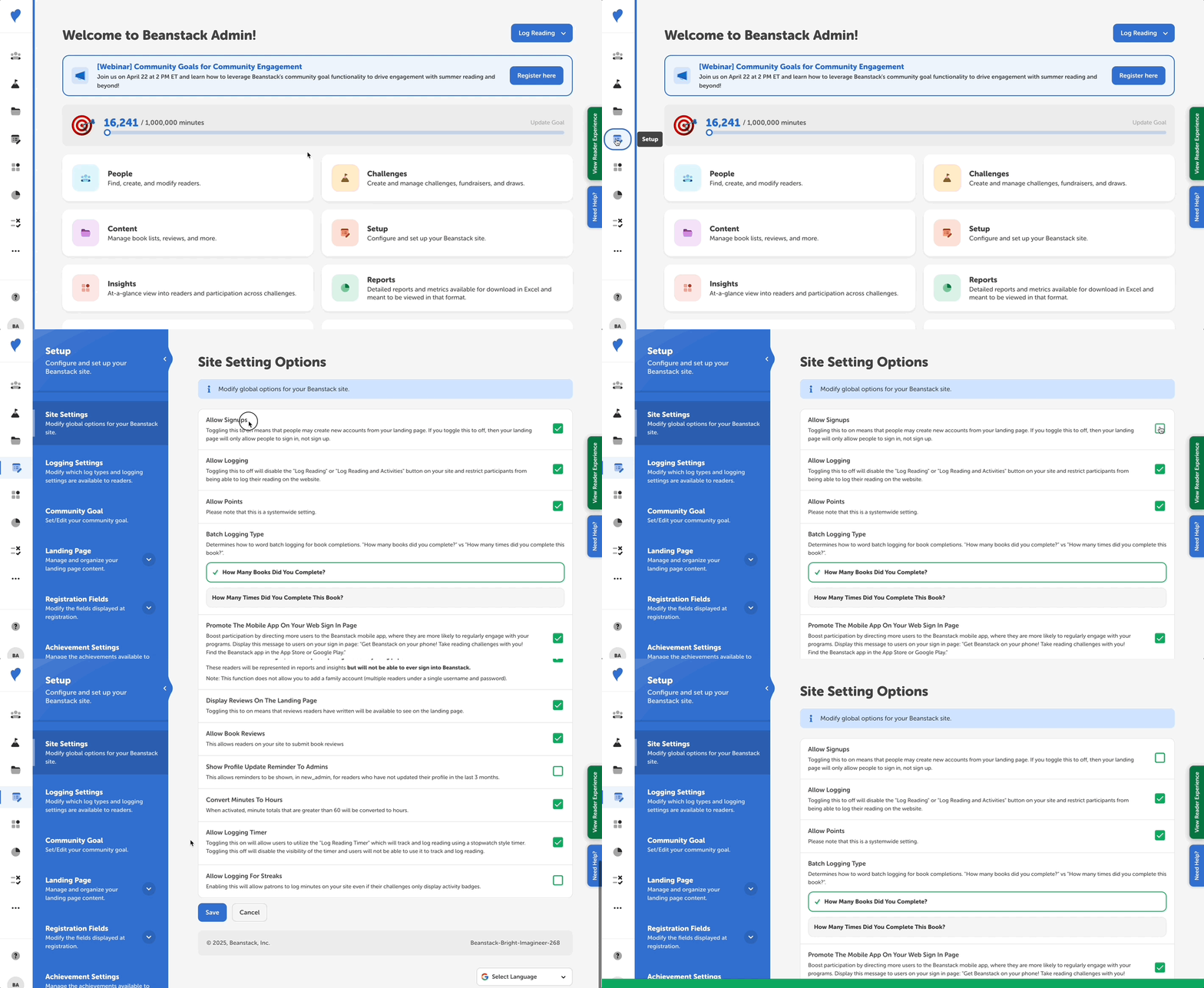
Following the steps below:
-
Log in to the admin view of your library site.
-
Navigate to Setup > Site Setting.
-
Locate the “Allow Signups” setting.
-
Turn this option off by unchecking the box so that the green check mark is not showing.
-
Click “Save.”