

Tags: Challenges, Rewards, Certificates, Tickets
Note: Use caution when updating reward/prize details, as any updates will affect the prize everywhere it is attached.
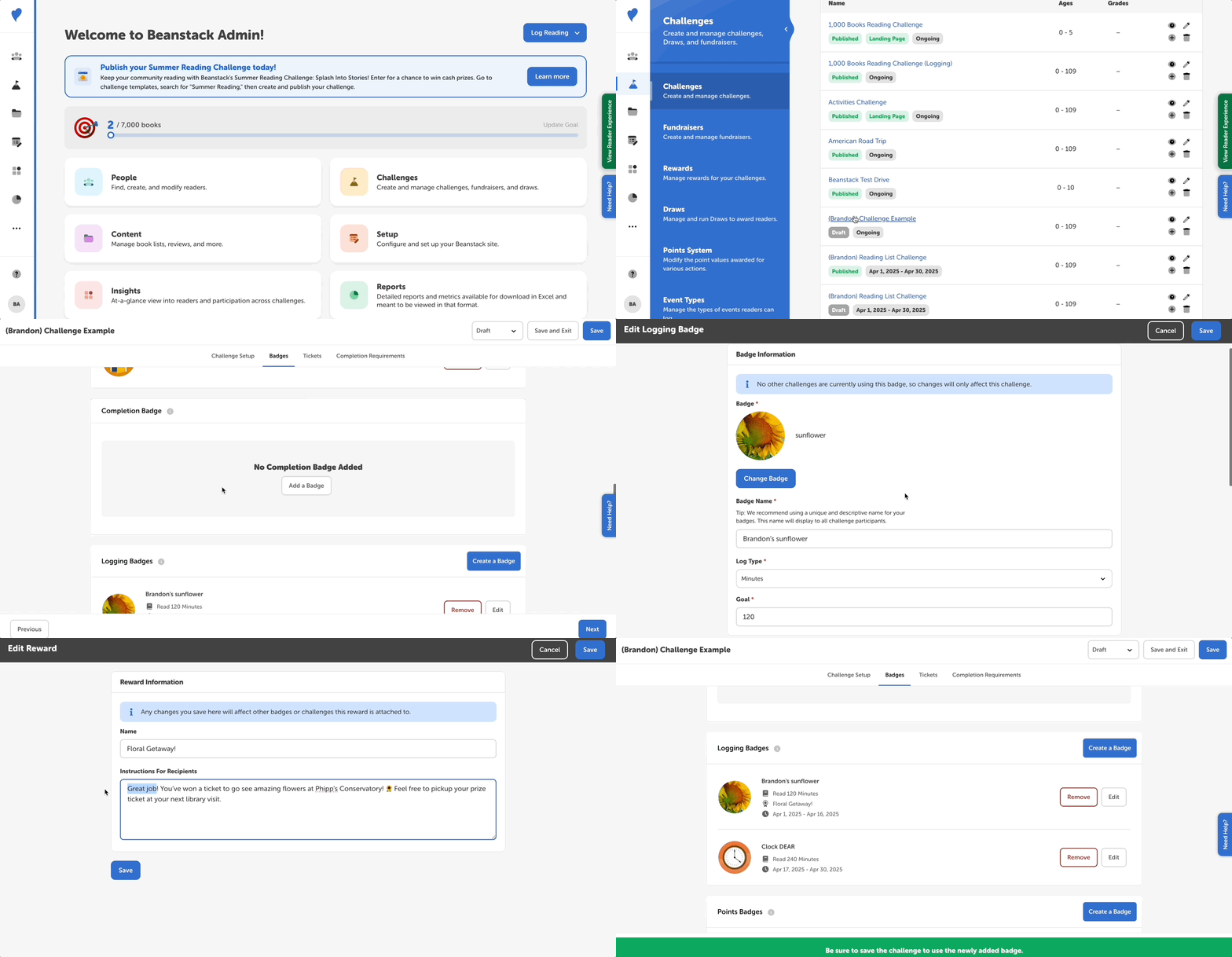
Follow the instructions below to edit a reward/prize in a challenge:
-
Log into the admin view of your site.
-
Go to Challenges and select the challenge you wish to edit.
-
Select the “Badges” tab.
-
Find the badge with the reward you’d like to edit and click “Edit.”
-
Scroll down to the “Reward Earned With This Badge” section, where you can do the following:
-
Use the dropdown to select a different reward.
-
Click “Edit Selected Reward” to change the name and instructions of the reward. Any changes to the reward will be reflected on other badges (including on other challenges) that this reward is associated with.
-
-
Remember to save this badge AND to save the challenge in the top right corner of the screen before exiting.