
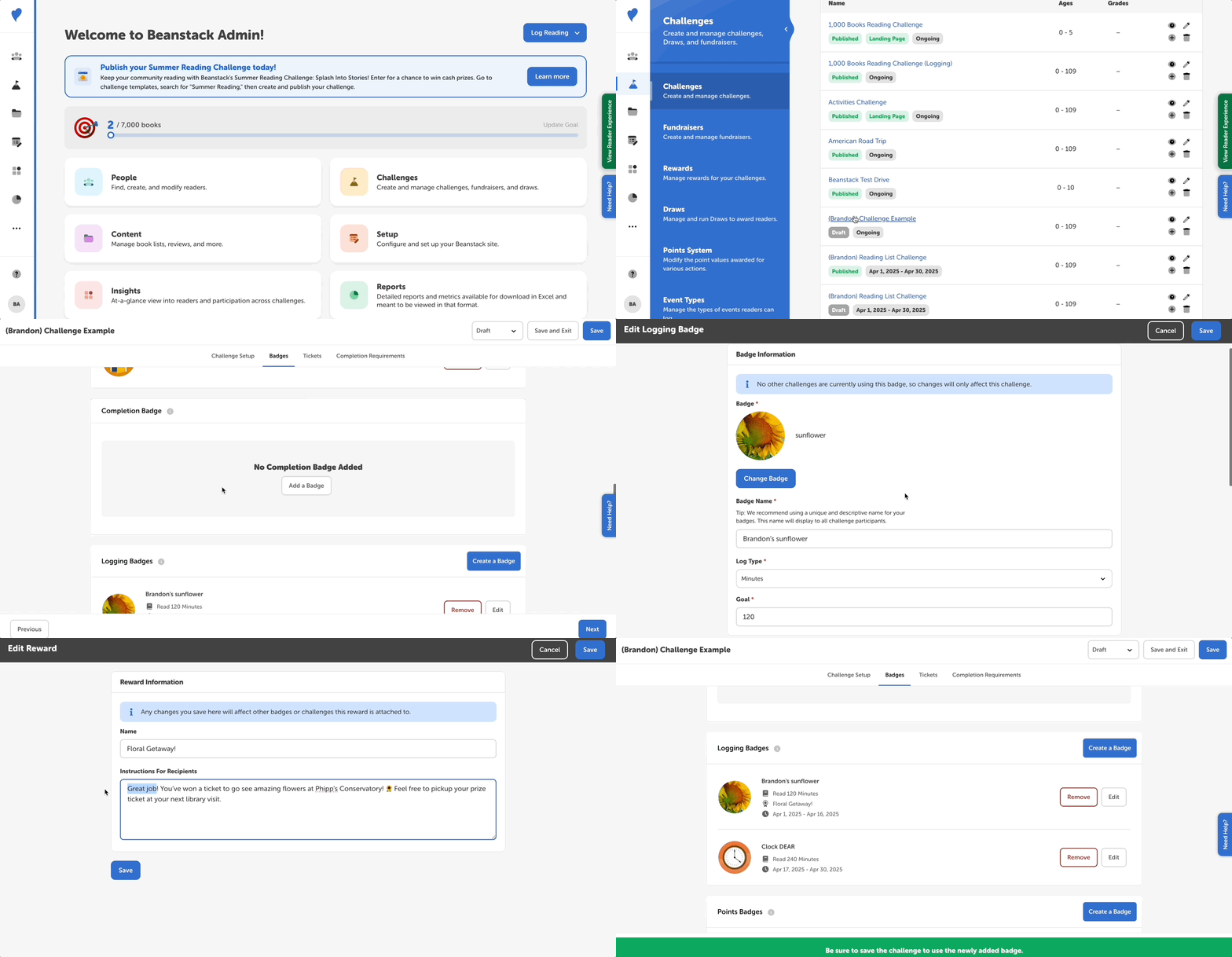
Note: Use caution when updating reward/prize details, as any updates will affect the prize everywhere it is attached.
Follow the instructions below to edit a reward/prize in a challenge:
- Log into the admin view of your site.
- Go to Challenges and select the challenge you wish to edit.
- Select the “Badges” tab.
- Find the badge with the reward you’d like to edit and click “Edit.”
- Scroll down to the “Reward Earned With This Badge” section, where you can do the following:
- Use the dropdown to select a different reward.
- Click “Edit Selected Reward” to change the name and instructions of the reward.
- Note: Any changes to the reward will be reflected on other badges (including on other challenges) that this reward is associated with.
- Remember to save this badge AND to save the challenge in the top right corner of the screen before exiting.