

Tags: Registration, Libraries, Setup
Sometimes during the period of pre-registration, you may want to turn off the ability for readers to log reading.
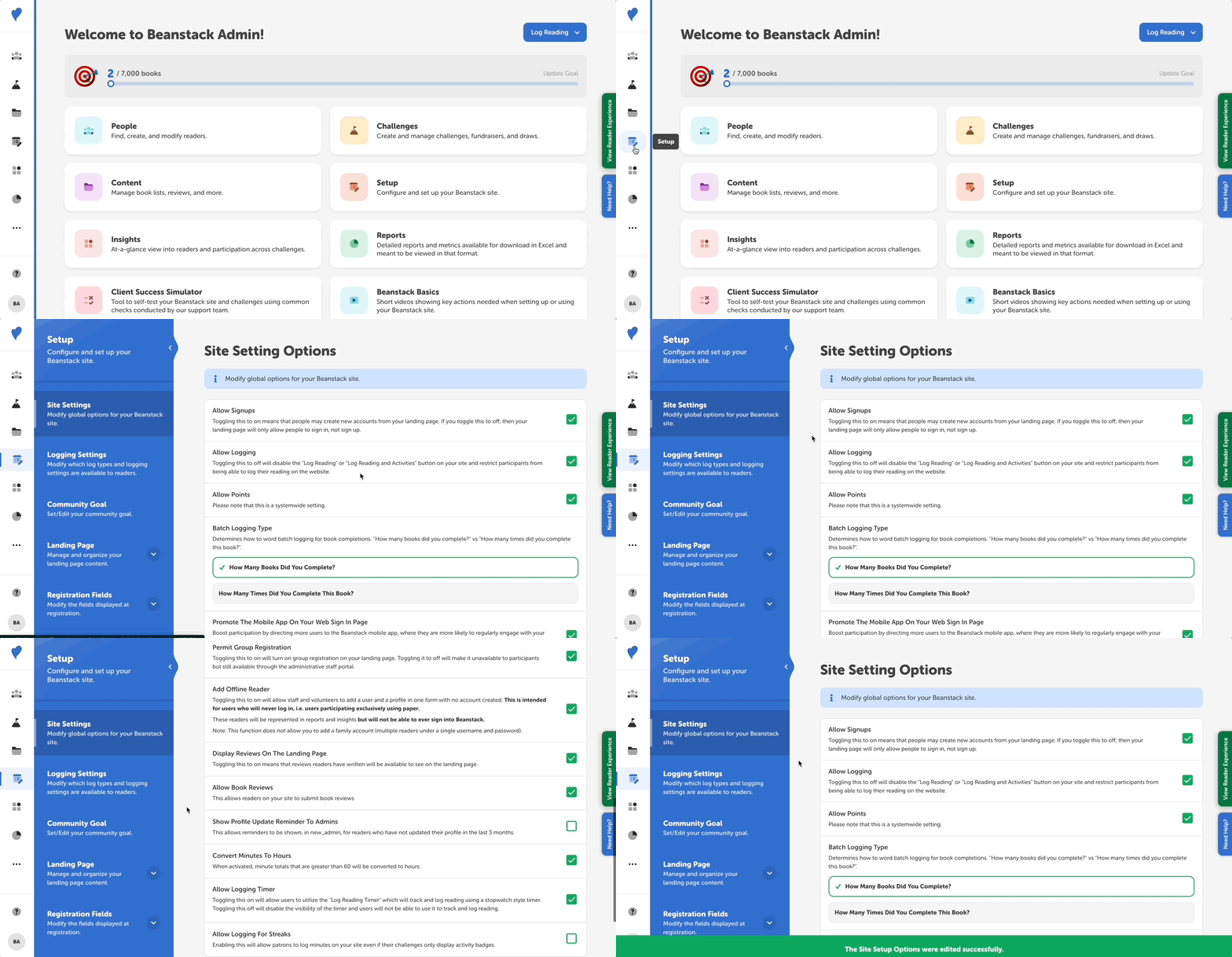
If you would like turn off this ability, follow the instructions below:
-
Log in to the admin view of your library site.
-
Go to Setup > Site Settings.
-
Uncheck “Allow Logging” to remove the ability for readers to log.
-
Click “Save” near the bottom.
The “Log Reading” button will disappear from your site by disabling this. Note that if someone is using the mobile app, they will still be able to log reading.
Note: Even if someone does log reading during this time, it would not count toward a challenge if it does not fall within the dates of that challenge.