

Tags: Challenges, Rewards, Certificates, Certifications, Tickets
Maybe your library or school has a specific certificate, like a “Certificate of Completion” or “100 Books Certificate”, that you would like to have participants download. While we have Completion Badges, there isn’t an option to make a regular certificate. However, we have a workaround for you!
Note: Make sure that you have created a link to your certificate, like making it a bit.ly link or a Google doc, so that your readers can access it via the web.
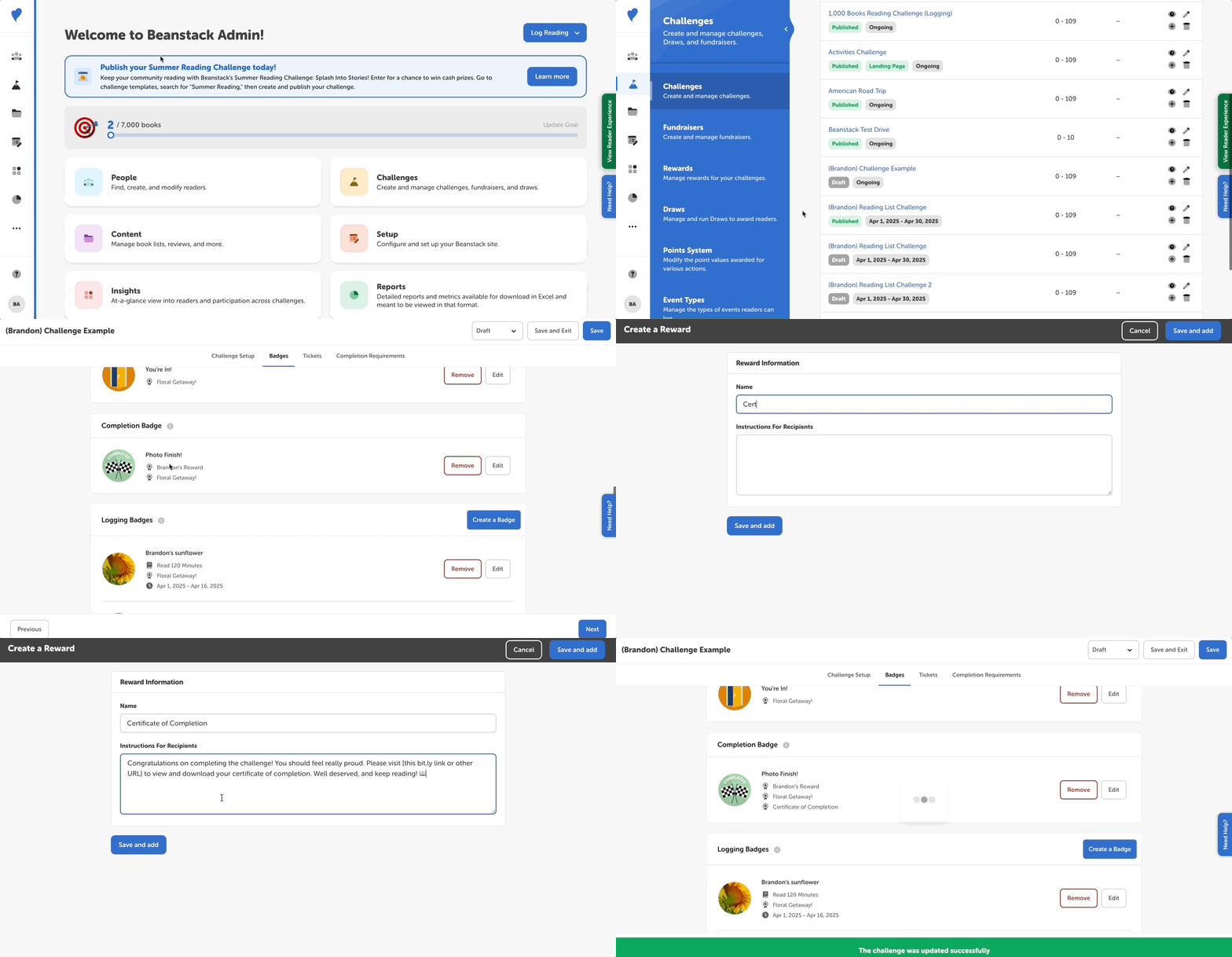
We recommend doing the following:
-
Log in to the admin view of your site.
-
Go to Challenges and select a challenge draft.
-
Select the ”Badges” tab and click the “Edit” button next to the desired badge.
-
Edit the desired badge.
-
-
Create a new reward (not a certificate!) with your desired certificate title, such as “100 Book Certificate” or “Certificate of Completion.”
-
In the reward instructions, use HTML to hyperlink or display the certificate:
-
To hyperlink to the certificate, you can edit this sample text and code:
-
Congratulations. You can view and download your certificate <a href="ENTER YOUR URL HERE">here.</a>
-
-
To display the certificate, you can edit this sample text and code (you can edit the height and width attributes to match your individual certificate display size):
-
Congratulations! <iframe src="ENTER YOUR URL HERE" height="700" width="500"></iframe>
-
-
-
Click “Save and Add”, followed by “Save.”