

Tags: Challenges, Rewards, Tickets, Drawings
You can easily duplicate an existing drawing instead of creating a new one from scratch!
Note: Only library administrators and media specialists plus can duplicate drawings.
-
Log in to the admin view of your site.
-
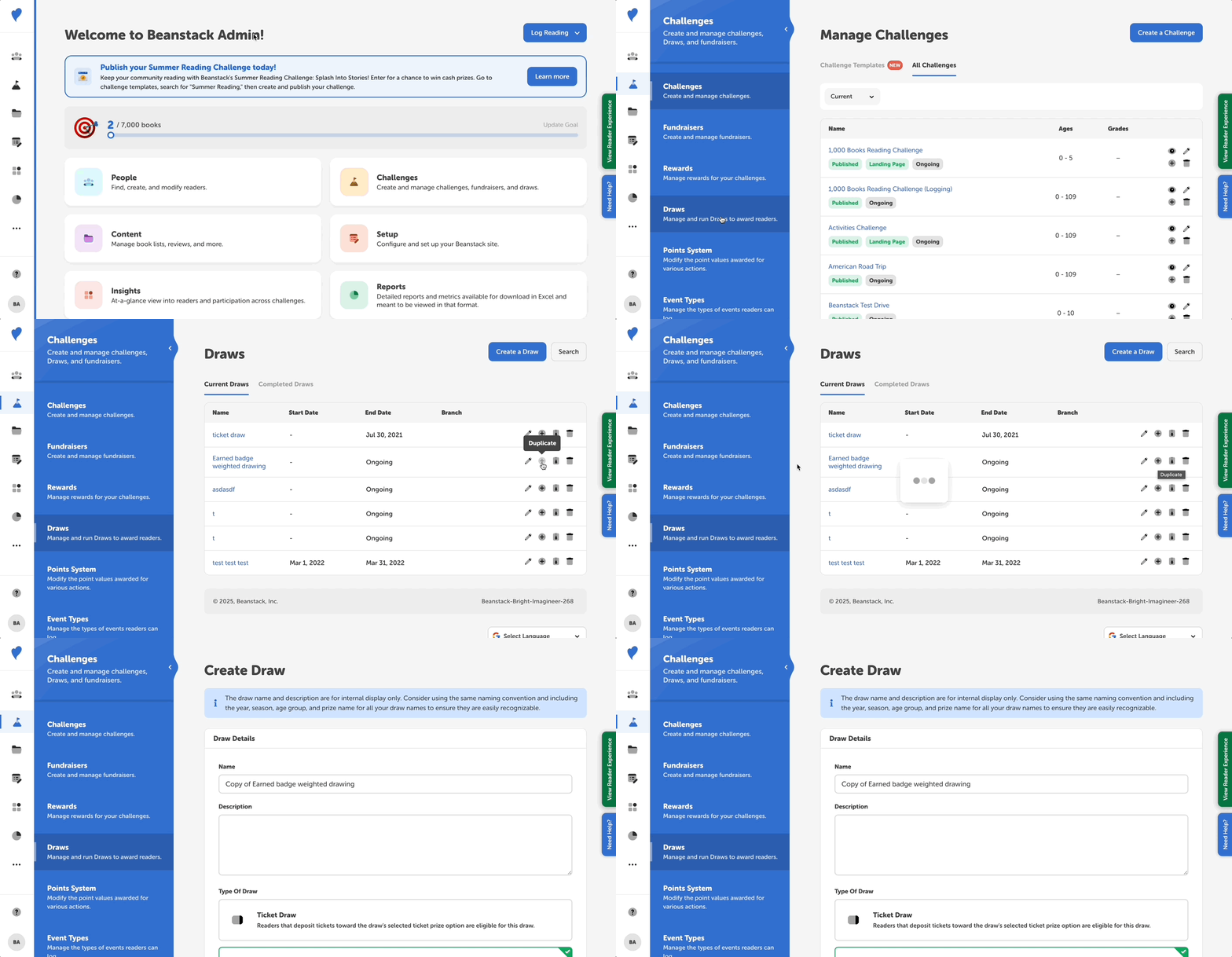
Go to Challenges > Drawings.
-
Locate the drawing in the “Current Drawings” or “Completed Drawings” tab and click the + icon.
-
If your drawing is in the “Archived Drawings” tab, click the archive icon to restore it and then click the + icon.
-
-
From there, update the name of the drawing from “Copy of...” and ensure that the other fields are correct, especially the start and end dates!