

Tags: Libraries, Landing Page, Setup
You can display reader reviews on your site’s landing page by logging in as an a library administrator.
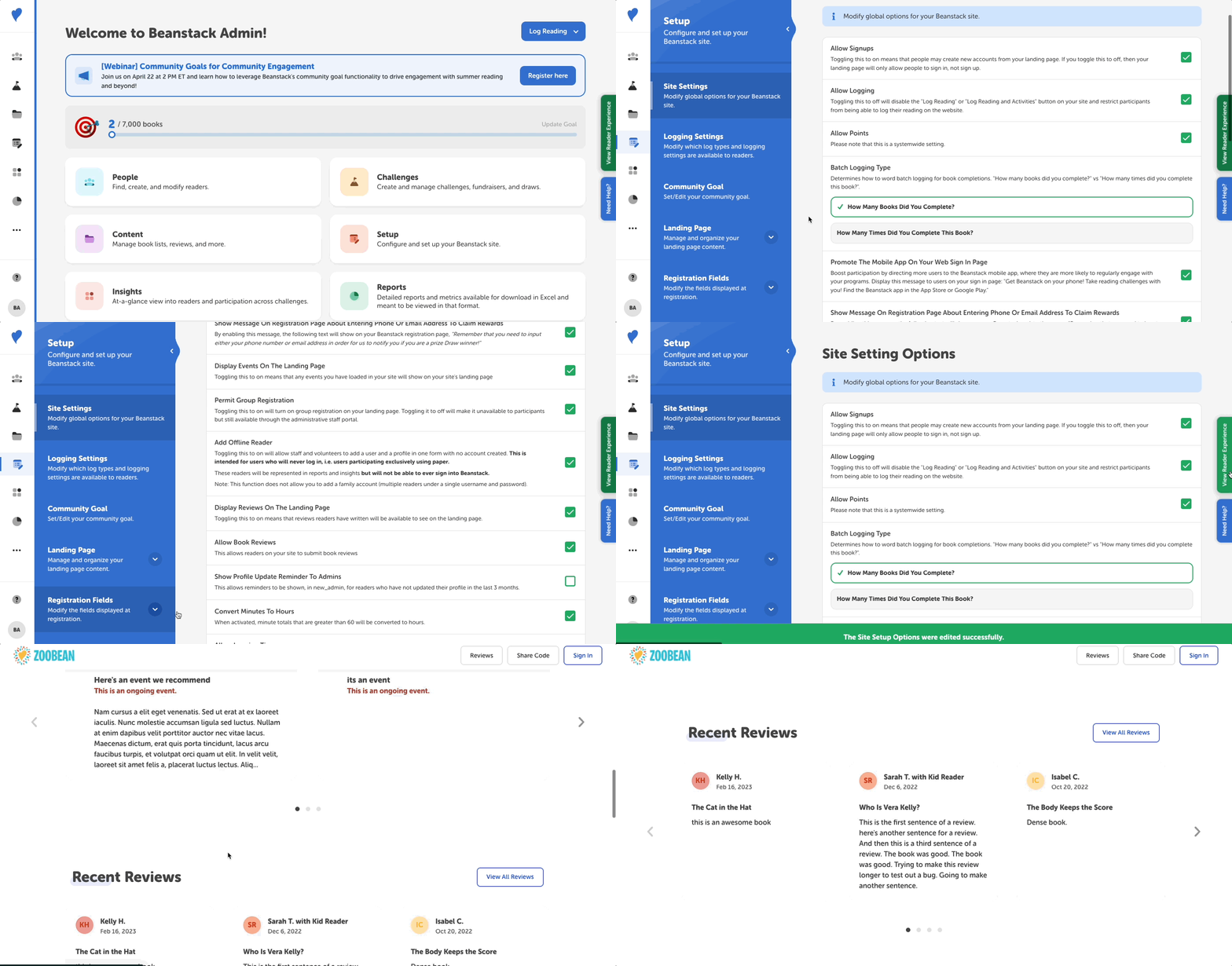
To show reviews on your landing page, follow the instructions below:
-
Log in to the admin view of your library site.
-
Navigate to Setup > Site Settings.
-
Enable “Display Reviews On The Landing Page” by checking the checkbox. You should see a green check mark appear!
-
Click “Save.”
This displays the book title, author name, review text, and reader’s first name and last initial.
Note: Only reviews that have been approved will display on the landing page. You can approve reviews by following the steps in this article.