

Tags: Reports & Insights, Insights, Reports, Libraries
Comparing a current challenge to a past challenge in Insights is a great way to see how your participation has changed over time!
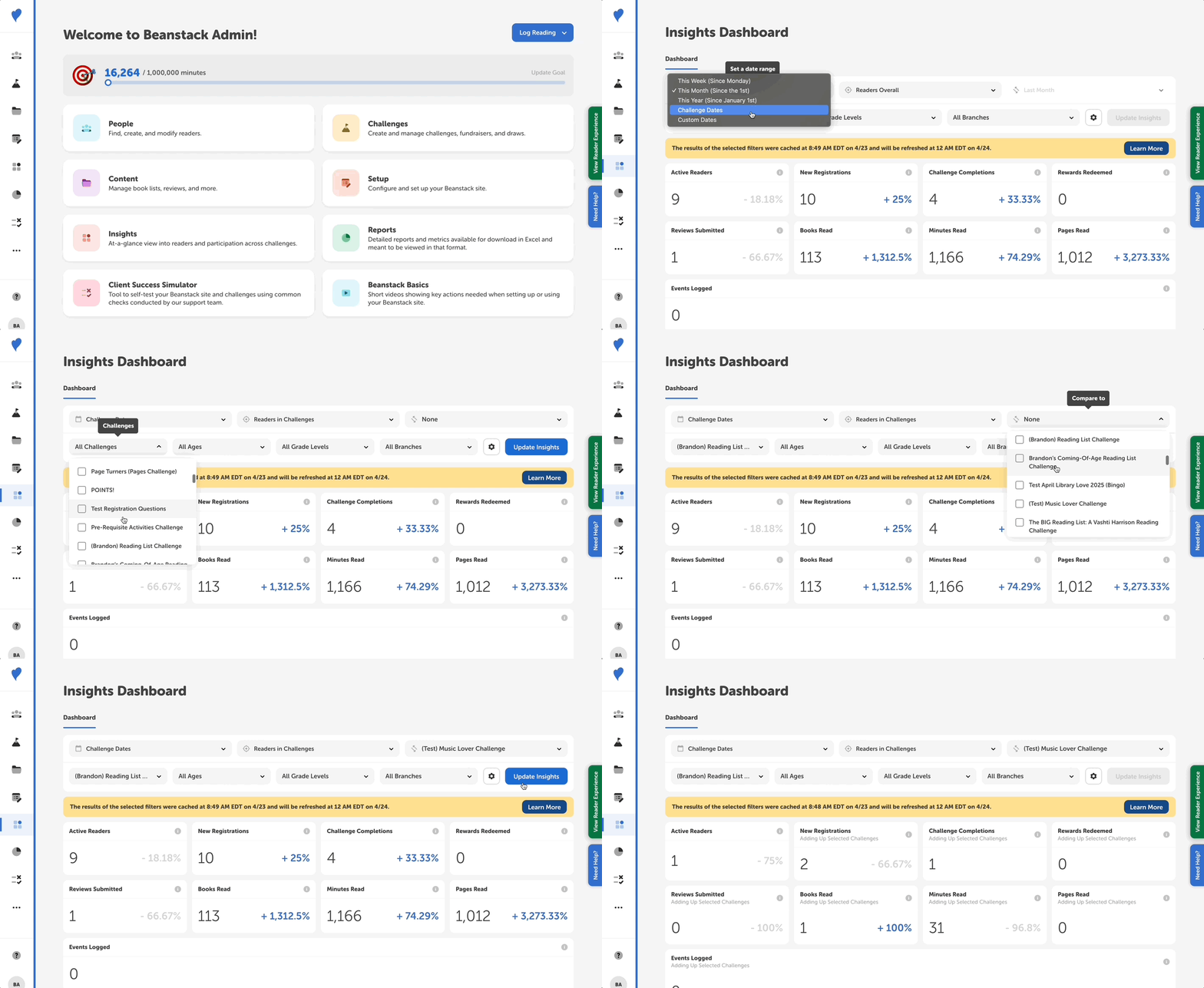
-
Log in to your admin view of your library site.
-
Navigate to Insights.
-
In your filter settings, select “Challenge Dates” and “Readers in Challenges,” and then pick which challenge(s) you’d like to see data for in the “All Challenges” dropdown.
-
In the “Compare To” dropdown, select the other challenge(s) you’d like to compare it against.
-
Click “Update Insights” and the difference appears as a positive or negative percentage for each displayed metric.