Tags: Registration, Libraries, Setup
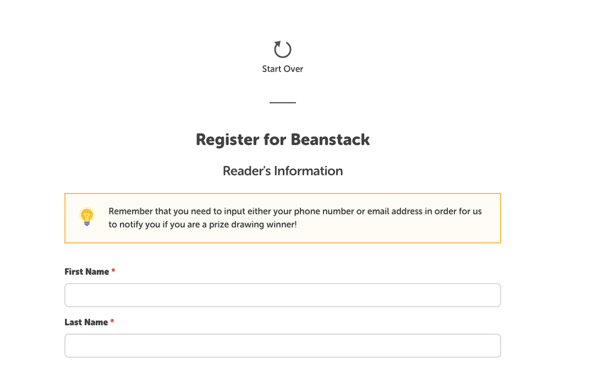
When users register for a new Beanstack account, they may see a message reminding them to input their phone number of email address to be notified of any rewards.
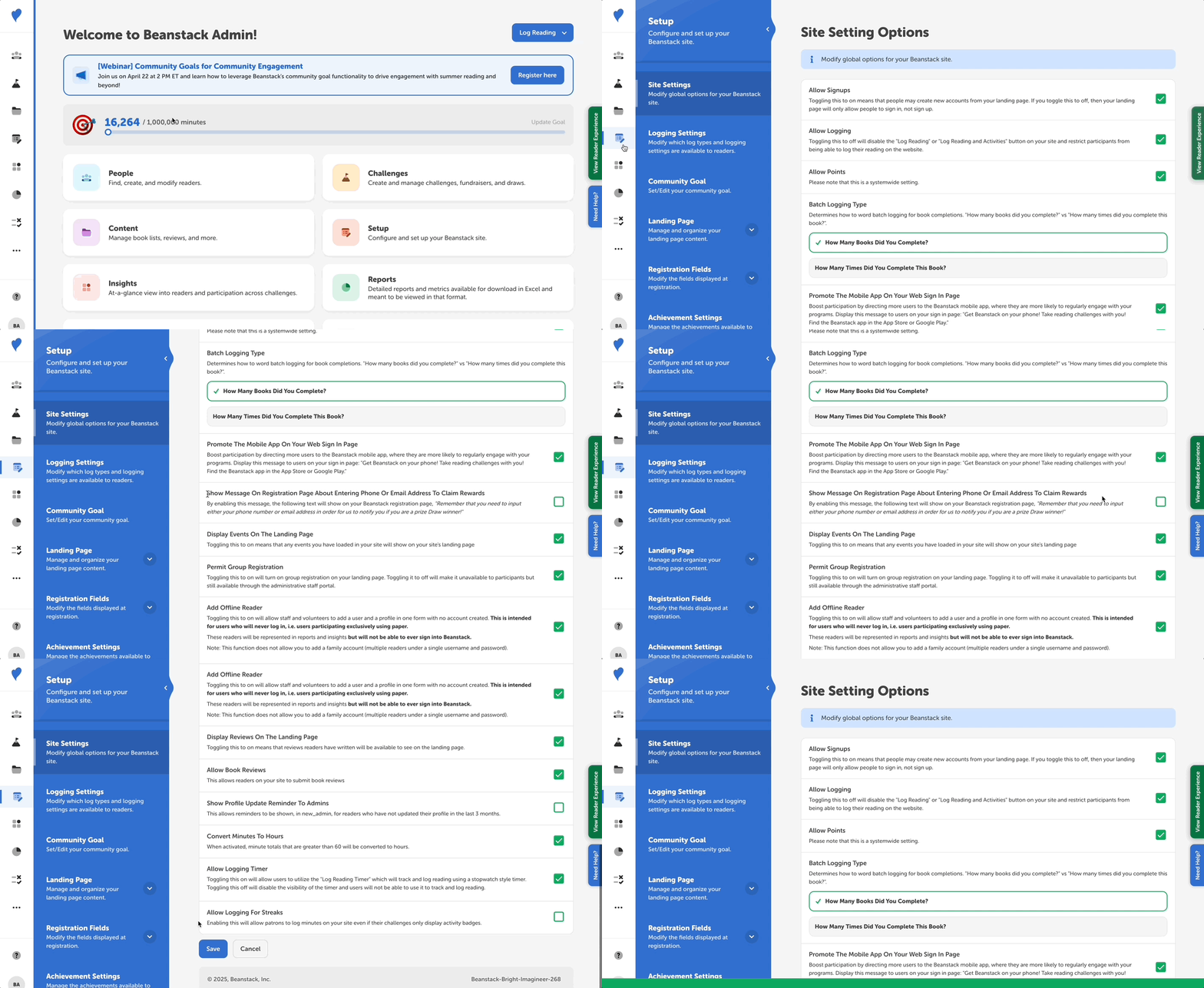
Follow these instructions to add or remove this message:
-
Log in to the admin view of your library site.
-
Navigate to Setup > Site Settings.
-
Scroll down to “Show Message On Registration Page About Entering Phone Or Email Address To Claim Rewards.”
-
Check this option to display it or uncheck this option to remove it.
Note: If enabled, the notification text cannot be modified: