

For more content information, visit Beanstack for Everyone
Note: The setting “Allow Book Reviews” must be turned on to set these values.
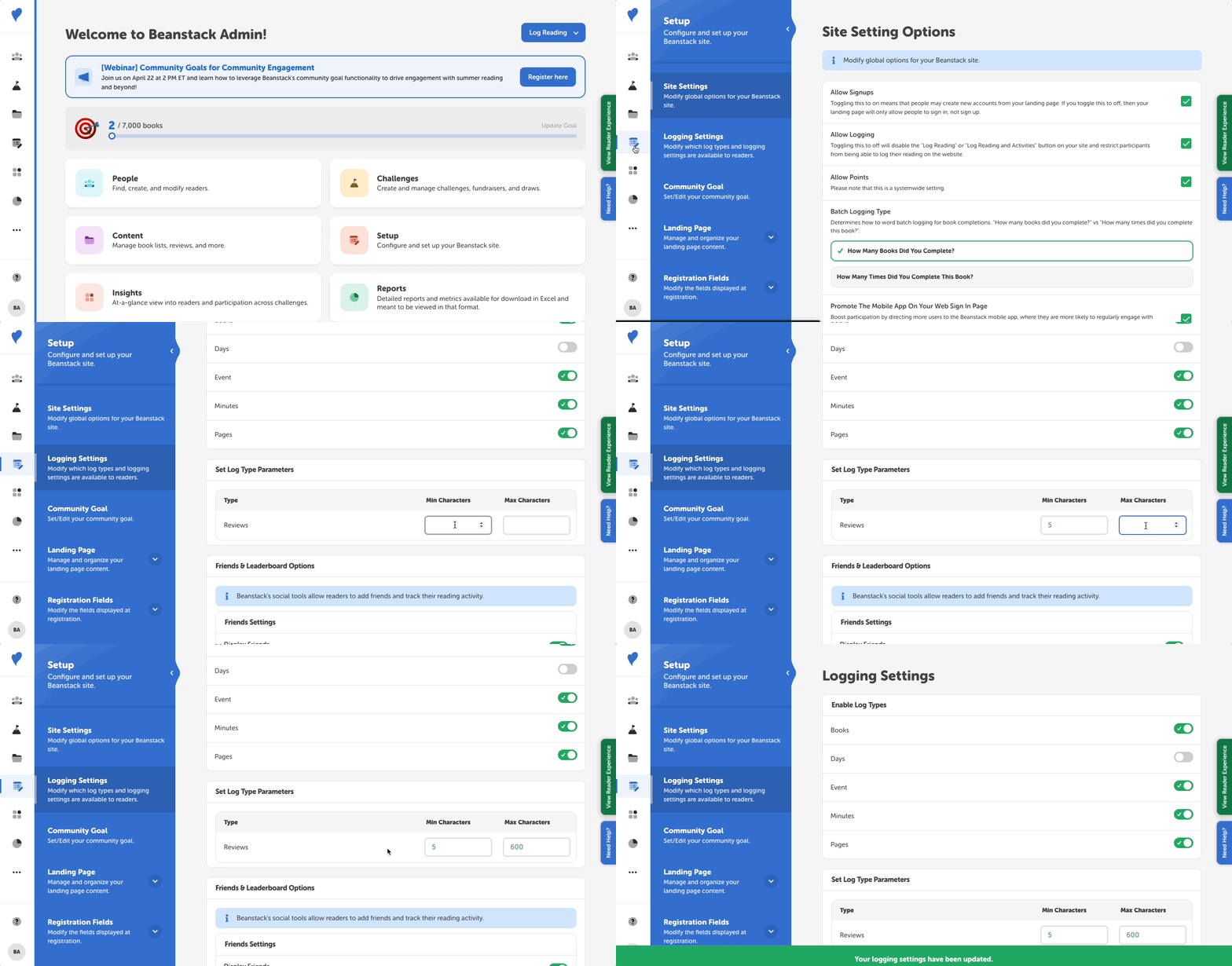
Follow the instructions below to set minimum and/or maximum character amounts to reader book reviews:
- Log in to the admin view of your site.
- Go to Setup > Logging Settings.
- Scroll down to “Set Log Type Parameters.”
- Enter the minimum or maximum character amounts as desired.
- Click “Save.”