
Tags: Reports & Insights, Insights, Reports
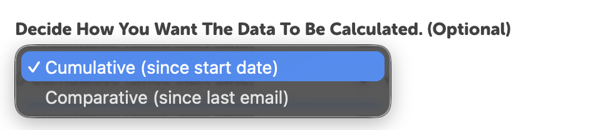
When you create a scheduled report, you can choose whether you want that report to be cumulative or comparative in the “Decide How You Want The Data To Be Calculated” field.
Learn more about the difference between the two in the sections below:
Cumulative Reports (since the start date)
A cumulative report includes data from previous scheduled reports, going back to the start date of the report generated on your site.
Challenge Reports vs. General Reports
For Challenge Reports, “since start date” refers to when a challenge/program began. In practice, the scheduled report is cumulative for that challenge.
For General Reports, “since start date” effectively means “All Time.”
Note: Any manually set start/end dates on a General Report are not applied into the scheduled cumulative report.
Learn more about the difference between challenge and general reports here.
Best Practices
If you’re working with a General Report, make sure to set the start/end dates to the desired range before scheduling. To apply a new date range to your cumulative scheduled report, you’ll need to reschedule it:
- Go to Reports and click “View Scheduled” near the top-right of the page.
- Locate and delete the scheduled report by clicking the trash can icon to the right of the report.
- Find and regenerate the report you’d like to reschedule.
- Use the search bar next to “View Scheduled” to quickly find it.
- Set the start/end dates of your report, and follow the steps for scheduling it.
Comparative Reports (since the last email)
A comparative report includes data from the last report that was emailed to you.
Note: Even if report data is comparative, it is not static. Manually running the same report in the future may produce different results, since readers can backlog and delete entries.
Best Practices
We recommend scheduling comparative reports to run early in the morning. Comparative scheduled reports run from the start of the day (midnight) of the last day the report was run. It would be the day before if the reports are run every single day, to the end of the day of the current date (the day the report is running).
If the report is run at 9:00 a.m., for example, the end of the day is 9:00 a.m., but it would include any data from midnight to 9:00 a.m. of the current date and all 24 hours (midnight to 11:59 p.m.) of the previous day. Due to that time frame, sometimes there is duplicate information in the comparative scheduled reports. On the next day, you will again have that information from 12:00 a.m. to 9:00 a.m. of the day the last report was run, but then you will also have all of the information from 9:00 a.m. of the day the last report was run until 9:00 a.m. of the day of the current report.
This is the optimal way for us to run reports at this time given differences in our client timezones, in order to ensure that we do not omit any information.
To avoid duplicate information, we recommend scheduling the report earlier in the day, before readers would be likely to take any actions recorded in reports.