

Tags: Challenges, Rewards, Tickets, Drawings
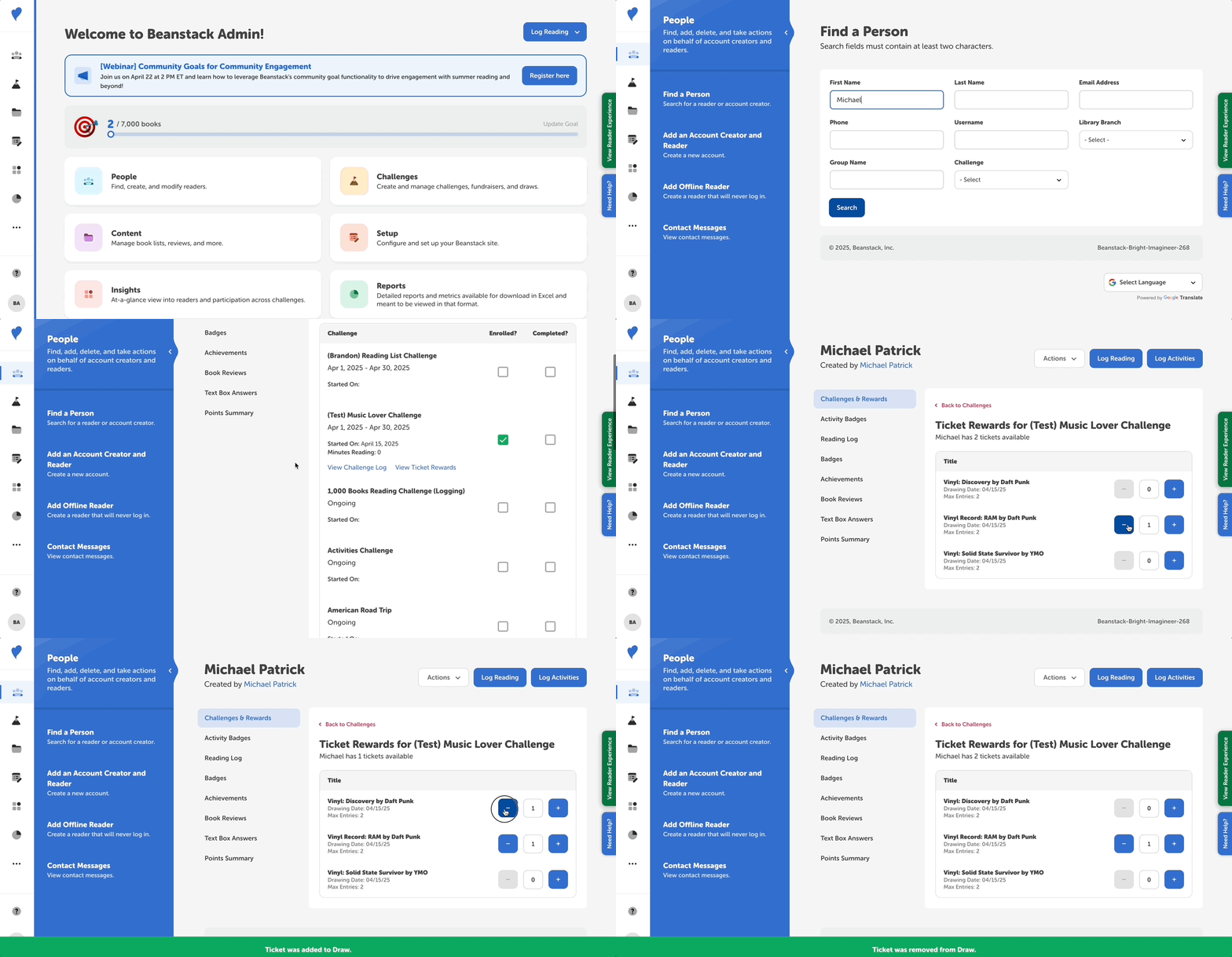
To view or edit a reader’s tickets:
-
Log in to the admin view of your site.
-
Locate the reader:
-
If you’re a library, go to People > Find a Person.
-
If you’re a school, go to Classes and Readers > Students > View Students.
-
-
Select the reader’s name under the “Reader” (or “Student Name”) column.
-
Click “View Ticket Rewards” under the correct challenge.
-
Click the add (+) button to deposit tickets toward a ticket prize and the remove (-) button to remove tickets and deposit them elsewhere.
-
Keep in mind that if a ticket’s end date has passed, you won’t be able to add or remove tickets from it unless you edit the ticket end date within the challenge!