

Tags: Landing Page, Setup
Sometimes users may forget that they already have an account when returning to your Beanstack site after an extended absence, and they will create an account with an existing email address or username. To prevent this, you can enable “Duplicate Account Prevention” in your site’s registration flow.
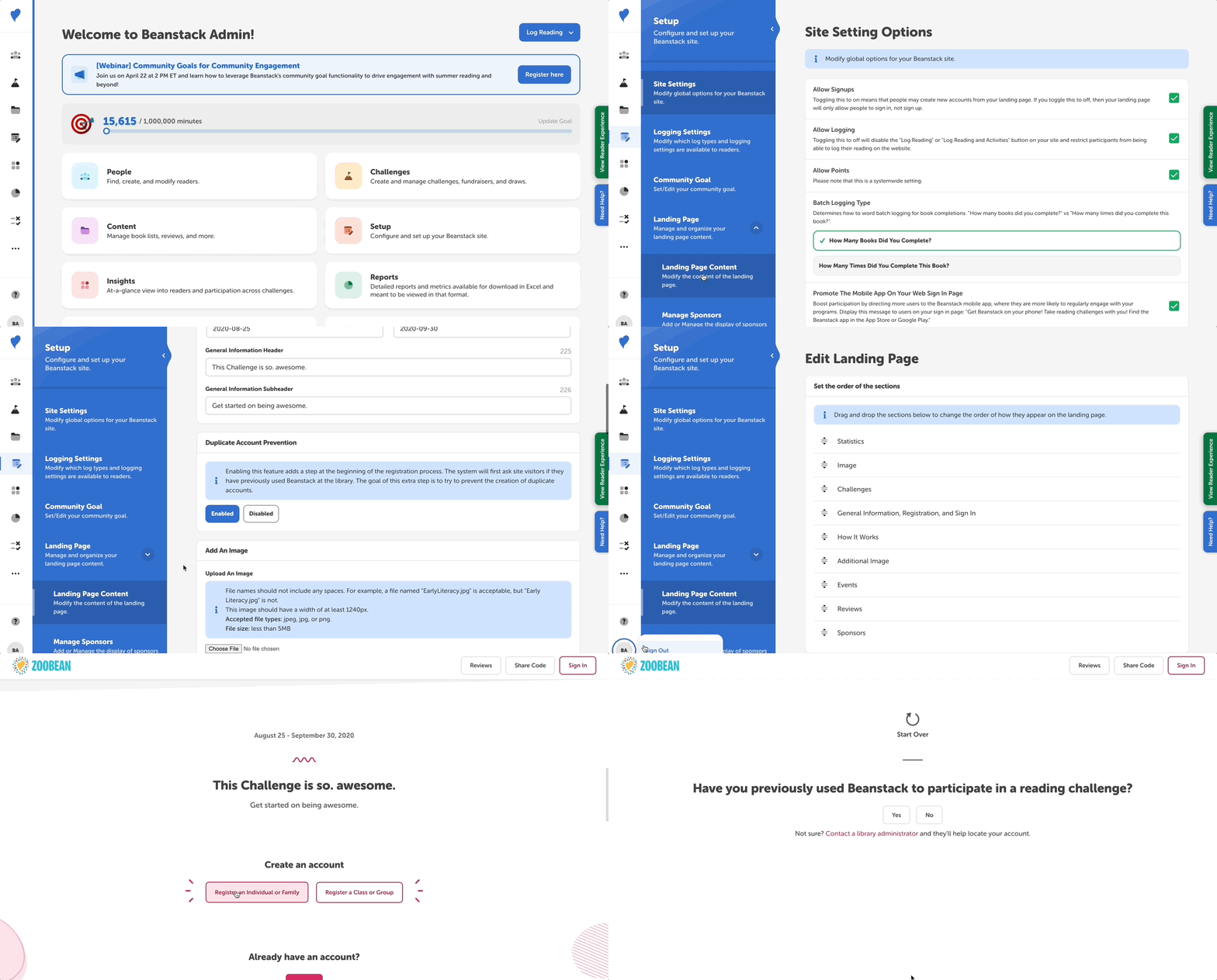
Follow the instructions below to enable this feature:
-
Log in to the admin view of your site.
-
Go to Setup > Landing Page > Landing Page Content.
-
Under “Duplicate Account Prevention”, click “Enabled.”
-
Click “Save.”
Enabling this will add an extra step at the beginning of the registration process that asks site visitors if they have previously used Beanstack to participate in a reading challenge. If the patron answers “yes,” then they are prompted to sign in rather than sign up. If someone enters “no,” then they continue through the typical registration flow.