

Tags: Reviews, Students
As long as book reviews are activated on your site, your students can write reviews at any time. Reviews are only visible to the student who wrote them until you approve them. Once approved, reviews are visible within your school site to students who are within 2 years in age or grade of the student who wrote the review.
-
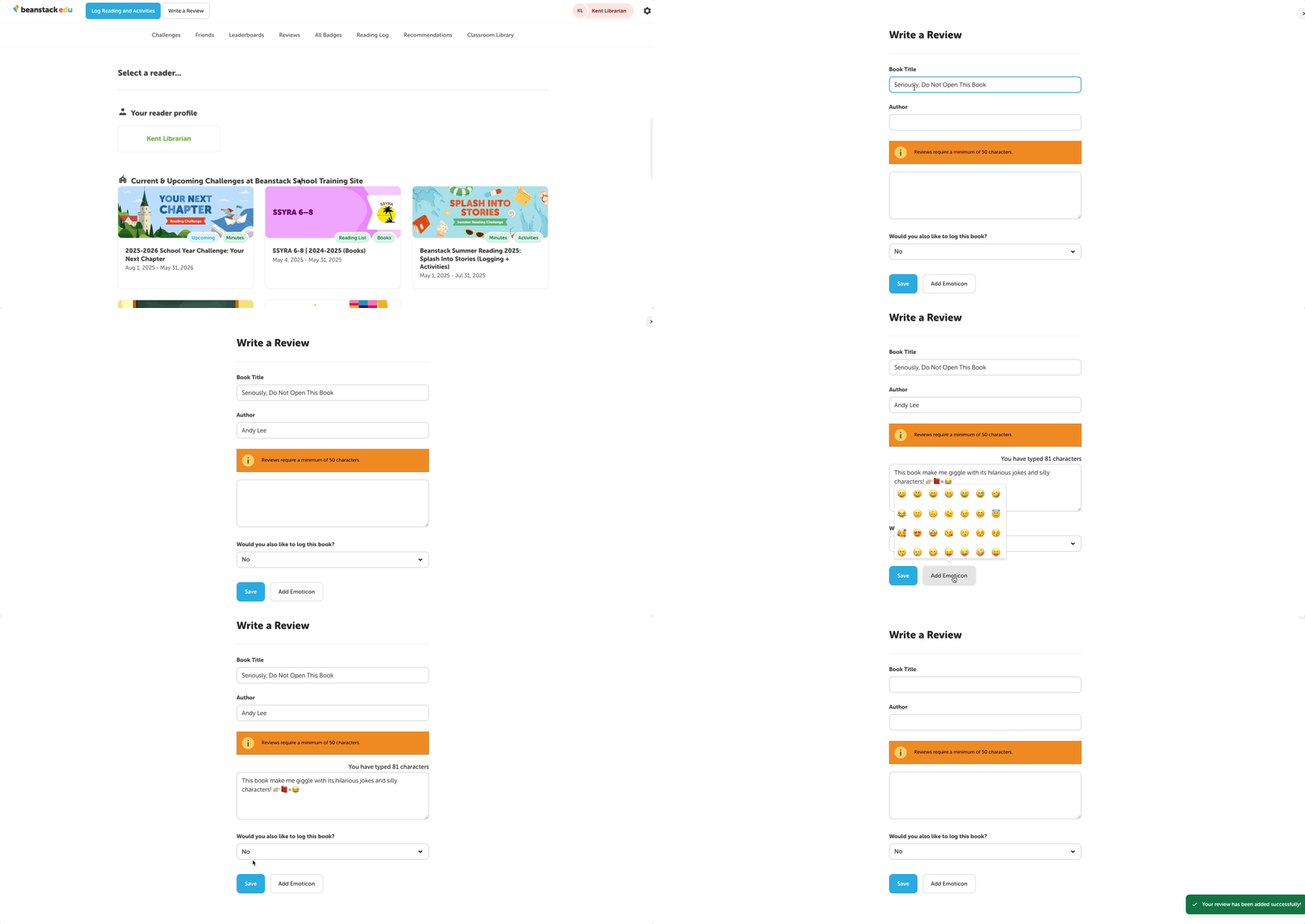
Your students will begin by selecting “Write a Review” in the top left corner of their homepage.
-
They’ll then be taken to a screen where they can enter information about the book they read, along with their review.
-
Students may also use emoticons to enhance their reviews!
-
-
Once they click “Save,” the review will live on their homepage, only viewable to the student who wrote it, until it is approved or rejected by a media specialist or teacher.